How to manage Google Ads for multiple clients
By Matheus Mello, founder of Ads Editor and owner of YEP Agência · Published · Updated · 9 min read
When you manage Google Ads for multiple clients, access is the easy part: a manager account (MCC) puts every client under one login. What decides whether 15 accounts stay healthy is a fixed weekly routine, done the same way in every account, with the repetitive edits made in bulk.
Quick answer
To manage Google Ads for multiple clients, set a weekly routine per account: review search terms and add negatives for whatever does not convert, adjust target CPA or ROAS only after the learning period, keep headlines, descriptions and assets current, and standardize UTMs. Make the repeated edits in bulk, never account by account.
Summary
- A manager account (MCC) gives you one sign-in and one dashboard for every client account.
- Search terms weekly, bids every two weeks and only outside learning, assets monthly, tracking on every new campaign.
- Changing bid targets every week keeps a campaign in learning forever.
- UTMs live in the campaign's final URL suffix, and new campaigns do not inherit it.
- Performance Max needs its own checklist: asset group minimums and bid strategy limits.
- Demographic bid adjustments (age, gender, household income, parental status) only apply where the bid strategy supports them.
In this article · 10 sections
How do you access many client accounts?
Through a manager account. Google Ads Help describes it as a Google Ads account that lets you view and manage multiple Google Ads accounts from one place, with a single sign-in and multi-account reporting. Most of the industry still calls it an MCC. Link the client's existing account by sending a request from your manager account, so access stays under the agency's control.
What weekly routine should every account get?
| Routine | What to do | Frequency |
|---|---|---|
| Search terms | Read the terms that got clicks and add negatives for anything without intent | Weekly |
| Bids | Compare actual CPA or ROAS against the target. Review age, gender, household income and parental status, and adjust bids where the strategy allows. | Every two weeks, outside learning |
| Ads and assets | Update headlines, descriptions, sitelinks, callouts and snippets | Monthly or when the offer changes |
| Tracking | Check the UTM suffix and the primary conversions | On every new campaign |
The order matters when time is short. Search terms come first because wasted spend compounds every day it goes unchecked. Bids come second, and only on campaigns that are out of learning.
Google's recommendations belong in the same weekly pass: dismiss what contradicts the agreed strategy, apply coverage, and leave budget and bidding for one decision at a time. The full rule is in Google Ads recommendations.
When should you change target CPA or target ROAS?
Only after learning. Google Ads Help says it can take a few conversion cycles (1 to 2 typically) for a bid strategy to calibrate, and that a new strategy, a setting change or a composition change (campaigns, ad groups or keywords added or removed) triggers the Learning status. Changing targets every week keeps a campaign in learning forever. To switch strategies without risking the whole account, run a Google Ads experiment on half the traffic and decide at statistical confidence.
| Strategy | When it makes sense |
|---|---|
| Maximize conversions | Early on, before there is enough history to set a target |
| Target CPA | Stable volume and a known cost per conversion |
| Maximize conversion value | Ecommerce with varying order values |
| Target ROAS | Reliable conversion values and volume |
| Maximize clicks | Traffic goals, used carefully |
| Target impression share | Brand terms and position |
| Manual CPC | Full control on a small account (no learning period) |
What bid adjustments can you manage in Ads Editor?
Bidding work goes beyond target CPA and target ROAS. In the Google Ads manager inside Ads Editor, the ad group demographic view lets you compare impressions, clicks, cost and conversions, then adjust eligible segments.
| Criterion | What to review |
|---|---|
| Age | Compare age ranges and the Unknown category before raising or lowering a bid. |
| Gender | Review the categories Google reports and compare conversion quality, not just click volume. |
| Household income | Compare the income tiers available for that market. These are relative tiers, not exact incomes. |
| Parental status | Review parents, people without children and the Unknown category where available. |
For an eligible segment, you can raise or lower the bid by a percentage, remove the adjustment, exclude the segment or include it again. Adjusting a bid and excluding an audience are different actions: a lower bid still lets the ad serve.
Check the bid strategy before changing a percentage
Smart Bidding strategies such as target CPA, target ROAS and Maximize conversions set bids automatically and do not apply manual demographic bid adjustments. Ads Editor warns you when the strategy will ignore an adjustment. Check campaign eligibility before using these controls.
- Open the client account and select the ad group you want to review.
- Open its demographic data and choose age, gender, household income or parental status.
- Compare cost, conversions and lead or sale quality over a long enough window.
- Apply an eligible adjustment or exclusion, log the change and review the result before touching it again.
You can also edit keyword CPC bids, ad group target CPA and campaign bid targets where supported. Since October 11, 2026, the Segments tab shows device, hour of day, day of week and landing page, and percentage bid adjustments also cover device, schedule and audience, only where the strategy allows: under target CPA, schedule adjustments do not apply and a device adjustment changes the CPA target for that device. Outside manual bidding, cut by schedule and exclude a device with -100%. Ranges, how adjustments multiply and how to size the percentage are in the guide to Google Ads bid adjustments.
What should you edit in bulk?
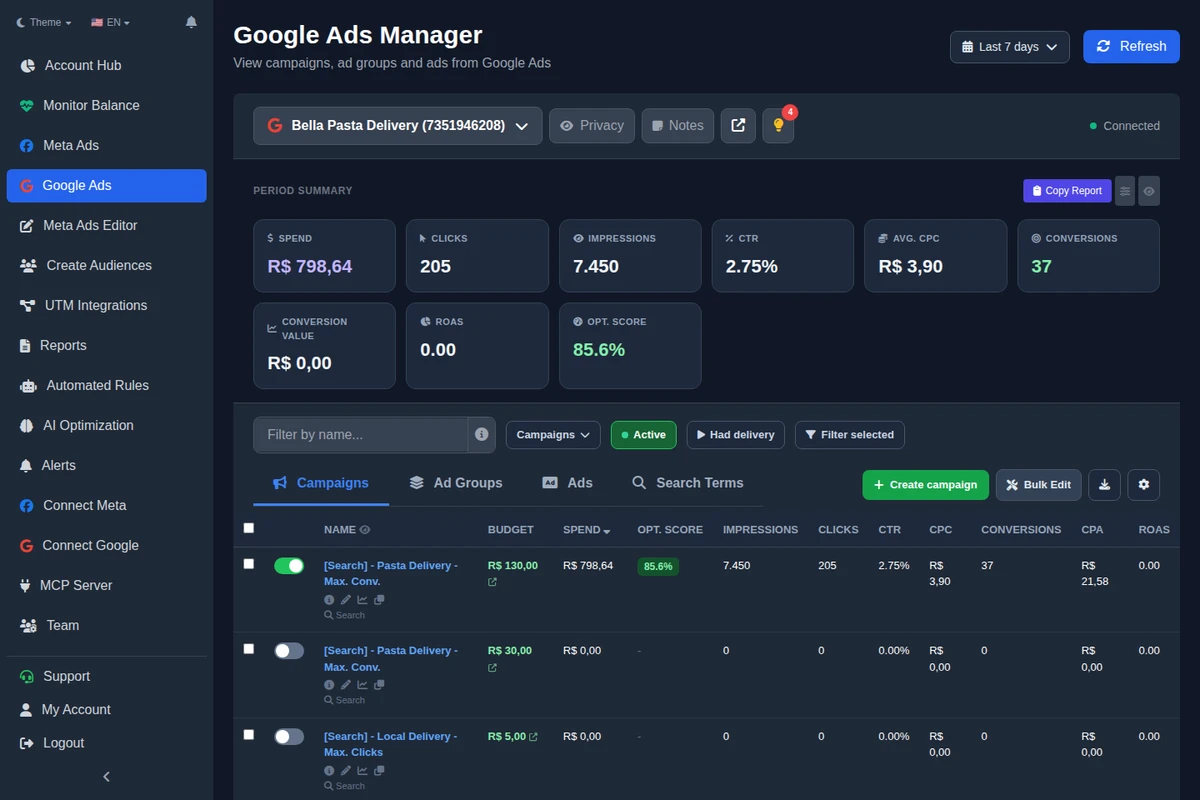
- Headlines, descriptions and final URLs across many ads at once.
- Assets (sitelinks, callouts and structured snippets) applied at the campaign or ad group level.
- Negatives straight from the search terms report, with match type and level. See Google Ads negative keywords.
- Locations by city, region or radius around an address.
- Duplicating campaigns into other accounts.
AI can also suggest keywords and headlines based on the website and the campaign, for you to review before applying.
To start a client from a campaign that already works for another, duplicate it across accounts with the final URL swapped during the copy; the Meta and Google versions are in how to copy a campaign to another ad account.
What changed in the Google manager in October 2026?
- Google's recommendations (October 10): the light bulb button shows the optimization score and each recommendation explained, with Apply and Dismiss, including several at once.
- Create a campaign with AI in one step (October 10): website, budget, city and goal become a draft to review; nothing is created without confirmation. You can also start from a saved template.
- Negative keyword lists (October 11): the account shared lists, created, edited and applied to many campaigns from Search terms.
- Audiences (October 10 and 11): website remarketing, custom segments and combined lists, plus a card that suggests audiences from the searches and pages that converted.
- Experiments and Shopping (October 10): A/B tests of bid strategy or landing page, and Shopping campaigns with Merchant Center.
- Account-level UTMs (October 10): the final URL suffix can apply to the whole account; a campaign with its own suffix keeps it.
How do you standardize UTMs on Google Ads?
On Google, UTMs live in the campaign's final URL suffix, not in the ad. The Ads Editor default uses ValueTrack: utm_source=google&utm_campaign={campaignid}&utm_medium={adgroupid}&utm_content={creative}&utm_term={keyword}. New campaigns do not inherit the suffix, so set it right after creating them. Details in UTM parameters for Meta and Google ads, which covers both platforms.
How does Performance Max change the routine?
PMax is a different animal: no ad groups, no keywords, and an asset group where the ad used to be. It has its own creation rules, and when they are not met, Google rejects the whole campaign. It is all in Performance Max asset group requirements. To advertise products, PMax needs the catalog: see Merchant Center in Performance Max.
Where do Google Ads Editor and AI fit in?
Google Ads Editor is Google's free desktop app for large offline edits in Google Ads. Ads Editor is a different product, independent of Google, that runs in the browser and covers Meta Ads too. The comparison is in Ads Editor vs Google Ads Editor. With the Ads Editor MCP, you can ask an AI assistant to review accounts and apply supported changes in plain language. See MCP for Claude and ChatGPT.
What changes when Google and Meta live in one place?
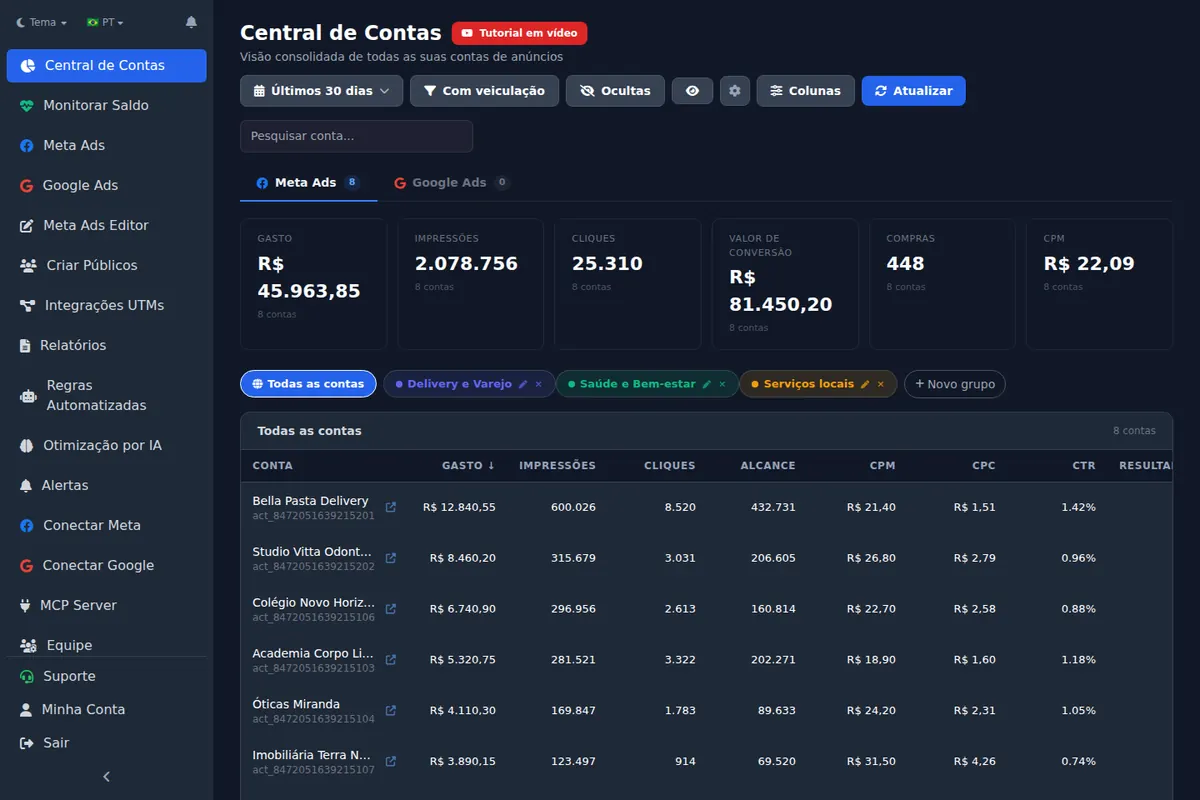
The gain from centralizing is not just the login. It is seeing both platforms on the accounts hub, sending one client report and watching spend and status for both in the same monitor.
Frequently asked questions
How do you manage multiple Google Ads accounts?
With a manager account (MCC) for access and a weekly routine per account: search terms, bids, ads and tracking, with the repeated edits done in bulk.
How long does the bid strategy learning period last?
According to Google Ads Help, it can take a few conversion cycles, typically 1 to 2, depending on conversion volume and cycle length.
Where do UTMs go in Google Ads?
In the campaign's final URL suffix, with ValueTrack parameters like {campaignid} and {keyword}.
Does manual CPC have a learning period?
No. Google notes that Manual CPC is not subject to the bid strategy learning period.
Can I adjust bids by age, gender and income in Ads Editor?
Yes. The demographic view includes age, gender, household income and parental status, with adjustments and exclusions where supported. Availability depends on the campaign and market. Smart Bidding does not apply manual demographic bid adjustments.
Glossary
- Manager account (MCC)
- A Google Ads account that links and manages many client accounts under one login.
- Search terms report
- The list of actual searches that triggered your ads.
- Final URL suffix
- The field that appends tracking parameters to every final URL in a campaign.
- Learning status
- The bid strategy status shown while Google recalibrates after a change.
- Bid adjustment
- A percentage increase or decrease applied to an eligible bid.
References
- Manager Accounts (MCC): About Google Ads manager accounts (Google Ads Help). Supports: A manager account lets you view and manage multiple Google Ads accounts from a single location, with single sign-in and multi-account reporting.
- Duration of the learning period for campaigns and what affects it (Google Ads Help). Supports: It can take a few conversion cycles (1 to 2 typically) for a bid strategy to calibrate; new strategy, setting change and composition change trigger the Learning status; Manual CPC is not subject to learning periods.
- Google Ads Help: About bid adjustments. Supports: Bid adjustment types and compatibility with automated strategies.
- Google Ads Help: About demographic targeting. Supports: Age, gender, household income and parental status; availability varies.
The claim supported by each source is shown above.
About the author
Matheus Mello, founder of Ads Editor and owner of YEP Agência. Runs client ad accounts at YEP Agência and built Ads Editor so his own agency could stop publishing ads one at a time. Usage numbers quoted on the blog come from the product activity log. Instagram: @theusm