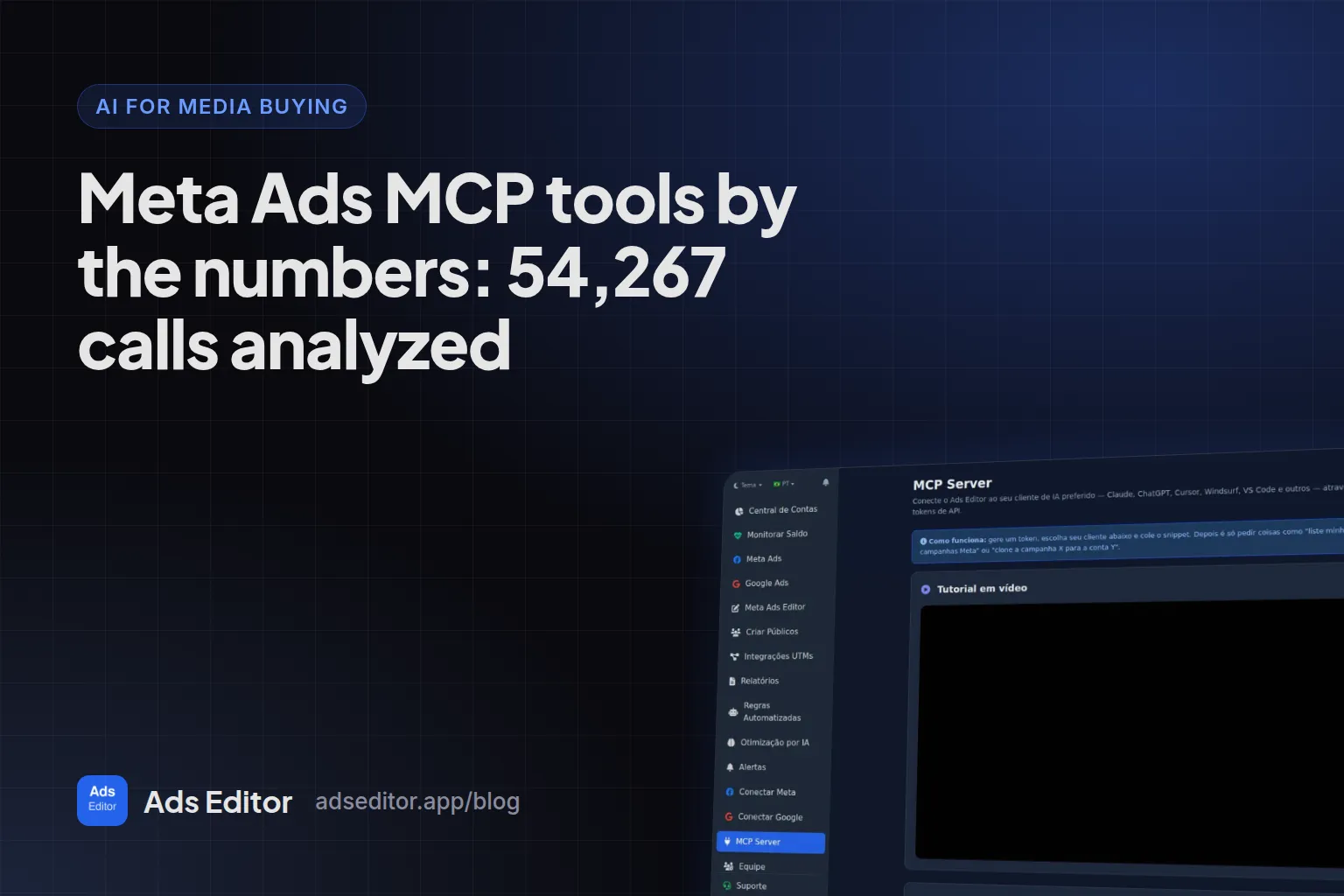
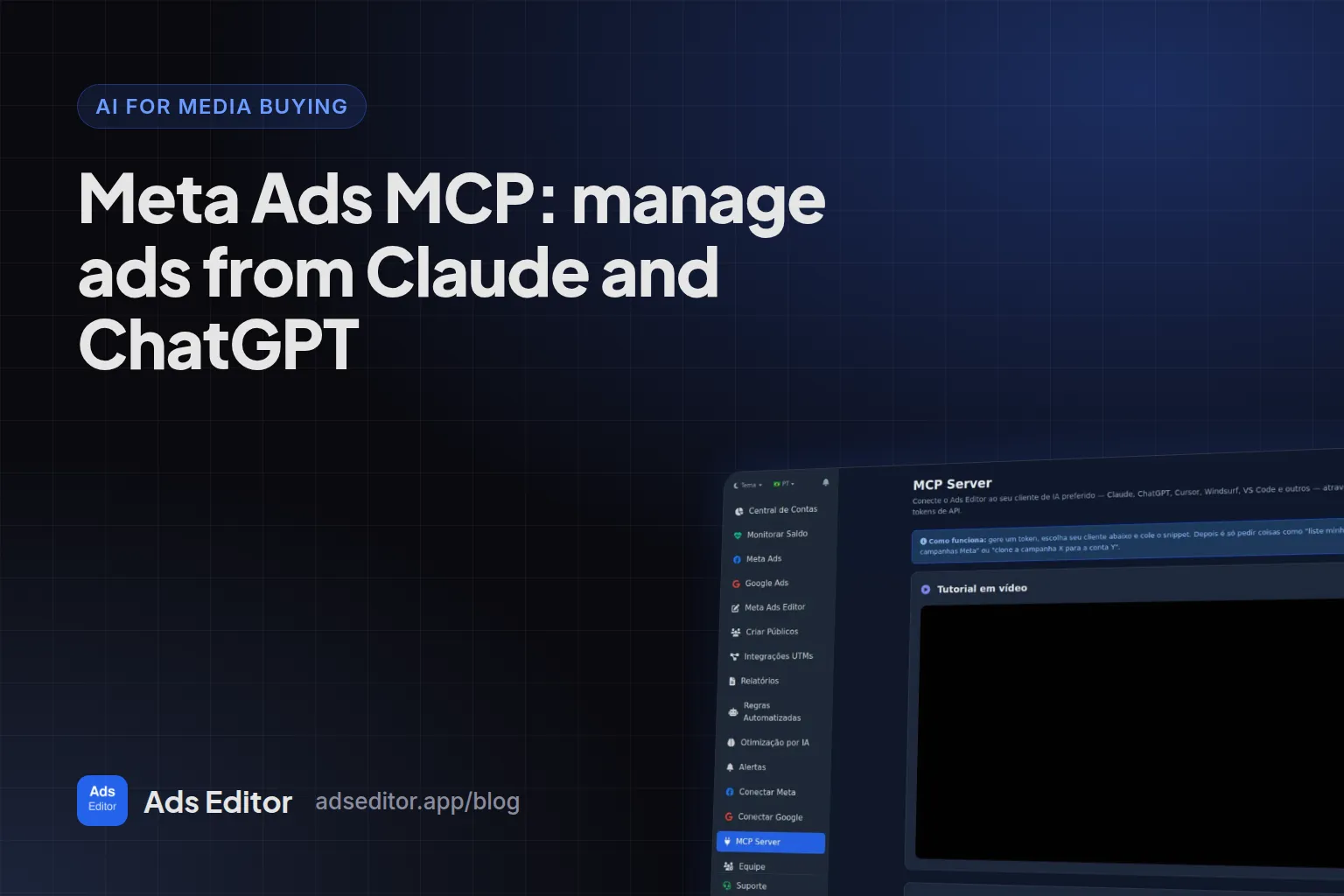
Meta Ads MCP: manage ads from Claude and ChatGPT
By Matheus Mello, founder of Ads Editor and owner of YEP Agência · Published · Updated · 21 min read
A Meta Ads MCP server lets Claude, ChatGPT, Codex or Cursor read your campaign metrics and, depending on the server, change campaigns while you talk to it. The options differ in the two things that matter most: which platforms they cover, and whether they can act on the account or only read it. This guide compares the three main options, walks through connecting Ads Editor's step by step and gives you 22 prompts to start with.
Quick answer
Meta and Google both have official MCP servers, plus several third-party ones. Meta's connector (mcp.facebook.com/ads), in open beta since April 29, 2026, covers Meta only. Google's open source server is read-only. Ads Editor's MCP runs Meta Ads and Google Ads in the same Claude or ChatGPT chat and copies campaigns between ad accounts.
Summary
- MCP is the open standard that lets AI assistants call external tools, such as list campaigns or update a budget.
- Meta's ads AI connectors entered open beta on April 29, 2026 and cover Meta only; Google's open source Google Ads MCP server is read-only, with three tools.
- The Ads Editor MCP has more than 250 tools across Meta Ads and Google Ads, and copies campaigns, ad sets, ads and audiences to other ad accounts, swapping Page, pixel and WhatsApp.
- A line-by-line comparison with Meta's official MCP, built on Meta's own documentation as of September 30, 2026.
- Step-by-step sign-in setup for Claude, ChatGPT and Codex, and 22 ready-to-use prompts.
In this article · 8 sections
What is an ads MCP server?
The Model Context Protocol is an open source standard for connecting AI applications, such as Claude and ChatGPT, to external systems. An ads MCP server publishes tools (list campaigns, change a budget, pause an ad) that the assistant calls when you ask in plain language.
Which ads MCP servers exist, and which ones only read?
On April 29, 2026, Meta announced its ads AI connectors in open beta, to create, manage and analyze campaigns directly in the AI tools advertisers already use, powered by Meta's ads MCP server and command line interface. It is good news for the market and a solid option if you only run Meta.
Google took a different route: on October 7, 2025 it released an open source Google Ads API MCP server, and the initial release is read-only, for reporting and diagnostics. In the repository, checked on September 23, 2026, there are three tools: one that queries the data, one that describes the available fields and one that lists the accounts you can access. To use it, you run the server yourself, create a Google Cloud project, enable the Google Ads API and configure your own credentials. It is a developer tool.
| Capability | Meta's official MCP | Google Ads MCP | Ads Editor MCP |
|---|---|---|---|
| Platforms | Meta only | Google Ads only | Meta Ads and Google Ads |
| Reads metrics | ✓ | ✓3 tools | ✓ |
| Changes campaigns | ✓ | ✗read only | ✓ |
| Meta and Google in the same chat | ✗ | ✗ | ✓ |
| Copies a campaign to another ad account, swapping Page, pixel and WhatsApp | Not stated | ✗ | ✓ |
| Turns a Google Drive folder into ads through the bulk queue | Not stated | ✗ | ✓ |
| Bulk audiences (including customer lists) and lead form swaps | Not stated | ✗ | ✓ |
| Turns off Advantage+ creative on every ad in the account at once | Not stated | ✗ | ✓ |
| Budget limit enforced on the server | ✓limited availability | Not applicable (read only) | ✓fixed daily ceiling |
| Best for | Meta-only advertisers who want the official route | Developers who want to query Google data | Media buyers and agencies running both platforms |
Other third-party MCP servers also claim to cover Meta and Google with write access. When you compare them, look past the tool count: who can reach which account, whether budget changes have a hard ceiling on the server, and whether every action is logged.
Read-only is not a flaw: it is the safest option if you want an analyst, not an operator. What changes is how much work is left for you. With a read-only MCP, the AI tells you which budget to raise and you open Ads Manager to raise it. With an MCP that writes, you confirm and it raises it. The choice is how much of the operation you want to delegate.
What does the Ads Editor MCP do beyond list, read and pause?
Listing campaigns, reading metrics and pausing an ad is the baseline every ads MCP delivers. What actually changes the day-to-day for someone running many accounts is the rest. Every item below was checked against Ads Editor's own code on September 30, 2026; customer lists, audience suggestions and the Google additions on October 16, 2026.
How do you copy a campaign to another ad account from chat?
- Campaign, ad set or ad to another ad account, swapping Page, Instagram account, pixel and WhatsApp number for the destination account's. Before copying, the assistant checks what the destination account has available. Campaigns and ad sets copied through the MCP are created paused.
- Copy while changing the objective: from WhatsApp to website, website to WhatsApp, or to the Instagram profile. Valid combinations come from a catalog of objectives, and Meta validates the combination before anything is created.
- Ad into an ad set with a different objective: the AI reads the destination ad set and adapts the call to action and creative, re-uploading the media.
- Google Ads across accounts: the AI copies a campaign to another account (created paused), moves an ad group with its ads and keywords to another campaign, or duplicates a campaign inside the same account.
- Audiences and AI settings to another account: the AI copies a custom audience and copies a Google AI Optimization setup, with that copy created turned off.
The manual path, without AI, is in copy a Facebook campaign to another ad account.
How do you create ads from a link?
- A Google Drive folder becomes ads: the AI downloads a file or a folder shared as "anyone with the link" (up to 25 media files) and creates one ad per file in each ad set, with sequential names (AD01, AD02) and copy, Page, Instagram account and UTMs inherited from the ad set. It runs through the same queue as the web editor, and ads are created paused by default. You can ask how many were created and why any failed.
- Video by public link: you pass the link and Ads Editor downloads the file (up to 200 MB) instead of pushing the video through the chat.
- An Instagram post becomes an ad from the post's link, inheriting the UTMs the ad set's ads already use.
Which bulk edits can you do in one sentence?
- Turn off automatic creative enhancements (Advantage+) on every active ad in an account, all at once. Above 50 ads it runs in the background.
- Location for many ad sets at once, adding or replacing, without touching age, audiences or placements.
- Device and operating system in bulk, with a preview of the changes before applying.
- Up to 500 changes in one background batch, with progress you can follow from the chat.
- Audiences in bulk: Instagram and Facebook engagement, video views, website events and lookalikes.
- Customer list audiences:
create_customer_list_audiencereads a CSV pasted in the chat or an XLSX, CSV or TXT file by link (https or Google Drive), recognizes columns by their headers, hashes the data with SHA-256 and creates the audience with a label and description. A value column makes it a value-based audience. - Audience suggestions:
suggest_meta_audiencesshows what the account is missing andcreate_meta_audience_suggestionscreates only what you approve.
Can it handle lead forms?
- The AI tells you which ads use which instant form.
- It duplicates a form, with questions, privacy policy, thank-you screen and context card, and applies the copy to an ad right away if you ask.
- It swaps an ad's form by name; if the name matches more than one form, the swap is refused and the assistant asks which one.
What does it do in Google Ads beyond reading?
- Performance Max asset groups: the AI reads the assets and adds or removes headlines, descriptions, images, videos and search themes, checking Google's minimums before applying. It also builds a PMax campaign from scratch, paused. The minimums are in Performance Max asset group requirements.
- Search terms and negatives: the AI pulls the actual search queries and adds negatives at the campaign or ad group level.
- Google AI Optimization: approve or dismiss suggestions and undo an action the engine already took.
- Google's recommendations: list, apply and dismiss them, always with your confirmation.
- A new campaign drafted by AI in one step: from the website, budget, city and goal, the AI builds a draft; nothing is created before you review it, and the campaign starts paused.
- Merchant Center on Performance Max: links the Google Shopping store at creation or on an existing PMax; it also creates Shopping campaigns.
- Audiences, experiments and negative keyword lists: website remarketing, custom segments and combined lists, suggestions based on what converted, A/B experiments and negative lists applied to many campaigns.
What else comes from Ads Editor itself?
- Meta and Google account balances in one question, with days remaining.
- Automated rules for Meta and Google, alerts and AI budget scaling, created from the chat.
- Client reports combining Meta, Instagram and Google accounts.
What was added to the MCP in October 2026?
- Rules with the same metrics as the screen: besides spend, CPA and ROAS, a rule created from chat can use new messaging contacts, cost per message, leads, ROI and frequency. Example: pause the ad set that spent $50 without a single new contact.
- Duplicate with frequency control: in a Reach or ThruPlay ad set, the copy gets a Cap or Target (N times every D days). When switching the campaign to Leads on an instant form, the AI picks the copy’s form.
- Free up space at the 50 ad limit of an ad set, ads from an existing Instagram post and bulk catalog ads, with a new ad set per media file.
- Google AI Optimization editable from chat: goals, budgets and automatic actions, including adding keywords that already converted on its own. Switching to automatic mode asks for your confirmation.
- Team and Account Hub: the owner sees who on the team is online, time spent, actions per member and most used pages, and asks for the combined Daily Budget of each Account Hub account.
- Activate and deactivate accounts in your plan, Meta and Google, without opening the accounts screen.
What does Meta's official MCP do, and what does only Ads Editor do?
The Meta column comes from Meta's official ads MCP server documentation (overview, get started and tool lists), opened on September 30, 2026. Not stated means the capability does not appear in Meta's official tool list on that date; the list may grow. Meta's help center page on setup did not load for us, so it is not part of the comparison.
| Capability | Meta's official MCP | Ads Editor MCP |
|---|---|---|
| Read Meta metrics and reports | ✓ | ✓ |
| Create and edit Meta campaigns, ad sets and ads | ✓created paused | ✓created paused |
| Google Ads (Performance Max, negatives, assets, UTMs) | ✗Meta only | ✓ |
| Copy a campaign, ad set or ad to another ad account, swapping Page, pixel and WhatsApp | Not stated | ✓ |
| Copy while changing the objective (WhatsApp to website) | Not stated | ✓ |
| Copy a Google campaign to another account | ✗Meta only | ✓ |
| Google Drive folder into ads across many ad sets, through the editor queue | Not stated (the list mentions single-image creatives) | ✓ |
| Ad from an Instagram post | ✓ | ✓ |
| Create a custom audience | ✓ | ✓ |
| Bulk audiences and copying an audience to another account | Not stated | ✓ |
| Customer list audience (CSV or XLSX) from chat | Not stated | ✓ |
| Lead forms: see which ads use them, duplicate, swap on an ad | Not stated | ✓ |
| Turn off Advantage+ creative across a whole account | Not stated | ✓ |
| Location and device across many ad sets, keeping the rest | Not stated | ✓ |
| Meta and Google account balances in one question | ✗Meta only | ✓ |
| Sales by UTM from checkout webhooks | Not stated | ✓currently for checkout platforms popular in Brazil |
| Automated rules, alerts and scaling from chat | Not stated | ✓ |
| Limits on what the agent does with budgets | ✓ads MCP server rules, in limited availability | ✓fixed daily ceiling on the server |
| Per-account permissions for a team | Through Meta account permissions | Through Ads Editor team permissions |
| Ad Library search | ✓ | ✓ |
If you run many accounts across Meta and Google and copy campaigns between clients, that is where Ads Editor fits. Nothing stops you from using both: Meta's official MCP and the Ads Editor one can both stay connected in the same Claude.
How do you connect the Ads Editor MCP?
Signing in with OAuth is the shortest path: paste a URL, sign in with your Ads Editor account and authorize. No token to copy, no file to edit, and Claude, ChatGPT and Codex register themselves with the server, so there is nothing to configure by hand. The MCP is available on the Ads Editor Pro plan and up (pricing), and the URL is the same for every AI app: https://app.adseditor.app/mcp.
What you see on screen
If you are not signed in, the Ads Editor login opens first. Then comes the authorization screen with the app's name, the list of what it will be able to do (list Meta and Google accounts, read metrics, copy campaigns, pause and activate ads, update budgets, create reports and rules) and two buttons. The screen is currently in Portuguese: Autorizar means Authorize and Recusar means Deny. At the bottom you see the email you are signed in with and a Trocar de conta (switch account) link.
How do you connect it in Claude?
- In Claude (web or Desktop), open Customize > Connectors, click + and choose Add custom connector (menu names from the Claude Help Center, checked on September 30, 2026).
- Paste
https://app.adseditor.app/mcpand click Add. Leave Advanced settings empty: Ads Editor registers the connection on its own. - When you connect, Claude opens the Ads Editor page. Sign in and click Autorizar (Authorize).
- In a new conversation, use the + button at the bottom left, under Connectors, keep Ads Editor on and ask something read-only, such as yesterday's spend per account.
On Claude Team or Enterprise, the organization owner adds the connector under Organization settings > Connectors, and each person clicks Connect and signs in with their own Ads Editor login. That way each team member only sees the accounts they have been given access to.
How do you connect it in ChatGPT?
- In ChatGPT on the web, turn on Developer mode in settings. Where the switch lives and which plans include it change between ChatGPT versions, so check your own account.
- Create an app for a remote MCP server, paste
https://app.adseditor.app/mcpand choose OAuth as the authentication method. - Sign in with your Ads Editor account and click Autorizar (Authorize).
- In the conversation, pick Developer mode from the + menu and select the app. By default, ChatGPT asks for confirmation before every action that changes the account.
Menu names change between ChatGPT versions; if you cannot find it, search for "Developer mode" in settings.
How do you connect it in OpenAI Codex?
- Run
codex mcp add adseditor --url https://app.adseditor.app/mcp. - Codex detects that the server requires sign-in and prints an authorization link (in Codex CLI 0.155.1, tested on September 30, 2026, this happens as soon as you add the server). Open it, sign in and click Autorizar (Authorize).
- If the link expires or you need to sign in again, run
codex mcp login adseditor. - Open a new session and ask something read-only, such as the list of your Meta accounts.
Open the link in a browser on the same computer that runs Codex: the login flow returns to that machine to finish.
When does a token make sense?
For Cursor, Windsurf and VS Code, or if you prefer a fixed key, generate a token in MCP Server inside Ads Editor and add it as the authorization key for the same URL, in whatever field your AI app provides for it. In Codex: codex mcp add adseditor --url https://app.adseditor.app/mcp --bearer-token-env-var ADSEDITOR_MCP_TOKEN, with the token saved under that name on your computer. The token is shown only once and can be revoked on the same screen.
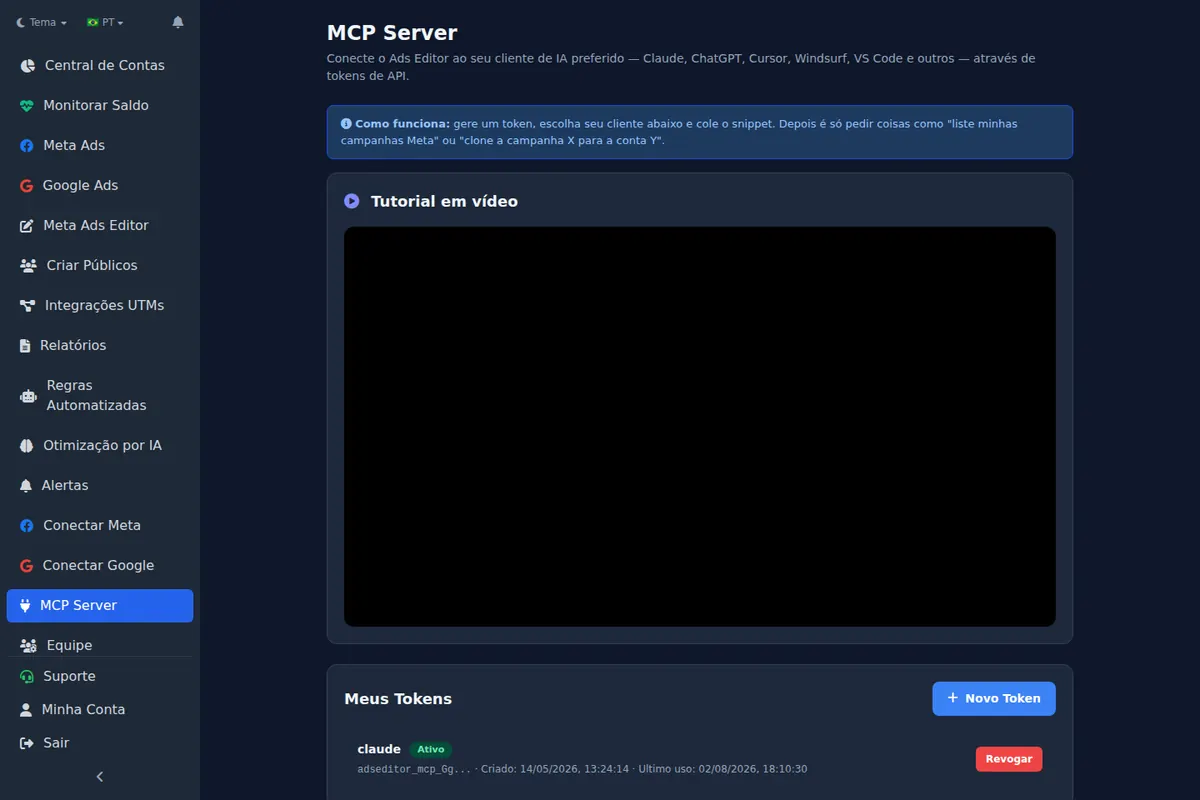
Why signing in is safer than pasting a token
With OAuth, your Ads Editor password never goes through Claude or ChatGPT. The app receives a credential valid for one hour that renews itself, and Ads Editor does not keep that credential in readable form. The sign-in exchange is also protected so that someone who intercepts it cannot reuse it.
Which ready-to-use prompts work with the Ads Editor MCP?
The prompts below are built around the tasks Ads Editor users hand to the AI most often (details in Meta Ads MCP usage data). Replace the brackets with your account or campaign name. The last column says whether the prompt only reads the account or acts on it; whatever the assistant runs is logged in recent activity, so you can check it.
| Prompt | Type |
|---|---|
| List my Meta accounts and yesterday's spend for each, highest to lowest. | Read |
| In account [name], which active campaigns spent the most in the last 7 days, and what is each one's cost per result? | Read |
| Compare the last 7 days with the previous 7 in campaign [name]: what got worse most, CPM, CTR or conversion rate? | Read |
| Show the 5 ads with the most spend in account [name] over the last 14 days, with CTR and cost per result. | Read |
| Open ad [name]: what are its copy, link, UTMs and its ad set's audience? | Read |
| Does this ad do better on mobile or desktop? | Read |
| Which Meta and Google accounts have less than 3 days of funds left? | Read |
| How much did each Google campaign spend this month in account [name], and at what cost per conversion? | Read |
| Show the current daily budget of campaign [name] and the value with 15% more; apply only after I confirm. | Action |
| List search terms from the last 30 days in campaign [name] that spent without converting; add the ones I approve as phrase negatives. | Action |
Why the action prompts ask for confirmation
Asking for the value first and confirming afterward makes the AI the one who prepares and you the one who approves.
Which Meta Ads and Google Ads prompts go beyond the basics in ChatGPT and Claude?
Searching for "Meta Ads prompts for ChatGPT" or "Claude prompts to analyze a campaign" usually turns up analysis requests any AI can answer from an Ads Manager screenshot. The prompts below only work with an MCP that acts on the account, and most of them only exist in Ads Editor's: copying across accounts, launching creatives from Drive, bulk audiences and lead forms, cutting spend by a CPA rule. For anything that changes the account, the AI shows the plan and waits for your confirmation.
| Prompt | What it solves |
|---|---|
| Copy campaign [name] from account [A] to accounts [B] and [C], swapping the Page and WhatsApp for each account's own, all paused. | Roll a winning campaign out to several clients |
| Make a paused copy of the WhatsApp campaign [name] with a website sales objective so I can test it. | Test another objective without rebuilding the structure |
| Create ads from the videos in this Google Drive folder [link] in ad sets [x] and [y], using the copy and UTMs of the active ad, paused. | Launch creatives without downloading files or opening Ads Manager |
| Turn this Instagram post [link] into an ad in ad set [name], keeping its likes and comments. | Reuse the social proof of a post that already worked |
| Which ads spent more than 2x my target CPA of [x] with no purchase in the last 7 days? List them and only pause the ones I approve. | Cut waste by a rule, not by gut feeling |
| Create Instagram engagement audiences for 30, 90 and 365 days plus 1% lookalikes in every account of client [name]. | Build a new client's audience base in one sentence |
| Swap the lead form on every ad in campaign [name] for form [new]. | Update a form without opening ads one by one |
| Turn off Advantage+ creative enhancements on every active ad in account [name]. | Stop Meta from altering a client's brand-controlled creative |
| Create a rule that alerts me when an ad passes 3,000 impressions with CTR below 1% over the last 3 days. | Watch the account without watching the account |
| Change the location of every ad set in campaign [name] to [city] with a 20 km radius; show me what changes first and apply only after I confirm. | Move a local business to a new area across all ad sets at once |
| Copy Google campaign [name] to account [destination], paused. | Take a Google Ads structure to another client |
| Build a link report for client [name] with last month's Meta, Google and Instagram results. | Deliver the monthly report without a spreadsheet |
What is not obvious about the Ads Editor MCP?
- One winning campaign to several clients in one conversation. Ask it to read each destination account's resources and copy the campaign swapping Page, pixel and WhatsApp. Everything is created paused, so you review account by account before turning it on.
- Change the destination without rebuilding. "Duplicate campaign X, switching WhatsApp to website" creates the copy with the new objective, and Meta validates the combination before anything is created.
- Search terms become negatives after you approve them. Ask for the terms that spent without converting, approve the list, and the AI adds them one by one. Adding negatives is one of the two actions users hand to the AI most often (usage data).
- To change a published form, duplicate it. Ask for the copy with the change and the swap on the ad in the same sentence: the AI duplicates the form and applies the copy to the ad right away.
- New client account, Advantage+ creative off in one sentence, across every active ad, instead of opening ads one by one.
- New tools only appear in new conversations. If the assistant says it cannot do something on this list, open another conversation before concluding it is not possible.
Is it safe to let AI change the account?
- The MCP token is yours and can be revoked on the MCP Server screen; when you sign in instead, the access credential is valid for one hour and the app renews it on its own.
- Every action is logged in recent activity, and most calls in Ads Editor's MCP data only read the account.
- A team member only has access to the accounts and screens they have been granted, through the MCP too (see give access to Facebook ad accounts).
- Daily budgets created or changed by AI have a fixed ceiling on the server.
- Campaigns created by the MCP, and campaigns or ad sets it copies, start paused.
About video and files
In Claude on the web and in ChatGPT, large files do not travel well through the chat: the limit is how much the AI can send in a single reply, not Ads Editor. There, video goes by public link and Ads Editor downloads it. From the terminal it is different: in Claude Code, Codex or Cursor, the assistant uploads videos and images straight from your computer, up to 50 files at a time, through the same path as bulk publishing. The file goes straight to storage and never passes through the chat, so video size stops being a problem.
For where MCP fits next to copilots and budget automation, read AI for media buying.
Step by step in Ads Editor
Help Center articles that walk through this task screen by screen:
Frequently asked questions
Can I manage Meta ads from ChatGPT?
Yes, by connecting an ads MCP server to ChatGPT in Developer mode. The Ads Editor MCP works with it through OAuth sign-in, and Meta also offers an official MCP in open beta.
Does the Ads Editor MCP work with Google Ads?
Yes. It covers Meta Ads and Google Ads, including Performance Max, negatives, assets, UTMs and copying campaigns to another account.
Do I need a token to connect?
No. In Claude, ChatGPT and Codex you paste https://app.adseditor.app/mcp, sign in with your Ads Editor account and authorize. Tokens remain an option for Cursor, Windsurf and VS Code.
Can Meta's official MCP copy a campaign to another ad account?
Meta's official tool list, checked on September 30, 2026, has no copy or duplicate tool. The Ads Editor MCP does it: the AI copies the campaign to the other account, swapping Page, pixel and WhatsApp for the destination account's.
Does it work in Codex?
Yes. codex mcp add adseditor --url https://app.adseditor.app/mcp detects the sign-in and opens the login; codex mcp login adseditor runs the authorization again when needed.
Glossary
- MCP server
- A service that exposes tools an AI assistant can call, such as reading metrics or changing a budget.
- MCP client
- The AI app that connects to the server, such as Claude, ChatGPT, Codex or Cursor.
- OAuth
- A way to let an app act on your account through your own login, without sharing your password or copying a key.
- Dynamic client registration
- An OAuth feature that lets Claude, ChatGPT or Codex register with the server on their own, with no manual setup.
- Cross-account copy
- Copying a campaign, ad set, ad or audience from one ad account to another, using the destination account's assets.
References
- What is the Model Context Protocol (MCP)?. Supports: MCP is an open-source standard for connecting AI applications to external systems.
- Meta ads AI connectors (Meta for Business). Supports: April 29, 2026: connectors in open beta to create, manage and analyze campaigns in the AI tools advertisers already use, powered by Meta's ads MCP server and CLI.
- Ads MCP Server overview (Meta for Developers). Supports: Meta-hosted MCP server at https://mcp.facebook.com/ads covering reporting, ad creation and management, catalogs, signals and datasets, help center search, A/B tests and lift studies, and activity logs.
- Ads MCP Server: get started (Meta for Developers). Supports: Authentication through OAuth (Facebook Login for Business) or an access token; manual setup in Claude Code and ChatGPT uses a Meta app ID.
- Ads MCP Server: ad creation and management tools (Meta for Developers). Supports: Tool list for creation and management (campaigns, ad sets and ads created paused, single-image creatives, boosting Instagram posts, custom audiences, Ad Library search), with no copy, lead form or cross-account tool.
- Ads MCP Server: reporting tools (Meta for Developers). Supports: Metrics with breakdowns, opportunity score, anomalies, trends and industry benchmarks; no mention of account funds or external checkout sales.
- Ads MCP Server rules (Meta for Developers). Supports: Rules that restrict what an agent can do on ad accounts and catalogs, with percentage or absolute change triggers; in limited availability.
- Open Source Google Ads API MCP Server (Google Ads Developer Blog). Supports: October 7, 2025 release of an open source Google Ads API MCP server; the initial release is read-only, for reporting and diagnostics.
- googleads/google-ads-mcp (GitHub). Supports: The server exposes three tools (search, resource metadata and accessible customers) and needs Google Ads API credentials configured by the user.
- Model Context Protocol in Codex (OpenAI). Supports: Codex adds remote servers with codex mcp add --url, accepts a bearer token through --bearer-token-env-var, authenticates OAuth servers with codex mcp login, and stores configuration in ~/.codex/config.toml.
- Get started with custom connectors using remote MCP (Claude Help Center). Supports: Customize > Connectors, + and Add custom connector with the server URL and OAuth sign-in; on Team and Enterprise the owner adds it in Organization settings > Connectors and each member clicks Connect.
- MCP servers and connectors in ChatGPT (OpenAI). Supports: Remote MCP server with OAuth recommended, and manual confirmation in any conversation before write actions.
The claim supported by each source is shown above.
About the author
Matheus Mello, founder of Ads Editor and owner of YEP Agência. Runs client ad accounts at YEP Agência and built Ads Editor so his own agency could stop publishing ads one at a time. Usage numbers quoted on the blog come from the product activity log. Instagram: @theusm