UTM parameters for Facebook ads: track every sale to the ad
By Matheus Mello, founder of Ads Editor and owner of YEP Agência · Published · 5 min read
UTM parameters for Facebook ads are what let a sale in your store or checkout point back to the exact campaign, ad set and ad that produced it. The template is the easy part; the hard part is making the parameters survive the trip from the ad click to the order.
Quick answer
To track sales by ad, put UTMs in every ad's URL parameters using Meta's dynamic name and ID fields for campaign, ad set and ad, make sure your landing page passes the UTMs to checkout, and read them on the order or through a sales webhook. Each paid sale then appears on the ad that produced it.
Summary
- Use Meta's dynamic fields so every ad fills its own names and IDs at click time.
- Put name and ID together: the name is readable, the ID survives renames.
- Most tracking breaks between landing page and checkout, not in the ad.
- Some checkouts accept only simple UTM values; Stripe Payment Links discard values with spaces or other symbols.
- Count paid sales, not pixel purchases: refunds and failed payments never show up in the pixel.
What does each UTM parameter mean?
| Parameter | Definition (Google Analytics) | Ads Editor default for Meta |
|---|---|---|
| utm_source | Referrer | FB |
| utm_campaign | Campaign | Campaign name and ID |
| utm_medium | Marketing medium | Ad set name and ID |
| utm_content | Differentiates creatives | Ad name and ID |
| utm_term | Paid keyword | Placement |
Using utm_medium for the ad set is a convention for per-ad tracking, not the GA4 default use of medium (cpc, email). If your analytics team reads GA4 channel reports, agree on the convention first.
Which UTM template should you use on Meta?
The template Ads Editor applies, and that its sales webhooks know how to read, uses Meta's dynamic parameters, filled in at click time:
URL parameters (Meta)
utm_source=FB&utm_campaign={{campaign.name}}|{{campaign.id}}&utm_medium={{adset.name}}|{{adset.id}}&utm_content={{ad.name}}|{{ad.id}}&utm_term={{placement}}
Name and ID together have a reason: the name reads well in a report, and the ID survives when someone renames the campaign. On Google Ads, the equivalent goes in the campaign's final URL suffix: utm_source=google&utm_campaign={campaignid}&utm_medium={adgroupid}&utm_content={creative}&utm_term={keyword}.
Where does tracking usually break?
- Ads without UTMs. An ad launched in a hurry goes out without parameters. Set the default in bulk uploading and fix old ads with a bulk edit of the URL parameters field.
- A landing page that drops the UTMs. The click lands with UTMs, but the buy button sends people to checkout without them. The checkout has to receive the parameters.
- A checkout that discards the values. Stripe's documentation says Payment Links accept utm_source, utm_medium, utm_campaign, utm_term and utm_content, but only with letters, numbers, dashes or underscores, up to 150 characters; invalid values are silently discarded, and you need redirect as the confirmation behavior to get them back. A campaign name with spaces or a pipe will not survive: send only the IDs (
{{campaign.id}},{{adset.id}},{{ad.id}}) to checkouts like that. - A new Google campaign without a suffix. New campaigns do not inherit UTMs; set the suffix right after creating them.
Illustrative scenario (not a real client)
A course creator sells through a Stripe Payment Link. The Meta ads carry names like Spring Launch | Broad, so the UTM value has spaces and a pipe, and every sale arrives with empty UTMs. Switching the link parameters to IDs only (utm_campaign={{campaign.id}}, utm_content={{ad.id}}) makes each sale traceable to the ad, and the IDs map back to names in any report.
How do sales reach the ad in Ads Editor?
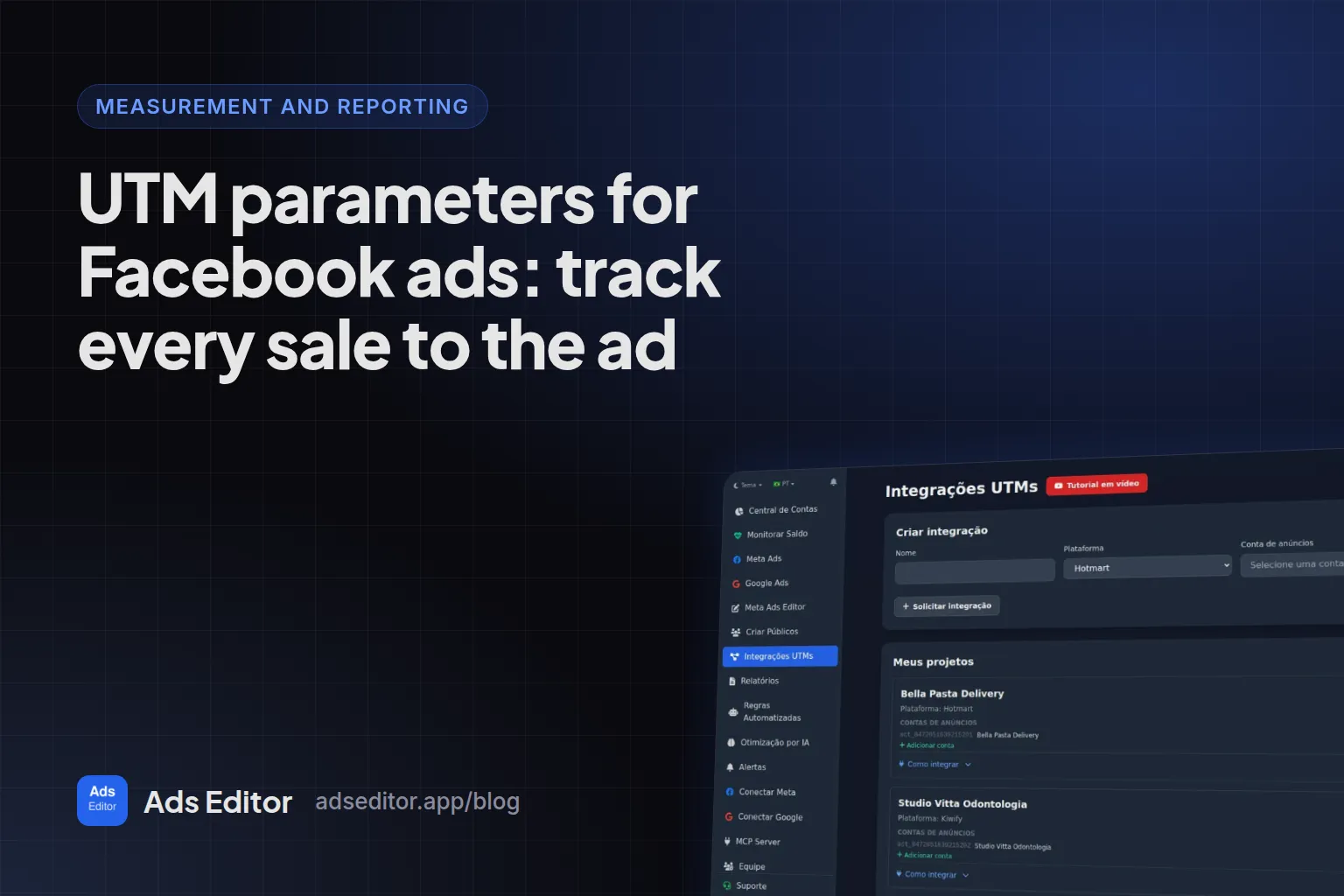
- In UTM Integrations, create a project choosing the sales platform and the ad account.
- Paste the project's webhook URL into the sales platform.
- Each sale arrives with its UTMs and status. Ads Editor extracts the campaign, ad set and ad IDs.
- In the manager, sales show up on the row of each campaign, ad set and ad.
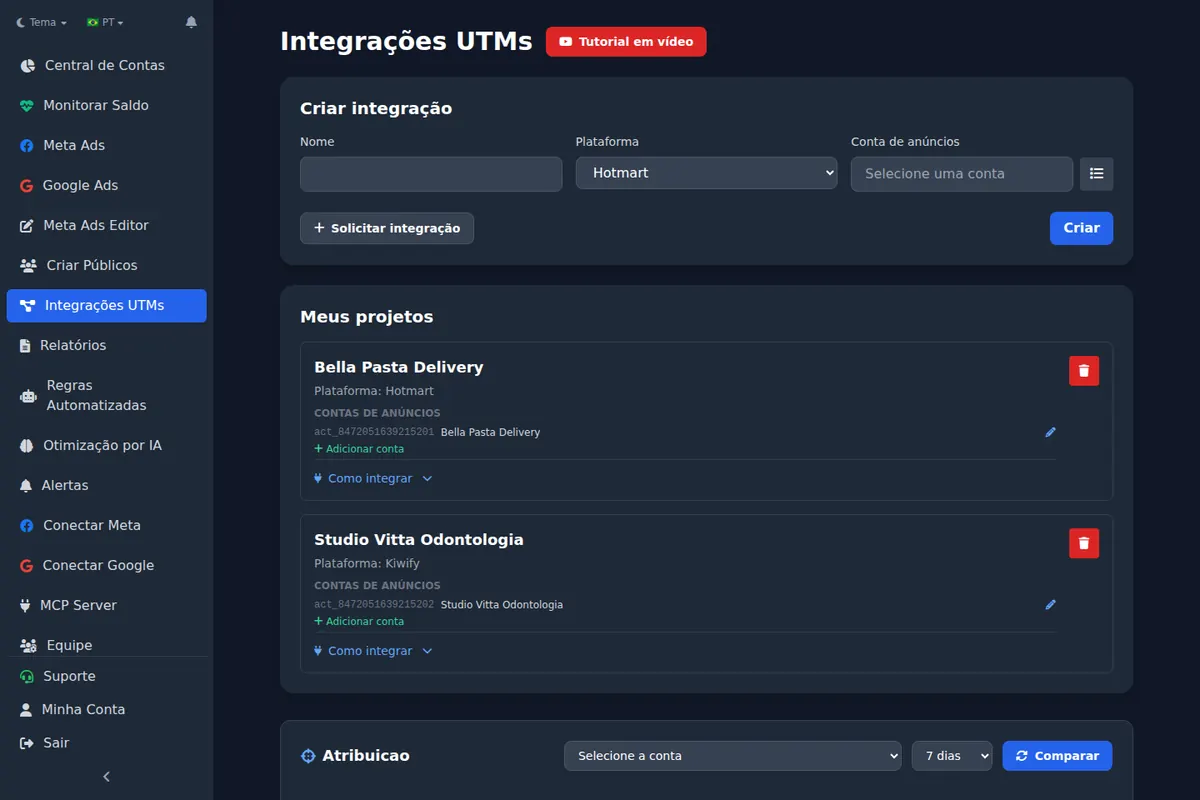
Which checkouts are supported today
The sales webhook integration covers 15 checkout platforms, most of them popular in Brazil (such as Hotmart, Kiwify and Eduzz), plus CartPanda. Shopify, Stripe, ClickFunnels, Kajabi and Teachable are not on that list today. For those, the same UTM template works, and you read sales by ad in the platform's own order data or in your analytics tool.
Why count paid sales instead of pixel purchases?
The pixel counts a purchase in the browser, including payments that later fail or get refunded. A sale from a webhook arrives with a status: paid, refunded or charged back. Looking only at paid sales shows you which campaign really makes money, and it is not always the one with the best ROAS in Ads Manager. Meta also counts conversions on its own click and view windows, while your store counts the session that placed the order, so expect the two totals to differ.
Does the same logic work on Google Ads?
Yes. On Google, the template lives in the campaign's final URL suffix with ValueTrack parameters for campaign, ad group, creative and keyword. The weekly routine that keeps it clean is in how to manage Google Ads for multiple clients. And the place where sales by ad pay off is the report: see Facebook ads report for clients.
Frequently asked questions
How do I track sales from Facebook ads to each ad?
Put dynamic UTMs in every ad, make sure the landing page passes them to checkout, and read them on the order or through a sales webhook that stores the campaign, ad set and ad IDs.
Should UTMs use names or IDs?
Both when the checkout accepts them: names for reading, IDs for surviving renames. If the checkout only accepts simple values, use IDs only.
Do UTM parameters affect ad delivery?
No. URL parameters do not affect delivery; they only identify where the click came from.
Does it work for Google Ads too?
Yes. On Google, the template goes in the campaign's final URL suffix, with ValueTrack for campaign, ad group, creative and keyword.
Glossary
- UTM parameters
- Tags added to a URL (utm_source, utm_medium, utm_campaign, utm_content, utm_term) that identify where a visit came from.
- Dynamic parameters
- Placeholders like {{ad.id}} that Meta fills in for each ad at click time.
- Final URL suffix
- The Google Ads field that appends tracking parameters to every final URL in a campaign.
- ValueTrack
- Google Ads placeholders such as {campaignid} and {keyword}.
References
- URL builders: Collect campaign data with custom URLs (Google Analytics Help). Supports: Defines utm_source as referrer, utm_medium as marketing medium, utm_campaign, utm_term as paid keyword and utm_content to differentiate creatives.
- Track a payment link (Stripe Docs). Supports: Payment Links accept utm_source, utm_content, utm_medium, utm_term and utm_campaign; values must use alphanumeric characters, dashes or underscores within 150 characters, invalid values are discarded, and redirect confirmation returns the UTMs.
Links opened and checked when the article was last updated.
About the author
Matheus Mello, founder of Ads Editor and owner of YEP Agência. Runs client ad accounts at YEP Agência and built Ads Editor so his own agency could stop publishing ads one at a time. Usage numbers quoted on the blog come from the product activity log. Instagram: @theusm