Meta Ads automated rules and alerts: how to set them up, ready examples and the date range mistake
By Matheus Mello, founder of Ads Editor and owner of YEP Agência · Published · 6 min read
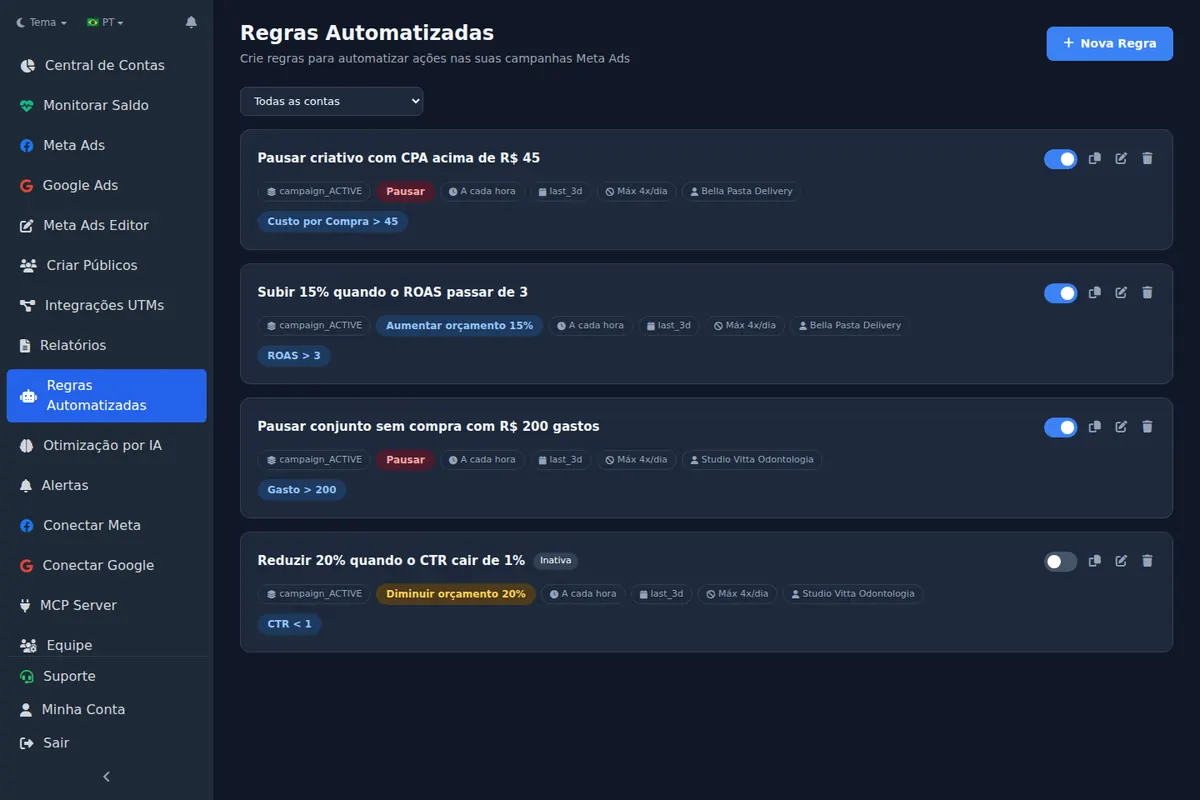
Meta Ads automated rules are conditions like if CPA goes above X, pause, that the system checks on its own at every interval; alerts are the version that only notifies you. Done well, they save you hours of watching; done badly, they pause the right ad set for the wrong reason.
Quick answer
To create Meta Ads automated rules, pick the level (campaign, ad set or ad), the condition with a metric and date range, the action (pause, turn on, adjust budget or notify) and how often it checks. Confirm whether the range includes today, and never let a budget rule and automatic scaling control the same budget.
Summary
- A rule is condition + date range + action + frequency + scope.
- Meta's last 3 days preset excludes today: measured on the API on 2026-08-31.
- Require a minimum volume in the condition, spend or impressions, or the rule decides on too little data.
- A budget rule and automatic scaling on the same campaign fight each other; in Ads Editor, scaling wins.
- An alert notifies and a rule acts: start with the alert and switch to a rule only once it stops giving false positives.
- Starter has 3 active rules, Pro 10, Business and Scale unlimited.
How is an automated rule built?
| Part | Options in Ads Editor |
|---|---|
| Scope | Campaigns, ad sets or ads, active or paused, with a name filter (contains, does not contain, starts with) |
| Conditions | Spend, cost per result, CPA, CPL, cost per purchase, cost per message, ROAS, ROI, CPC, CPM, CTR, frequency, impressions, clicks, reach, leads, purchases, conversations and more |
| Date range | Today, yesterday, last 3, 7, 14 or 30 days, stating whether it includes or excludes today |
| Action | Pause, turn on, increase budget, decrease budget, set a fixed budget or notify only |
| Frequency | From every 10 minutes to once a day, with a run time window and a daily run limit |
| Safeguard | Maximum daily budget cap for increase actions |
What is the date range mistake almost everyone makes?
Measured on the Meta API on 2026-08-31
Meta's last 3 days preset excludes today. Run on the 31st, it returned the 28th, 29th and 30th; the last 7 days preset returned the 24th through the 30th. A rule that runs early on Monday with last 3 days looks at Friday, Saturday and Sunday, not Saturday, Sunday and Monday.
That is why, in Ads Editor, every date range says in its name whether it counts today, and there is a version that includes today for 3 and 7 days.
Which automated rules should you use? 4 ready templates
| Goal | Condition | Action |
|---|---|---|
| Stop the bleeding | Spend greater than 1.5× the target CPA and purchases equal to 0, last 3 days including today | Pause ad |
| Protect the CPA | CPA greater than target and spend greater than 2× the target, last 7 days | Decrease budget by 20% |
| Scale the winner | ROAS greater than the goal and purchases greater than 10, last 7 days | Increase budget by 15%, with a daily cap |
| Watch without touching | CTR lower than 0.5% and impressions greater than 5,000, today | Notify only |
Every cut rule needs a minimum volume in the condition. Without minimum spend or impressions, the rule pauses an ad that just had one bad hour.
Rules and automatic scaling on the same campaign: what happens?
Without coordination, one raises the budget and the other lowers it. In Ads Editor, the two engines talk to each other: on budget actions scaling wins, the rule skips that campaign and logs the reason in the history. Rules that pause or turn on keep working. When you save a budget rule over a campaign that is being scaled, the screen warns you. More in how to scale Meta Ads.
Automated rule or metric alert: which one should you use?
| Metric alert | Automated rule | |
|---|---|---|
| What it does | Notifies | Acts: pauses, turns on or changes budget |
| Risk | None to the account | Acting on a false positive |
| When to use | New condition, or one that needs judgment | Tested condition with no ambiguity |
If you do not trust the condition yet, start with an alert or with the Notify only action. After two weeks without a false positive, switch it to pause.
How do you set up a high CPA alert in Ads Editor?
- Choose the level: whole account, each campaign, each ad set or each ad.
- Choose the metric: CPA, CPC, CPM, CTR, daily spend or ROAS.
- Set the condition (greater than, less than or equal to) and the threshold.
- Choose the account (or all of them) and, if you want, filter by campaign objective.
Alerts are checked every 30 minutes, with a 6 hour pause between notifications from the same alert; a new item that meets the condition can notify sooner, at most once an hour. The notification lands in the notification center and, in the iPhone app, as a push.
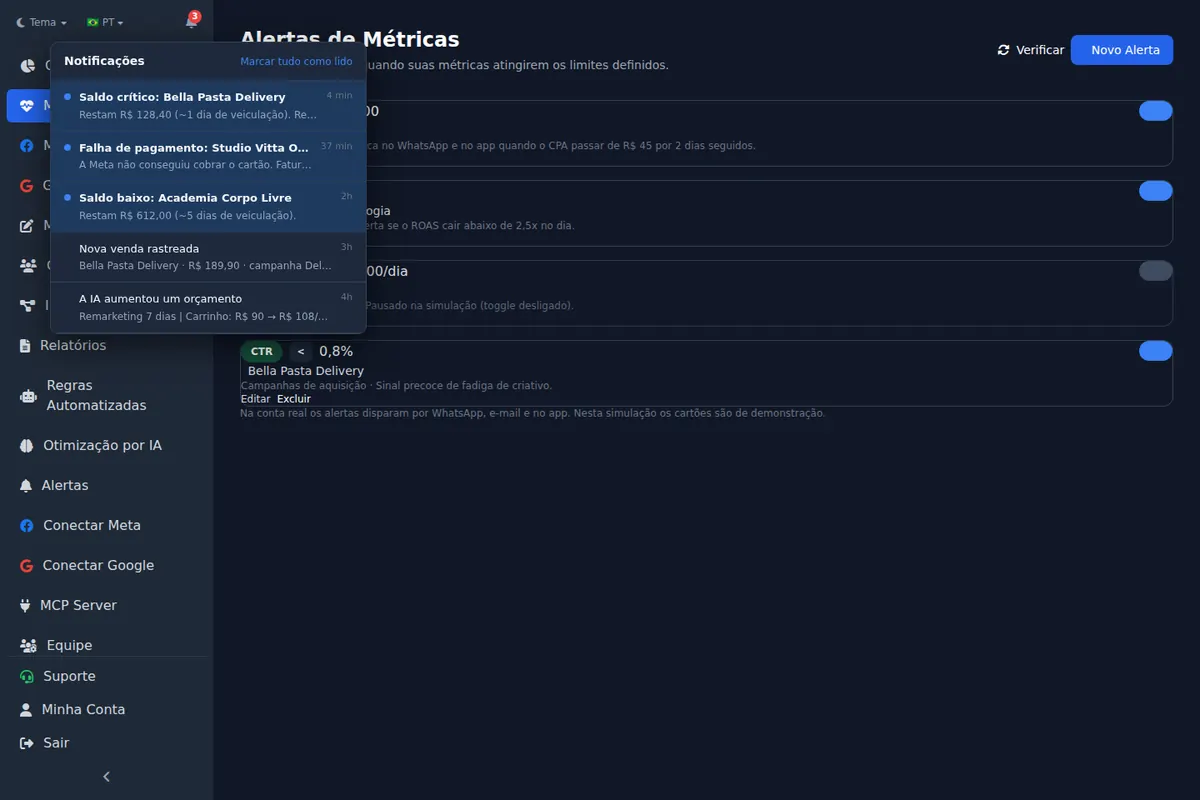
Why does the alert level matter?
At account level, the alert looks at the total. An ad set with a $200 CPA can hide inside a healthy average. At campaign, ad set and ad level, the alert fires when any item meets the condition and names the one that triggered it. Ad set and ad levels require choosing the account, so the notification stays readable.
How many alerts should you set per account?
- One CPA alert per account, at ad set level, with each client's threshold.
- One daily spend alert for accounts with a tight budget.
- One low CTR alert at ad level, for creative fatigue.
- Low balance and payment failure already come from the account monitor.
Too many alerts become noise, and noise becomes ignored notifications. Three or four per account cover most cases. When an alert always fires for the same reason and the response is always the same, turn it into a rule.
Frequently asked questions
Does Meta Ads Manager have automated rules?
Yes, with actions to turn on, pause, notify and adjust budget or bid. Ads Editor adds rules across several accounts on one screen, date ranges that say whether they include today and coordination with automatic scaling.
Does the last 3 days range include today?
In Meta's preset, no. We measured it on the API on 2026-08-31: it returned the three days before the current one.
How often does a rule run?
In Ads Editor, from every 10 minutes to once a day, with a run time window and a daily run limit.
How many rules can I have active?
Three on Starter, ten on Pro and unlimited on Business and Scale.
How do I get a high CPA alert on my phone?
Set up a CPA alert at ad set level with the client's threshold. In Ads Editor it is checked every 30 minutes, says which item went over and arrives in the app and on the iPhone.
Glossary
- Automated rule
- A metric condition that triggers an action with no human intervention.
- Scope
- Which campaigns, ad sets or ads the rule evaluates.
- False positive
- A rule that acts on a case it should not, usually because of missing minimum volume.
- Metric alert
- A notification fired when a metric crosses a threshold, without touching the account.
- Alert cooldown
- The minimum interval between two identical notifications.
References
- Ads Editor on the App Store. Supports: Official App Store listing of the Ads Editor app for iPhone and iPad.
Links opened and checked on Sep 30, 2026.
About the author
Matheus Mello, founder of Ads Editor and owner of YEP Agência. Runs client ad accounts at YEP Agência and built Ads Editor so his own agency could stop publishing ads one at a time. Usage numbers quoted on the blog come from the product activity log. Instagram: @theusm