Meta Ads automation tools for rules and budget scaling, compared (2026)
By Matheus Mello, founder of Ads Editor and owner of YEP Agência · Published · 15 min read
Meta Ads automation tools show up in plenty of 2026 "best tools" lists, and most of those lists are written by the vendors being ranked. This one sorts eight options by the two questions a media buyer or agency actually has to answer: who makes the call (a rule you wrote or an AI), and how many ad accounts one rule can cover. We make one of the tools, so ours gets the same "what it does not do" column as everyone else.
Quick answer
The main Meta Ads automation tools are Meta's native rules, Ads Editor, Bïrch, Madgicx, Smartly, AdEspresso, Superscale and AdStellar. Sort them by who decides, your rule or an AI, and how many accounts one rule covers. Ads Editor runs one rule across many Meta and Google accounts every 10 minutes, priced per account from $19 a month.
Summary
- Two questions drive this comparison: does a rule you wrote make the call, or an AI, and can one rule cover several ad accounts?
- Meta's native rules are free, are checked at least every 30 minutes and apply at the ad account level, so ten clients means ten copies of the rule.
- Among third parties, only Bïrch states multi-account rules on its official pages (up to 5 accounts per rule, checks as often as every 15 minutes); Ads Editor covers many Meta and Google accounts in one rule, as often as every 10 minutes.
- Superscale and AdStellar let the AI decide; Smartly and Ads Editor offer both layers, your own rules and AI budget allocation.
- Third-party prices and features come from official pages checked on October 30, 2026; anything a page does not say is marked as not stated.
How was this comparison built?
- Scope: tools that pause, activate or change budgets in Meta Ads on their own, from a condition or from an AI. Bulk launching has its own comparison: best bulk ad launch tools for Meta.
- Sources: every claim about another vendor comes from that vendor's official page, opened on October 30, 2026. Vendor-written "best tools" lists were not used as a source about third parties, and we did not test third-party paid tools on a live account.
- Prices: what the official page showed on October 30, 2026, in its own currency. No price on the page means pricing on request.
- Conflict of interest: Ads Editor is ours, and this is its blog. That is why it is listed first, not because it wins every row. It is described from its own code and help center.
- Not stated is not the same as cannot: where an official page does not say how many accounts a rule covers or how often it runs, the table says exactly that. Check it during the trial.
Which tools automate rules and budget scaling for Meta Ads?
| Tool | Who decides (your rule or AI) | Several accounts in one rule | Check frequency | Platforms | Price (official page, Oct 30, 2026) | What it does not do |
|---|---|---|---|---|---|---|
| Ads Editor | Your rule; optional AI Optimization within your limits, on Business and above | Yes: several accounts, or all of them, in one rule | Every 10 minutes up to once a day, or on chosen days and times | Meta Ads and Google Ads | $19 (10 accounts, 3 rules) to $139 (70 accounts, unlimited rules) a month | TikTok or Snapchat; conditions against last week or the top 10; AppsFlyer, Adjust or Hyros metrics; creative generation |
| Meta native rules | Your rule | Rules apply at the ad account level; multi-account rules not stated on the official page | At least once every 30 minutes, or a custom schedule | Meta | Free | One rule across several accounts; more than 250 rules per account; Google Ads |
| Bïrch (formerly Revealbot) | Your rule; an AI that turns a sentence into a rule | Yes, up to 5 ad accounts per rule | As often as every 15 minutes, or once a day | Meta, Google Ads, Snapchat and TikTok | Pro at $99/month, priced by monthly spend across connected accounts; Enterprise on request; 14-day trial, no card | More than 5 accounts in one rule; rules below the Pro plan; a price that ignores ad spend |
| Madgicx | Seven pre-built automation strategies plus custom automations | Not stated on the official page | No published limit: its Academy recommends once every 30 to 60 minutes | Automation covered for Meta only | Not shown: the page says to see the price inside the app (spend tiers, USD); 7-day trial | Public pricing; automation outside Meta, on the pages we read |
| Smartly | Triggers on your criteria, plus Predictive Budget Allocation where AI splits the budget | Not stated on the official page | Not verified | Google Ads, Meta, Pinterest, Snapchat and TikTok | On request: the site routes to a demo | Public pricing or a trial without talking to sales |
| AdEspresso (Hootsuite) | Your rule, at campaign, ad set or ad level | Not stated on the official page | Not verified | Facebook and Instagram | Starter $49 (up to $1,000/month in spend), Plus $99 (unlimited spend), Enterprise from $259; 14-day trial | Google Ads; channels beyond Facebook and Instagram |
| Superscale | AI decides: flags or pauses weak creatives; no user-written rules mentioned | Not stated on the official page | Not verified | Meta, Google, TikTok and Shopify | From $99/month; 5-day trial | User-written rules, on the page we read; spend reallocation outside Google, where the page describes it |
| AdStellar | AI decides: pauses waste, scales winners and adjusts budgets around the clock | Unlimited ad accounts on the plan; user-written rules not mentioned | The page mentions an hourly performance sync | Launches on Meta only | $100/month plus AI credits ($2 per 1,000 credits); 7-day trial | User-written rules, on the page we read; launching outside Meta |
What about Cometly? It turns up in "best AI tools for Meta ads" lists, but its official page describes an attribution tool. On October 30, 2026 the page said nothing about rules or budget scaling; pricing was on request, based on pageviews, with no free trial. Attribution can tell you which number a rule should trust. It does not pause or scale anything itself.
Rules you write or an AI that decides: what changes?
The real split in this market is who picks the action. With a rule, you write the condition and the action, and the tool just carries them out. With an AI, you set a goal and sometimes guardrails, and the system chooses what to pause and how far to scale.
| Rule you write | AI that decides | |
|---|---|---|
| Who sets the condition | You: metric, threshold, date range and action | The system, from your goal and any limits you give it |
| Predictability | High: the same condition always triggers the same action | Lower: the outcome depends on the model |
| Typical failure | A loose condition with no minimum volume acting on the wrong item | A decision you cannot explain to the client |
| What to check in the trial | Whether the date range includes today, and whether there is a budget cap | Which limits the AI honors, and whether every decision is logged with a reason |
| In this list | Meta native rules, Ads Editor, Bïrch, AdEspresso, Madgicx custom automations, Smartly Triggers | Superscale, AdStellar, Smartly Predictive Budget Allocation, Ads Editor AI Optimization |
Ads Editor keeps the two layers apart. Rules do only what you wrote. AI Optimization, on Business and above, allocates, scales and brakes budget inside the weekly minimum and maximum budget and the maximum CPA you set, at a Conservative, Moderate or Aggressive pace, in steps of up to 35% per cycle, with the reason for every decision in the log. Where each layer fits is covered in AI for media buying.
What does each tool actually do for rules and scaling?
1. Ads Editor
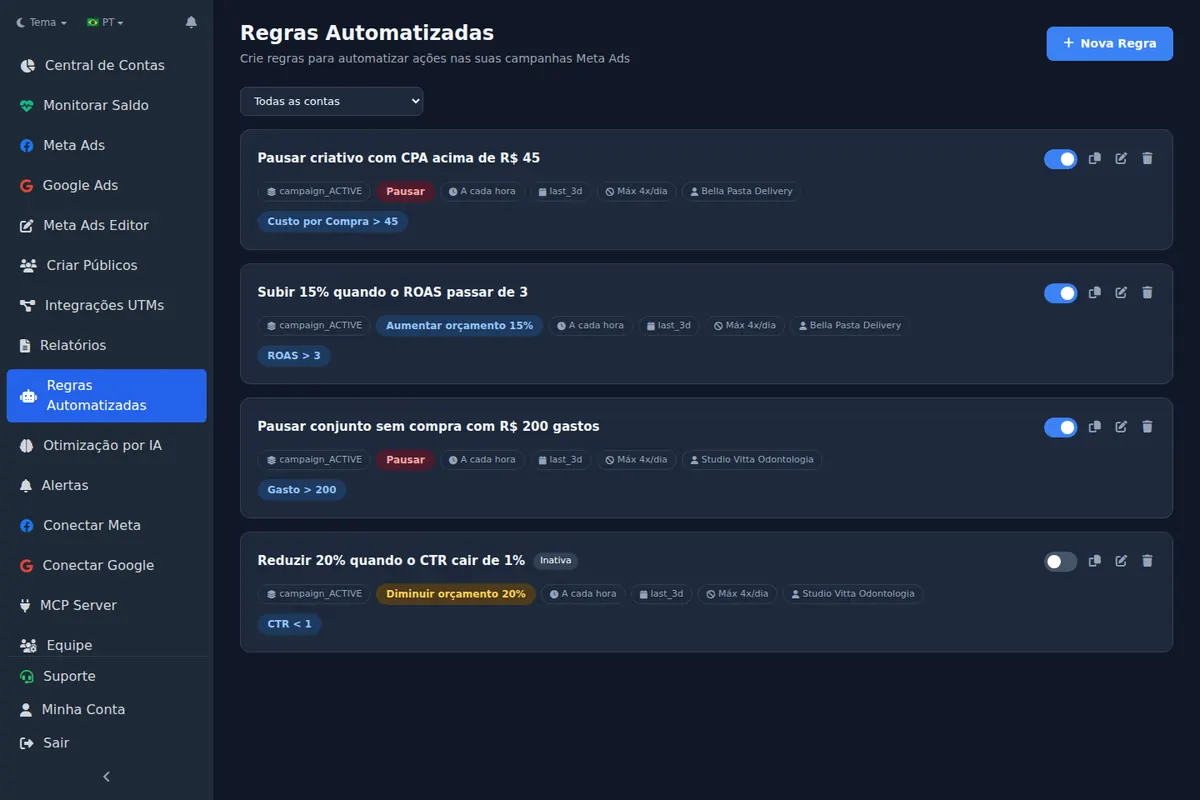
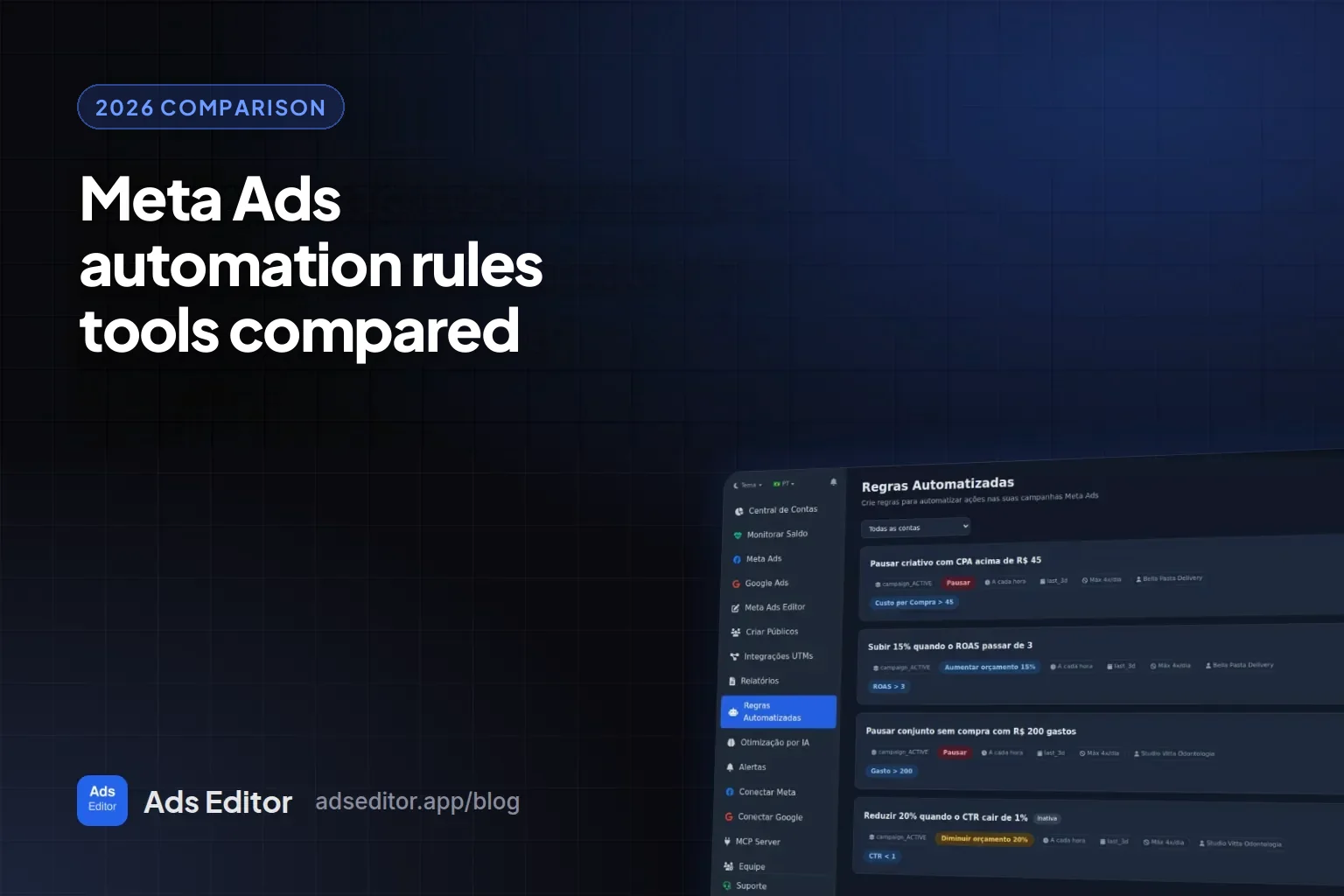
Rules follow an if metric, then action pattern on campaigns, ad sets or ads, active or paused, with a name filter. Conditions include spend, cost per result, CPA, CPL, cost per purchase, cost per message, ROAS, ROI, CPC, CPM, CTR, frequency, impressions, clicks, reach, leads, purchases and conversations; stack several and all of them must be true. Date ranges are today, yesterday, or the last 3, 7, 14 or 30 days. There are 6 actions: pause, activate, increase budget, decrease budget, set a fixed budget and notify only, and increase actions carry a maximum daily budget as a cap.
One rule covers several ad accounts at once, or all of them, with separate tabs for Meta Ads and Google Ads. Every run is logged and shows up in the notification bell (and on iPhone with the app), and a rule can be duplicated into another account, where it starts switched off. Metric alerts, which only notify, check every 30 minutes and wait 6 hours before repeating. Plans run $19 (Starter, 10 accounts, 3 rules), $39 (Pro, 20 accounts, 10 rules), $79 (Business, 40 accounts) and $139 (Scale, 70 accounts), the last two with unlimited rules. Details are on the pricing page.
2. Meta native rules
Free, inside Ads Manager. You pick the criteria and the action: turn on or off, notify only, adjust budget, adjust a manual bid, or scale budget and bid. Meta's help center says you can "increase the budget or bid by a percentage or fixed amount, or set a maximum or minimum budget or bid", that "We check all rules at least once every 30 minutes", and that you can have "up to 250 automated rules on a single ad account". Rules apply at the ad account level; the page does not mention one rule spanning several accounts, so in practice every client gets its own copy.
3. Bïrch (formerly Revealbot)
Bïrch puts rules at the center ("Rules are the engine Birch runs on") and adds an AI that turns a plain sentence into a rule. Budget rules can "change the budget by a specific amount or percentage", run "as often as every 15 minutes or just once a day", and "You can have up to 5 ad account in one rule". It covers Meta, Google Ads, Snapchat and TikTok. Pricing follows monthly spend across all connected accounts: Pro, where rules start, is $99 a month, Enterprise is on request, and the trial is 14 days with no card. The head-to-head is in Ads Editor vs Bïrch.
4. Madgicx
Madgicx offers "seven pre-built automation strategies" plus "custom automations", and treats automation as Meta only. Its Academy suggests running them "once every 30-60 minutes", which is advice, not a limit. The page does not say whether one automation spans several accounts. Pricing is not shown ("See price inside the app"), comes in USD spend tiers, and the trial is 7 days.
5. Smartly
Smartly has two layers. Triggers "switch ads on or off depending on any set of criteria" that you define, and Predictive Budget Allocation lets the AI "allocate budgets between campaigns or ad sets". It covers Google Ads, Meta, Pinterest, Snapchat and TikTok. Check frequency was not verified, and pricing is on request through a demo only.
6. AdEspresso (Hootsuite)
AdEspresso lets you "Create your own set of optimization rules at a campaign, ad, or adset level" for Facebook and Instagram. Neither check frequency nor multi-account rules appear on the pages we read. Starter is $49 a month with spend up to $1,000, Plus is $99 with unlimited spend, and Enterprise is "Starting from $259", with a 14-day trial.
7. Superscale
Here the AI decides: it flags or pauses weak creatives, and the page does not mention rules written by the user. Budget reallocation ("Shifts spend to what converts") is described for Google only. It covers Meta, Google, TikTok and Shopify, "starting at $99 per month", with a 5-day trial.
8. AdStellar
AdStellar is AI-first too: it "pauses waste, scales winners, and adjusts budgets around the clock", with an "Hourly performance sync". It launches on Meta only, includes "Unlimited seats & ad accounts", and costs $100 a month plus AI credits at "$2 per 1,000 AI credits", with a 7-day trial.
What does a safe scaling rule with a cap look like?
Here is the shape of a scaling rule with a ceiling. The numbers are placeholders: swap in each client's target CPA and approved budget. No rule guarantees results; it only applies, on schedule, the call you would make yourself looking at the account.
| Part | Example | Why |
|---|---|---|
| Scope | Active ad sets with SCALE in the name, in the client's accounts | Keeps proven ad sets apart from the ones still in testing |
| Condition 1 | Cost per purchase below target CPA, last 3 days | Looks at sustained results, not one lucky hour |
| Condition 2 | More than 10 purchases in the same range | Minimum volume, so the rule does not act on thin data |
| Action | Increase budget by 15% | A moderate step that can repeat the next day |
| Cap | Maximum daily budget of $500 on the ad set | The rule stops raising once it hits the ceiling the client approved |
| Frequency | Once a day, in the morning | Avoids stacking increases on the same data |
- A brake to match: a second rule that cuts the budget by 20% when cost per purchase passes 1.3 times the target, with minimum spend in the condition.
- Start in notify mode: run the same rule as notify only for a week and compare its alerts with what you would have done.
- One automation per budget: do not let this rule and an automatic scaler touch the same budget.
- Date range: check whether it includes today; the most common mistake is explained in Meta Ads automated rules.
To step up more than once in a day on Meta, Ads Editor's staged budget increase repeats the same percentage 1 to 5 times, 30 seconds apart, running on the server: 3 steps of 15% add up to 52%. The step method is in how to scale Facebook ads.
Which tool fits which kind of team?
| Profile | Best fit | Why |
|---|---|---|
| A few accounts, Meta only, no tool budget | Meta native rules | Free, with up to 250 rules per account |
| Agency with many Meta and Google client accounts | Ads Editor | One rule across many accounts, every 10 minutes, priced per account |
| Team on Meta, Google, Snapchat and TikTok, fine with 5 accounts per rule | Bïrch | Four platforms and rules as often as every 15 minutes |
| Large multichannel advertiser buying on contract | Smartly | Triggers plus AI budget allocation across five platforms |
| Wants ready-made automation strategies on Meta only | Madgicx | Seven pre-built strategies plus custom automations |
| Small business on Facebook and Instagram that wants a public price | AdEspresso | Its own rules and plans listed from $49 |
| Prefers to hand the decision to an AI | Superscale or AdStellar | The AI pauses and scales; check in the trial what it may change and within which limits |
What does Ads Editor not do for rules and scaling?
- Rules for TikTok or Snapchat: it covers Meta Ads and Google Ads only.
- Conditions that compare against last week or the top 10: conditions use fixed values.
- AppsFlyer, Adjust or Hyros metrics inside a rule.
- Creative generation.
- Unlimited rules on entry plans: Starter has 3 and Pro has 10.
- AI Optimization below the Business plan.
When are Meta's native rules enough?
- You run two or three ad accounts, and copying a rule into each one is no burden.
- A check at least every 30 minutes is fast enough for your budgets.
- You have a handful of rules that rarely change.
- You do not need the same rule on Google Ads.
A paid tool earns its price when one rule has to cover many clients, or when the accounts need checks on a shorter interval. For the wider toolkit beyond rules, see the list of Facebook ads tools for media buyers.
Step by step in Ads Editor
Help Center articles that walk through this task screen by screen:
Frequently asked questions
Which tools automate scaling rules for Meta Ads?
Meta's free native rules, tools where you write the rule (Ads Editor, Bïrch, Madgicx, Smartly and AdEspresso), and tools where an AI decides (Superscale and AdStellar). Ads Editor applies one rule across several accounts; among third parties, only Bïrch states that on its official pages, with up to 5 accounts per rule.
Can Meta's automated rules cover several ad accounts?
Meta's help center says automated rules apply at the ad account level and does not mention one rule covering several accounts. In practice each account gets its own rules, up to 250 per account, checked at least once every 30 minutes.
How often do these tools check their rules?
Per official pages on October 30, 2026: Meta at least every 30 minutes, Bïrch as often as every 15 minutes, Madgicx recommends every 30 to 60 minutes, and AdStellar mentions an hourly performance sync. Smartly, AdEspresso and Superscale: not verified. Ads Editor runs from every 10 minutes to once a day.
How much do Meta Ads automation tools cost?
As of October 30, 2026: Meta rules are free, Bïrch Pro is $99 a month priced by spend, AdEspresso runs $49 to $99 with Enterprise from $259, Superscale starts at $99, AdStellar is $100 plus AI credits, Madgicx shows pricing inside the app and Smartly is on request. Ads Editor costs $19 to $139 a month by number of ad accounts.
Why is Ads Editor listed first?
Because this is its blog, and the order is not a ranking. Every tool is measured the same way: who decides, how many accounts one rule covers, check frequency, platforms, the official price and what it does not do.
Glossary
- Automated rule
- A metric condition you write that triggers an action, such as pausing an ad or changing a budget, without manual work.
- Budget cap
- The maximum daily budget an increase rule is not allowed to exceed.
- AI budget allocation
- Splitting budget across campaigns or ad sets by a model's decision, based on the goal and limits you set.
- Ad spend tier
- A pricing model where the tool's price rises with how much you spend on ads across connected accounts.
References
- Ads Editor Help Center: how automated rules work. Supports: Checked on October 30, 2026: if metric, then action rules; scope, conditions, date ranges, 6 actions, a maximum daily budget on increase actions, and frequency from every 10 minutes to once a day.
- Ads Editor Help Center: one rule across several ad accounts. Supports: Checked on October 30, 2026: one rule applied to several ad accounts at once, or to all of them.
- Meta: About Automated Rules in Meta Ads Manager. Supports: Checked on October 30, 2026: the user picks the criteria that trigger the rule and the action it takes.
- Meta: automated rule actions. Supports: Checked on October 30, 2026: available actions: turn on or off, notify only, adjust budget, adjust manual bid, and scale budget or bid.
- Meta: Create an Automated Rule for Budgets and Bids. Supports: Checked on October 30, 2026: "increase the budget or bid by a percentage or fixed amount, or set a maximum or minimum budget or bid".
- Meta: how often automated rules are checked. Supports: Checked on October 30, 2026: "We check all rules at least once every 30 minutes".
- Meta: Limits to Automated Rules. Supports: Checked on October 30, 2026: "up to 250 automated rules on a single ad account" and "Automated rules apply at the Ad account level"; multi-account rules not stated.
- Bïrch pricing. Supports: Checked on October 30, 2026: priced by monthly spend across connected accounts; Pro at $99/month, with rules starting there; Enterprise on request; 14-day trial with no card; Meta, Google Ads, Snapchat and TikTok.
- Bïrch Help: how many ad accounts one rule can cover. Supports: Checked on October 30, 2026: "You can have up to 5 ad account in one rule".
- Bïrch Help: rules, schedule and tasks frequency. Supports: Checked on October 30, 2026: rules run "as often as every 15 minutes or just once a day".
- Bïrch Help: increase budget type rules. Supports: Checked on October 30, 2026: rules can "change the budget by a specific amount or percentage".
- Madgicx pricing. Supports: Checked on October 30, 2026: "See price inside the app", USD spend tiers, 7-day trial; multi-account rules not stated.
- Madgicx Academy: automation strategies. Supports: Checked on October 30, 2026: "seven pre-built automation strategies" and "custom automations" for Meta; suggested cadence "once every 30-60 minutes".
- Smartly: Predictive Budget Allocation. Supports: Checked on October 30, 2026: "let AI optimization allocate budgets between campaigns or ad sets"; pricing through a demo only.
- Smartly docs: scale across channels with automation. Supports: Checked on October 30, 2026: Triggers that "switch ads on or off depending on any set of criteria"; Google Ads, Meta, Pinterest, Snapchat and TikTok; check frequency not stated.
- AdEspresso pricing. Supports: Checked on October 30, 2026: Starter $49 (spend up to $1,000/month), Plus $99 (unlimited spend), Enterprise "Starting from $259"; 14-day trial.
- AdEspresso: campaign optimization. Supports: Checked on October 30, 2026: "Create your own set of optimization rules at a campaign, ad, or adset level"; Facebook and Instagram; check frequency and multi-account rules not stated.
- Superscale pricing. Supports: Checked on October 30, 2026: AI flags or pauses weak creatives; "Shifts spend to what converts" described for Google; Meta, Google, TikTok and Shopify; "starting at $99 per month"; 5-day trial.
- AdStellar pricing. Supports: Checked on October 30, 2026: "pauses waste, scales winners, and adjusts budgets around the clock", "Hourly performance sync", "Unlimited seats & ad accounts", $100/month plus "$2 per 1,000 AI credits"; launches on Meta only; 7-day trial.
- Cometly pricing. Supports: Checked on October 30, 2026: an attribution tool with no mention of rules or budget scaling; pricing on request based on pageviews; no free trial.
The claim supported by each source is shown above.
About the author
Matheus Mello, founder of Ads Editor and owner of YEP Agência. Runs client ad accounts at YEP Agência and built Ads Editor so his own agency could stop publishing ads one at a time. Usage numbers quoted on the blog come from the product activity log. Instagram: @theusm