How to copy a Google Ads campaign to another account (and duplicate it in the same one)
By Matheus Mello, founder of Ads Editor and owner of YEP Agência · Published · 9 min read
Copy a Google Ads campaign to another account and you quickly find out the Google Ads website will not do it for a regular account. Duplicating inside the same account takes a few clicks; moving a proven campaign into a second client's account needs a different route, and each route carries over different things. This guide covers all four, what each one copies and what to check before you turn the copy on.
Connect my accountsQuick answer
To copy a Google Ads campaign within one account, check it and use Edit, Copy, then Edit, Paste, with the option to pause the copy. To another account, Google points to Google Ads Editor; manager accounts can paste Search campaigns only. Ads Editor copies to several accounts at once, paused.
Summary
- Same account: Edit, Copy and Edit, Paste in Google Ads. Ad groups, ads, keywords, negatives, targeting and bid strategy come along; performance history and bid strategy learning stay behind.
- Another account: Google says its interface cannot copy campaigns between different accounts and sends you to Google Ads Editor, a desktop app.
- From a manager account you can paste into several linked accounts, but only Search campaigns, and the destination needs the same currency.
- In Ads Editor, Bulk Edit and Duplicate send the whole campaign to several client accounts at once, paused, swapping URL and copy on the way. Video campaigns are out, due to a Google API limit.
- After copying, check budget, bidding, the destination account's conversions, account-level assets, URLs and location.
In this article · 6 sections
Which method should you use to copy a Google Ads campaign?
| Method | Where the copy goes | Campaign types | Where it runs |
|---|---|---|---|
| Copy and paste in Google Ads | Same account | Whatever the account has | Browser |
| Manager account (MCC) | Several linked accounts with the same currency | Search only | Browser |
| Google Ads Editor | Another account downloaded into the app | What Editor supports (not Selective Optimization) | Desktop, posted at the end |
| Ads Editor | Same account or several client accounts at once | Search, Display, Performance Max and Demand Gen (not Video) | Browser |
How do you duplicate a campaign in the same Google Ads account?
Google Ads has copy and paste right in the campaigns table, and it also works for ad groups, ads, audiences and keywords. Following Google's help center:
- Open Campaigns and check the box next to each campaign you want to duplicate. You can check several.
- In the Edit menu, choose Copy.
- Open Edit again and choose Paste.
- If you do not want the copy to start running right away, check Pause new campaigns after pasting.
- Click Paste, then rename the copy so nobody confuses it with the original.
| Comes along | Does not come along |
|---|---|
| Ad groups, ads and keywords | Performance history: impressions, clicks and conversions |
| Negative keywords | Bid strategy learning: the copy starts from zero |
| Targeting settings | Feeds, which you attach to the new campaign by hand |
| Bid strategy | Removed campaigns and ad groups |
Copying to run a test? Look at experiments first
If the goal is to test a bid strategy or a landing page, a loose copy running in parallel does not give you a clean comparison with the original. A Google Ads experiment splits traffic and budget between the two and measures the difference: see Google Ads experiments.
Can you copy a campaign to another account in Google Ads itself?
Not from a regular account. Google's help center is blunt: copying campaigns directly between different Google Ads accounts is not possible through the Google Ads UI, and you must use Google Ads Editor for that. The exception is a manager account.
How do you copy a Google Ads campaign from a manager account?
From a manager account (MCC), Google lets you copy and paste ads, ad groups, keywords and campaigns across multiple linked accounts. Two catches: it works only for Search campaigns, and the destination account must use the same currency as the original. The flow is the same copy and paste; when you paste, a picker lets you check the destination accounts, you click Done, decide whether the copy starts paused and click Paste.
How do you copy a campaign to another account in Google Ads Editor?
Google Ads Editor is Google's free desktop app for editing accounts offline. Both accounts must be downloaded into it. Following the Editor help center:
- In the source account's tree, select one or more campaigns.
- In the Edit menu, choose Copy to take the campaign with everything in it, or Copy shell to take only its settings. Cut removes the campaign from the current account.
- Under Account, Open, open the destination account.
- Choose Edit, Paste. Repeat from step 3 for each destination account.
- Review the copy and post it: until you post, the change exists only on your computer.
What the Editor help center warns about copying across accounts:
- No history. Pasted campaigns do not carry the original's performance metrics.
- Portfolio bid strategies become manual CPC when pasted into a different account.
- Different currencies are not converted. Bid and budget numbers stay the same, so 100 dollars becomes 100 of the destination currency. Check them one by one.
- Location needs a look. Editor's help says location targeting won't be included when copying campaign settings.
- Duplicate names block posting. You cannot post several campaigns with the same name.
- Selective Optimization is out. Editor cannot create a campaign that uses it, by copy and paste or any other way.
How Google Ads Editor compares with a browser tool for agency work is covered in Ads Editor vs Google Ads Editor.
How do you copy a Google Ads campaign to several client accounts in Ads Editor?
Ads Editor, which publishes this blog, copies in the browser, writing straight through the Google Ads API, and takes the whole campaign, with ad groups, ads, keywords and extensions, to the same account or to another client's account. Following the Ads Editor help center:
- In Google Ads, check the campaign box and click Bulk Edit. In the bar that shows up at the bottom, click Duplicate. You can check several campaigns and duplicate them all at once.
- Under What to copy, pick Everything (campaign, ad groups and ads), Without the ads or Campaign only. To take only some ad groups or ads, use Choose.
- Under Where to, turn on Duplicate to other accounts and check the destination accounts.
- Under How the copy starts, leave Duplicate as active off so the copy starts paused.
- Click Duplicate. With several campaigns checked, the button shows how many copies will be created, and the window shows each step: budget, campaign, ad groups and ads.
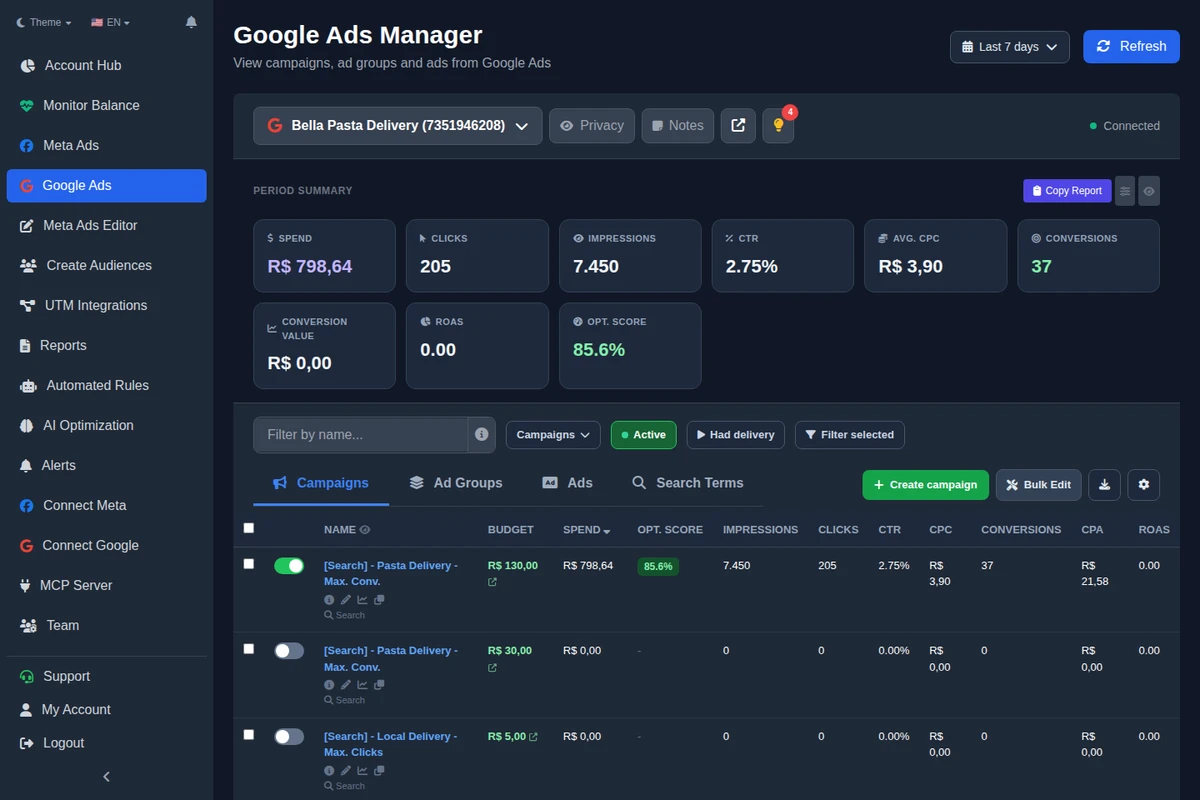
- Types: Search, Display, Performance Max and Demand Gen can be duplicated, including across accounts. Video cannot, due to a Google API limitation; for Video, use Google Ads itself or Google Ads Editor.
- Performance Max: the copy brings the asset group along, with headlines, descriptions, images, logo and search themes.
- The other client's copy: when duplicating across accounts, the window lets you change the final URL, headlines and descriptions of the copied ads, so the source client's website and wording never land in the other account.
- Name: without a new name, the copy gets the original name with "#2" at the end, as Google does. If a campaign with that name already exists in the destination, type another.
- If something cannot be copied, the window ends with a warning and says what was left out.
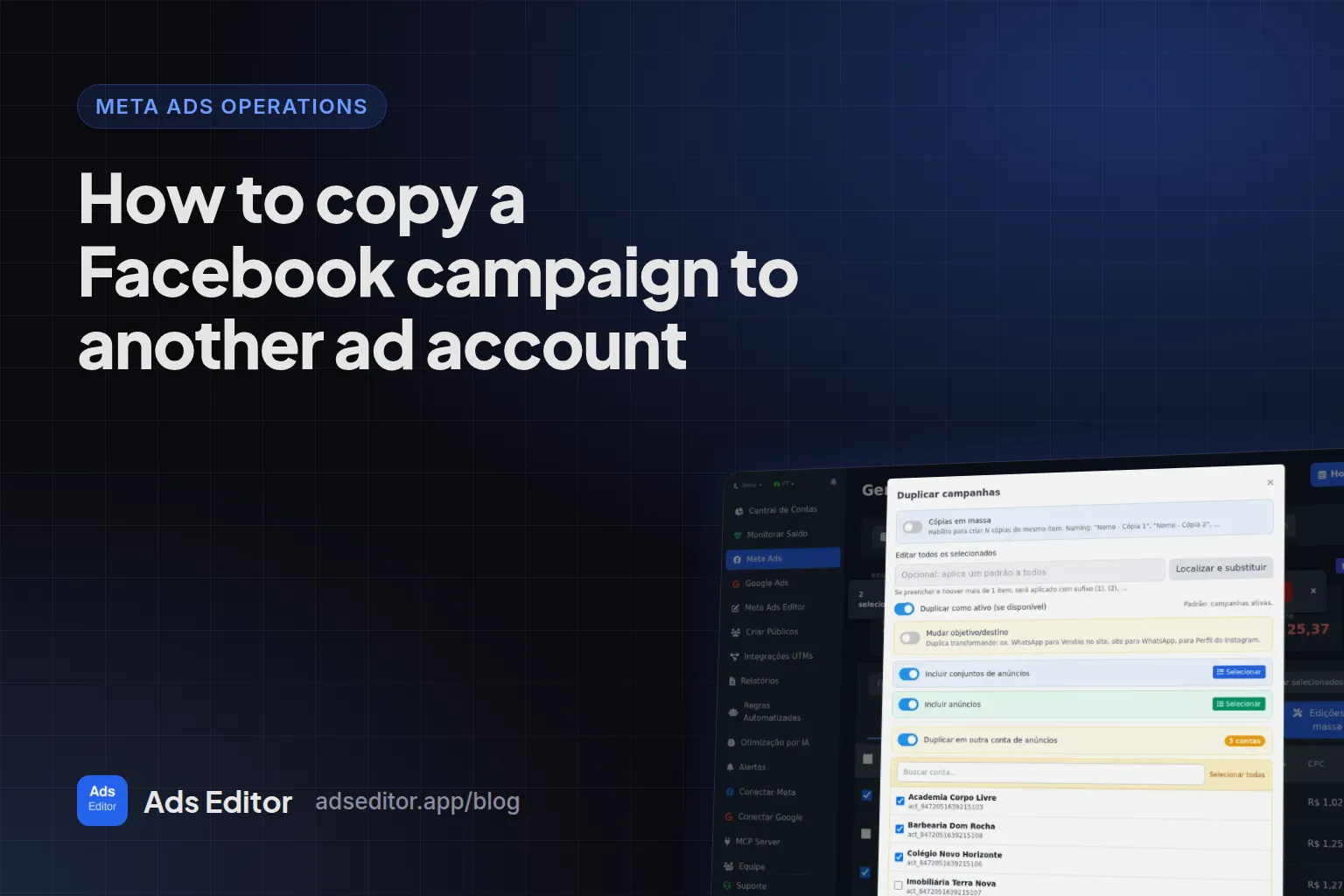
Step-by-step guide with screens and a 23-second video: duplicate a Google Ads campaign. The same cross-account copy exists for Meta Ads: see copy a Facebook campaign to another ad account.
Example: a dental group with one account per location
An agency proved a Search campaign for implants at the Downtown location and wants it at the North and South locations, each with its own account. From a manager account it could paste into both, but only because it is Search. In Google Ads Editor, it would be two rounds of opening an account and pasting. In Ads Editor: check the campaign, Duplicate, turn on Duplicate to other accounts, check North and South, change the final URL to each location's page and duplicate. Both copies start paused for review.
What should you check after copying a Google Ads campaign?
- Budget. Check the copy's daily amount, especially between accounts with different currencies.
- Bidding and learning. Bid strategy learning does not carry over: the copy starts from zero, and its first days will not match the original.
- The destination account's conversions. If the strategy optimizes for conversions, confirm the destination account has the conversion actions set up and recording.
- Account-level assets. Sitelinks, callouts and phone numbers created at the source account level belong to that account; check what applies in the destination. Sitelink levels are explained in Google Ads sitelinks.
- URLs and tracking. Swap the final URL and tracking parameters for the destination client's before you turn the copy on.
- Location and language. Review targeting, especially when the copy came through Google Ads Editor.
- Status. Turn it on only after the review: every method above lets the copy start paused.
For the full routine of running Google Ads for several clients, from negative keywords to Performance Max, see how to manage Google Ads for multiple clients.
Frequently asked questions
Can you copy a Google Ads campaign to another account?
In the Google Ads interface, only from a manager account (MCC), and only Search campaigns with the same currency. Otherwise, Google points to Google Ads Editor. Ads Editor copies Search, Display, Performance Max and Demand Gen campaigns to several accounts at once.
Does a duplicated campaign keep its history and learning?
No. Impressions, clicks, conversions and bid strategy learning stay with the original. The copy starts from zero.
Does the copy start active or paused?
In Google Ads, check Pause new campaigns after pasting so it does not run right away. In Ads Editor, the copy starts paused unless you turn on Duplicate as active.
How do you copy just one ad group in Google Ads?
Google Ads copy and paste also works for ad groups, ads and keywords: check them, use Edit, Copy, open the destination and paste. In Ads Editor, use Choose under What to copy to take only some ad groups or ads.
Can Ads Editor duplicate a Video campaign?
No. The Google Ads API does not allow editing or copying Video campaigns. Duplicate them in Google Ads itself or in Google Ads Editor.
Glossary
- Manager account (MCC)
- A Google Ads account that groups and manages other linked accounts, typically used by agencies.
- Copy shell
- A Google Ads Editor option that copies only the campaign settings, without ad groups, ads or keywords.
- Portfolio bid strategy
- An automated bid strategy shared by several campaigns in the same account.
- Demand Gen
- A Google Ads campaign type with visual image and video ads, built to create interest.
References
- Google Ads Help: Copy and paste campaigns, ad groups, ads, audiences, and keywords. Supports: Checked on November 21, 2026: copying between different accounts isn't possible through the Google Ads UI and requires Google Ads Editor; manager accounts can paste across linked accounts, Search campaigns only; same currency required; feeds can't be copied; historical performance and bid strategy learning aren't carried over; Pause new campaigns after pasting; several items can be copied at once.
- Google Ads Editor Help: Copy or move campaigns. Supports: Checked on November 21, 2026: Copy, Copy shell and Cut; Account, Open for the destination; Edit, Paste; location targeting not included when copying campaign settings; no historical metrics; no duplicate names; no Selective Optimization; portfolio strategies replaced by manual CPC in another account; different currencies keep the same numbers.
- Ads Editor Help Center: Duplicate a Google Ads campaign. Supports: Guide reviewed on October 20, 2026: Bulk Edit, Duplicate; What to copy (Everything, Without the ads, Campaign only, Choose); Duplicate to other accounts; copy starts paused unless Duplicate as active; supported types and Video excluded by API limit; Performance Max asset group; #2 name; final URL, headlines and descriptions swapped across accounts.
The claim supported by each source is shown above.
About the author
Matheus Mello, founder of Ads Editor and owner of YEP Agência. Runs client ad accounts at YEP Agência and built Ads Editor so his own agency could stop publishing ads one at a time. Usage numbers quoted on the blog come from the product activity log. Instagram: @theusm