Google Ads sitelinks: what they are, character limits, levels and examples
By Matheus Mello, founder of Ads Editor and owner of YEP Agência · Published · 9 min read
Google Ads sitelinks are the extra links that show under a Search ad and take people straight to a specific page: pricing, booking, contact. They make the ad bigger and give people more ways in, but they come with tight character limits and a level system that trips up many accounts. This guide covers the limits, how many show, where to create them and example text you can adapt.
Connect my accountsQuick answer
Google Ads sitelinks are extra links under your ad, each leading to a page of your site. Link text takes up to 25 characters; the two optional description lines, 35 each. You need at least 2 for them to show, and ads show up to 6 on desktop and 8 on mobile. Ads Editor suggests them with AI.
Summary
- Sitelink text has up to 25 characters (12 in double-width languages); each of the two description lines has up to 35, and if you fill one you must fill both.
- At least 2 sitelinks are needed for them to show. Search and Performance Max ads show up to 6 on desktop and 8 on mobile; Video and Demand Gen, up to 4.
- You can add them at the account, campaign, asset group or ad group level; only sitelinks from the same branch of the account show together.
- Google suggests starting with at least 4 at the account level and, for high-volume campaigns, at least 6 with descriptions.
- In Ads Editor, sitelinks, callouts and structured snippets are created by hand or with AI from the website, for one campaign or many at once.
In this article · 7 sections
What are Google Ads sitelinks?
Sitelinks are additional links attached to your ad. Google's help center puts it simply: sitelinks take people to specific pages on your site. Each one has a short clickable title, a final URL and, optionally, two description lines.
Google now calls them sitelink assets. Older guides, and many people, still say sitelink extensions; it is the same thing. According to Google, sitelinks are compatible with Search campaigns, Video campaigns on YouTube and AdSense for Search, and they also appear with Performance Max and Demand Gen ads.
What is sitelink text?
Sitelink text is the clickable title of each link, the part people read first. It has up to 25 characters in most languages, so it works best as a short action or page name: "Book an assessment", "Pricing", "Track my order". The description lines below it add context, but they do not always show.
What are the character limits for sitelinks?
| Field | Limit | Notes |
|---|---|---|
| Sitelink text | 25 characters | 12 in double-width languages such as Chinese, Japanese and Korean. Required |
| Description line 1 | 35 characters | Optional, but if you fill it, line 2 is required too |
| Description line 2 | 35 characters | Optional, but if you fill it, line 1 is required too |
| Final URL | A page of your site | Required |
| Callout (a related asset) | 25 characters | 12 in double-width languages |
| Structured snippet values | 25 characters each | 3 to 10 values under a header chosen from Google's list |
Why 35 characters shows up in Google Ads Editor too
The 35-character limit for each description line is part of Google's own definition of a sitelink asset in the Google Ads API. Every tool that writes sitelinks into a Google Ads account works within it, whether that is Google Ads, Google Ads Editor or a third-party app like Ads Editor.
Google calls the description fields optional but highly recommended, and notes that descriptions do not reduce the number of links that can show.
How many sitelinks show with an ad?
| Campaign type | Desktop | Mobile |
|---|---|---|
| Search and Performance Max | Up to 6 | Up to 8 |
| Video | Up to 4 | Up to 4 |
| Demand Gen | Up to 4 | Up to 4 |
- Minimum: you need at least 2 sitelinks for them to appear in the ad.
- No guarantee: Google may not show sitelinks when it predicts low performance, so the count above is a ceiling, not a promise.
- How many to create: Google's setup instructions suggest at least 4 at the account level, and its best practices recommend at least 6 with descriptions for high-volume campaigns, ad groups and asset groups.
- Dynamic sitelinks: if the account is opted in, Google can generate sitelinks automatically, and they may show alongside or instead of yours. You can pause or remove an automatically created one.
Should you add sitelinks at the account, campaign or ad group level?
Google lets you add sitelinks at the account, campaign, asset group or ad group level. Sitelinks from higher levels are eligible to serve with those from lower levels, but only sitelinks in one branch of the hierarchy (account, then campaign, then ad group or asset group) can appear together. A sitelink on campaign A never shows with an ad from campaign B.
| Level | What fits there | Example |
|---|---|---|
| Account | Pages that make sense for every campaign | Contact us, About us, Reviews |
| Campaign | Pages tied to one product or service line | Implant pricing on the implant campaign |
| Ad group | Pages tied to one specific search intent | Emergency appointment on the emergency ad group |
What are good sitelink examples?
The examples below respect the 25 and 35 character limits. Adapt the wording to your offer and send each link to a page that delivers exactly what the text promises.
| Niche | Sitelink text | Description line 1 | Description line 2 |
|---|---|---|---|
| Dental clinic | Book an assessment | Free first visit for implants | Pick a time that suits you |
| Dental clinic | Treatment prices | See plans and payment options | No surprises at the chair |
| Online store | New arrivals | Fresh styles added every week | Find your size in seconds |
| Online store | Track my order | Real-time delivery updates | Use your order number |
| B2B software | Book a demo | See the product in 20 minutes | Live, with a product expert |
| Law firm | Free case review | Tell us what happened | Answer within one business day |
| Restaurant | Reserve a table | Book online in under a minute | Groups and private events |
- One page per link. Each sitelink should open a different page that matches its text.
- Start with a verb or a page name. "Book", "See", "Track" and "Pricing" read fast in 25 characters.
- Write descriptions in pairs. Google requires both lines if you use one.
- Avoid near-duplicates. In Demand Gen, Google states that sitelinks with the same or similar text won't serve together.
How do you add sitelinks in Google Ads?
- In Google Ads, open Assets in the Campaigns menu.
- Click the plus button, then Sitelink.
- In Add to, choose the level: account, campaign or ad group.
- Choose an existing asset or select Create new.
- Fill in Sitelink text, the Description line fields and the URL. Click Add sitelink to add more before saving.
- Click Save. Google reviews each sitelink before it shows, as it does with ads.
How do you create sitelinks for many campaigns in Ads Editor?
Ads Editor, which publishes this blog, manages Google Ads and Meta Ads for many client accounts in the browser. Its Google Ads manager creates sitelinks, callouts and structured snippets by hand or with AI:
- In Google Ads, click Edit below the campaign name and pick the Extensions card.
- Under Apply to, choose the whole account, the campaign or an ad group. The extensions already in place at that level show below the form.
- In the Sitelinks tab, write the link text and the final URL; the two descriptions are optional. Click Add.
- Or click Generate with AI: it reads the website pages and suggests several sitelinks at once, with the URLs filled in. Keep only the ones you want checked and click Add selected. The Callouts and Snippets tabs work the same way.
- For several campaigns at once, check them and use Bulk Edit, Edit campaigns, Extensions.
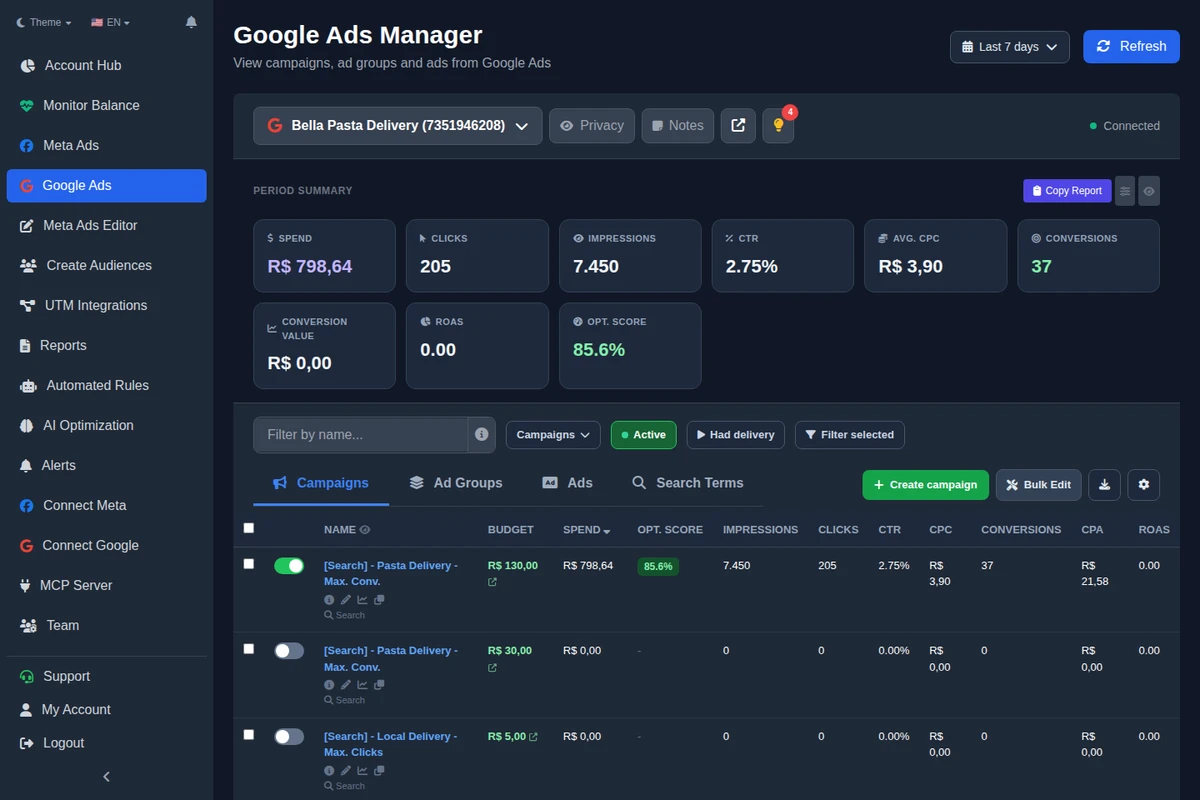
Step-by-step guide with screens and a 27-second video: sitelinks, callouts and snippets in Google Ads. If a sitelink you see in Google does not show in the list, it was created at another level: change the level under Apply to.
Example: one setup for a clinic with three campaigns
A dental clinic runs implant, orthodontics and emergency campaigns. At the account level: Contact us, Reviews, Our location and Book an assessment, which every campaign inherits. On the implant campaign: Implant prices and Before and after. On the emergency ad group: Same-day appointment. Each ad can then combine account sitelinks with the ones from its own branch, and no implant link ever shows on an orthodontics ad.
For the rest of the routine when you run Google Ads for several clients, from negative keywords to Performance Max, see how to manage Google Ads for multiple clients. Which of Google's automatic suggestions to accept is covered in Google Ads recommendations.
Frequently asked questions
How many characters can sitelink text have?
Up to 25 characters in most languages, or 12 in double-width languages such as Chinese, Japanese and Korean.
What is the sitelink description length?
Each of the two description lines has up to 35 characters. They are optional, but if you fill one, you must fill the other.
Why are my sitelinks not showing?
The most common causes are having fewer than 2 sitelinks in the ad's branch, sitelinks still under Google review, or Google predicting low performance for that search. Create at least 4 and check they are in the same branch as the ad.
Are sitelink extensions and sitelink assets the same?
Yes. Google's help center now calls them sitelink assets; sitelink extension is the older name for the same feature.
Can AI write my sitelinks?
In Ads Editor, Generate with AI reads your website and suggests several sitelinks with URLs filled in; you keep the ones you want. Google can also create dynamic sitelinks automatically if the account is opted in.
Glossary
- Sitelink asset
- An extra link shown with a Google ad, made of link text, a final URL and two optional description lines.
- Callout
- A short phrase of up to 25 characters shown with the ad, such as "Open on Saturdays".
- Structured snippet
- A header from Google's list, such as Services or Brands, followed by 3 to 10 short values.
- Dynamic sitelinks
- Sitelinks Google generates automatically for accounts that are opted in.
References
- Google Ads Help: About sitelink assets. Supports: Checked on November 21, 2026: sitelinks take people to specific pages; compatible campaign types; up to 6 on desktop and 8 on mobile for Search and Performance Max, up to 4 for Video and Demand Gen; at least 2 needed to appear; sitelink text limited to 25 characters (12 in double-width languages); descriptions optional but highly recommended and do not reduce the number of links; levels (account, campaign, asset group, ad group) and branch rule; at least 4 at account level and at least 6 with descriptions for high-volume campaigns; may not show if Google predicts low performance; dynamic sitelinks; setup steps through Assets; Demand Gen similar-text rule.
- Google Ads API reference: SitelinkAsset. Supports: Checked on November 21, 2026: link_text between 1 and 25 characters; description1 and description2 between 1 and 35 characters each, and if one is set the other must be set.
- Google Ads Help: About callout assets. Supports: Checked on November 21, 2026: callout text limited to 25 characters in most languages, 12 in double-width languages.
- Google Ads API reference: StructuredSnippetAsset. Supports: Checked on November 21, 2026: required header from Google's predefined list; 3 to 10 values of 1 to 25 characters each.
- Ads Editor Help Center: sitelinks, callouts and snippets in Google Ads. Supports: Guide reviewed on October 20, 2026: Edit, Extensions; Apply to (whole account, campaign, ad group); Sitelinks, Callouts and Snippets tabs; Generate with AI reads the website and suggests sitelinks with URLs; Add selected; Bulk Edit, Edit campaigns, Extensions for several campaigns.
The claim supported by each source is shown above.
About the author
Matheus Mello, founder of Ads Editor and owner of YEP Agência. Runs client ad accounts at YEP Agência and built Ads Editor so his own agency could stop publishing ads one at a time. Usage numbers quoted on the blog come from the product activity log. Instagram: @theusm