How to turn off Advantage+ audience and placements in bulk in Meta Ads
By Matheus Mello, founder of Ads Editor and owner of YEP Agência · Published · Updated · 10 min read
Turn off Advantage+ audience in bulk and you save an afternoon of clicking through ad sets one by one. Meta Ads Manager has no bulk switch for Advantage+: you open each ad set one by one, so an agency with ten clients repeats the job for every ad set in every account. This guide shows how to switch off Advantage+ audience, Advantage+ placements and creative enhancements across many ad sets and accounts in one action, and when you should leave them on.
Try bulk editingQuick answer
To turn off Advantage+ audience in bulk, check the ad sets in Ads Editor, even from several client accounts, open Bulk Edit, Edit Ad Set, Advantage+ audience and turn it off for all; Edit Placement switches them to Manual. Meta Ads Manager has no bulk option for this: bulk only works through Meta's API, which Ads Editor uses.
Summary
- In Ads Editor, Bulk Edit and Edit Ad Set turn off Advantage+ audience and switch placements to Manual on every checked ad set, even across client accounts.
- On the ads, Ad recommendations turns creative enhancements off in bulk; large batches run in the background.
- Through the MCP, ask Claude or ChatGPT: it finds which ad sets have Advantage+ audience on, turns it off and changes placements after you confirm.
- Since Marketing API v23.0, Advantage+ audience is the default on new ad sets; location, minimum age, language and custom audience exclusions are still respected.
- Turn it off when you have a hard constraint (a strict age range, a single format, brand rules); leave it on when the goal is volume.
In this article · 6 sections
Can you turn off Advantage+ in bulk?
Yes, but not in Meta Ads Manager, which only turns it off one ad set at a time. In bulk it only works through Meta's API, which is what Ads Editor uses. In Ads Editor, the Meta Ads page loads several accounts in the same selector, and the Bulk Edit bar acts on everything you check. The table sums up what turns off in bulk and where.
| Advantage+ setting | In the Ads Editor app | Through the MCP (ask the AI) |
|---|---|---|
| Advantage+ audience (ad set) | Bulk Edit, Edit Ad Set, Advantage+ audience, Turn off, Apply to all | "Turn off Advantage+ audience on the active ad sets in accounts A, B and C" |
| Advantage+ placements (ad set) | Bulk Edit, Edit Ad Set, Edit Placement, Manual | "Keep account A's active ad sets on Instagram Feed and Stories only" |
| Advantage+ creative enhancements (ad) | Ads tab, Bulk Edit, Ad recommendations, Turn off | "Turn off enhancements on every active ad in account A" |
Which Advantage+ settings are there, and what does each one do?
Advantage+ is the name Meta gives to several different automations. When someone searches how to turn off Advantage+, they almost always mean one of these three, and each lives at a different level:
| Feature | Level | What it does | How to turn it off |
|---|---|---|---|
| Advantage+ audience | Ad set | Lets Meta deliver beyond the audience you defined | Switch to the original audience options |
| Advantage+ placements | Ad set | Lets Meta choose the platforms and positions where the ad shows | Choose manual placements |
| Advantage+ creative enhancements | Ad | Lets Meta change how the ad is presented: text, video touch-ups, highlighted comments, music | Uncheck the enhancements on the ad |
Creative enhancements have their own walkthrough, with what each one changes, in how to turn off Advantage+ creative enhancements. The rest of this guide focuses on the ad set level.
How do you turn off Advantage+ audience on many ad sets and accounts at once?
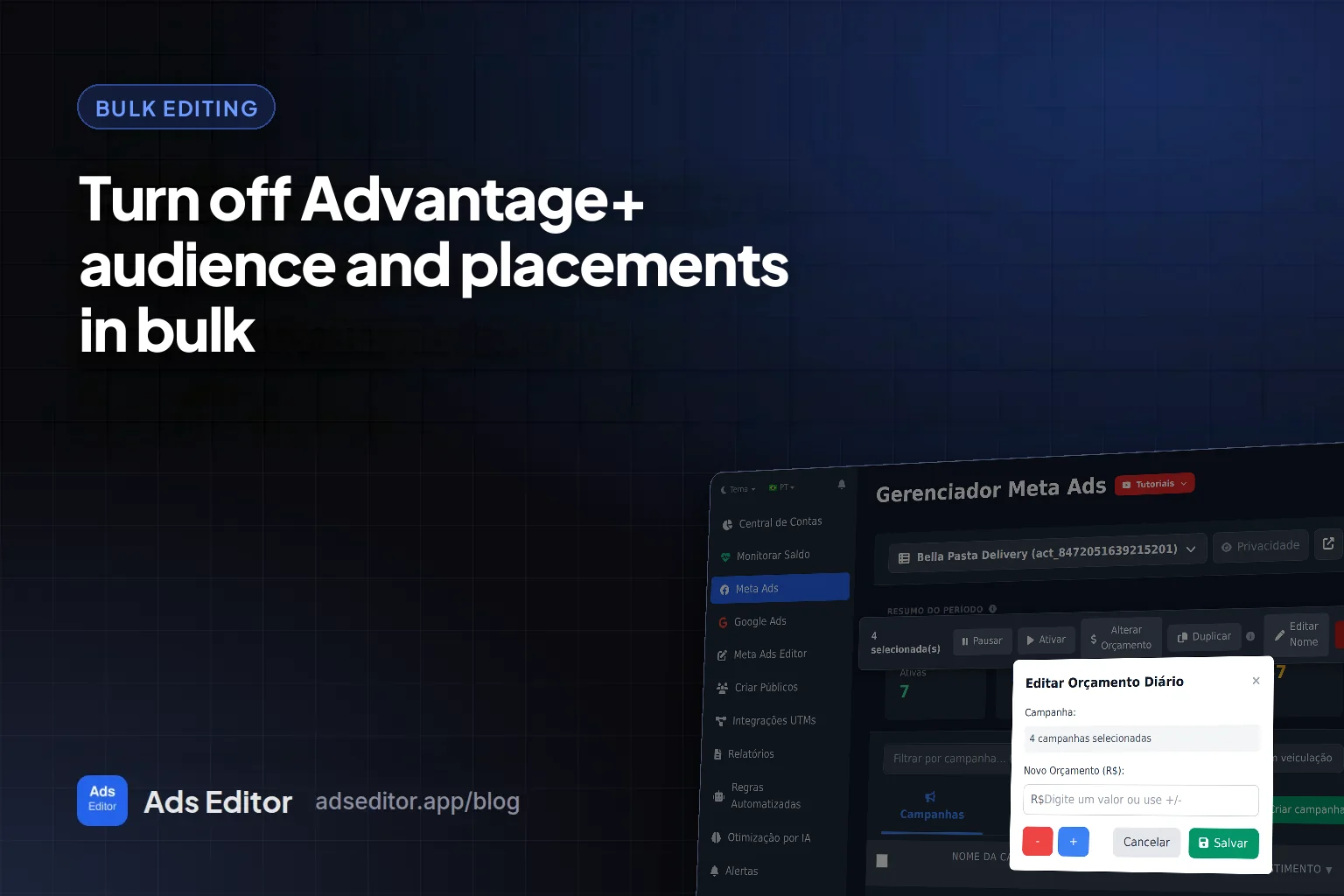
In Ads Editor, Advantage+ audience and Advantage+ placements turn off together on every checked ad set, even when they belong to different client accounts:
- Open Meta Ads, pick the accounts in the selector and open the Ad Sets tab.
- Check the ad sets (filter by name or status to grab dozens at once) and click Bulk Edit, then Edit Ad Set in the bottom bar.
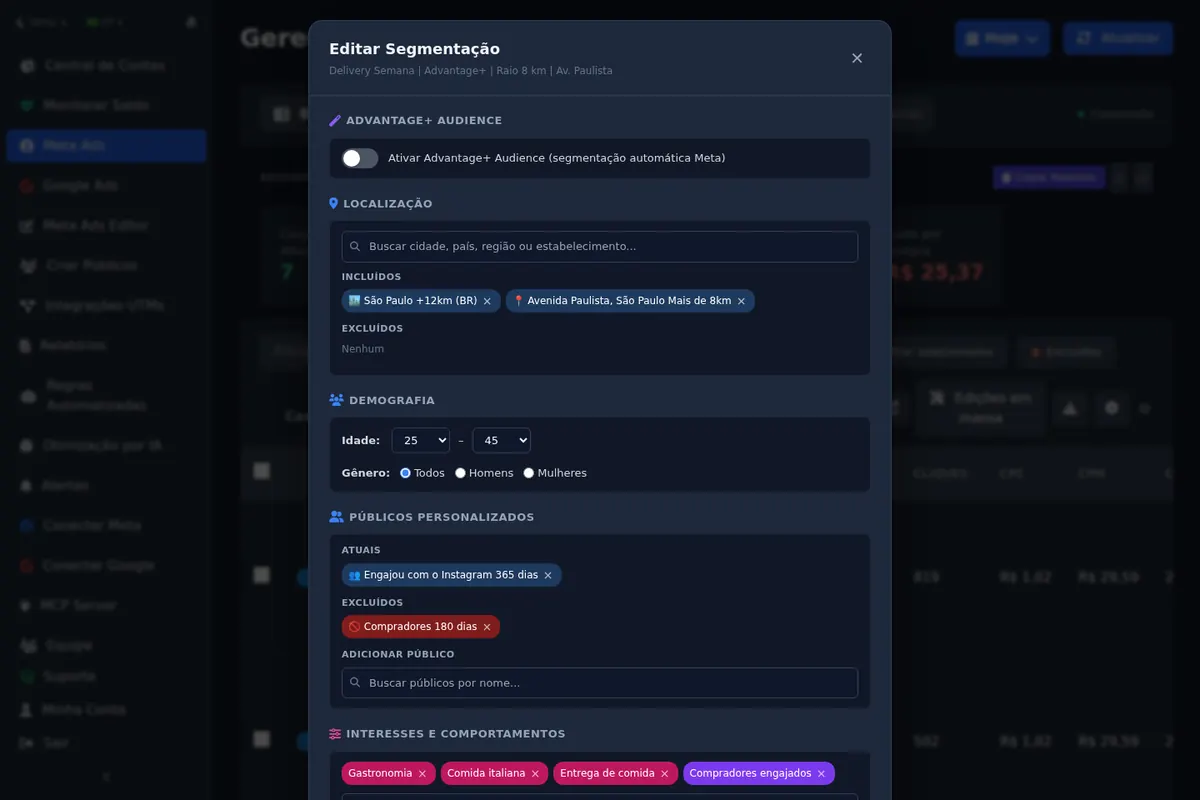
- For the audience, pick Advantage+ audience, choose Turn off, click Apply to all and then Save changes. The window shows what each ad set has today before you change it.
- For placements, pick Edit Placement and choose Manual to uncheck what you do not want, or Do not change the placement to keep each ad set's current setting.
Step-by-step guide with screens and video: edit ad sets in bulk. For other kinds of bulk changes, such as budgets, age or locations, see how to bulk edit Meta ads.
And creative enhancements on many ads?
- In Meta Ads, open the Ads tab and turn on Bulk Edit.
- Check the ads, from one account or several.
- In the ad editing menu, pick Ad recommendations, choose Turn off and save.
- In large batches, the change runs in the background and a notice appears when it finishes.
You do not need to touch copy, link or button. New ads you publish through Ads Editor's bulk upload already go out with enhancements off by default.
A typical agency case
A new client arrives with 30 ad sets built in Ads Manager, all with Advantage+ audience and automatic placements, plus a brand rule that Meta must not alter the artwork. In Ads Editor: check the 30 ad sets, turn off Advantage+ audience, switch placements to Manual without Audience Network, save; then check the ads and turn off Ad recommendations. Two bulk edits instead of opening every ad set and every ad.
How do you turn off Advantage+ in bulk through the MCP, by chatting with an AI?
With Ads Editor's MCP connected to Claude, ChatGPT or another assistant, you ask in plain English and the AI calls the right tools among more than 350. For Advantage+, four of them do the work:
- Find which ad sets have Advantage+ audience on. Ads Manager's table does not show it; the MCP reads it from Meta live, up to 200 ad sets per lookup. Ask: "Which active ad sets in accounts A, B and C have Advantage+ audience on?"
- Turn off Advantage+ audience in batches, up to 50 ad sets per call, across accounts. When it turns off, the current age and gender become hard limits and the rest of the targeting stays as it is. Ask: "Turn off Advantage+ audience on those ad sets."
- Change placements on many ad sets, chosen by list, by campaign or for the whole account, keeping audience, location, age and interests. Ask: "Keep account A's active ad sets on Instagram Feed and Stories only."
- Turn off creative enhancements for a whole account or just some campaigns. Above 50 ads, the task runs in the background. Ask: "Turn off enhancements on every active ad in account A."
Tools that write to the account ask for your confirmation first: the AI lists the ad sets and what will change, and applies only after you say yes. Everything is logged under Recent activity on the MCP Server screen. The MCP is included from the Pro plan up and is open during the 7-day trial.
Why does Advantage+ audience turn on by itself?
Because it became the default. According to Meta's developer documentation, since version 23.0 of the Marketing API, Advantage+ audience is on by default for new ad sets unless the tool explicitly says whether it wants it. Tools and integrations that do not handle that setting started creating ad sets with it on without anyone asking.
What does Meta still respect when Advantage+ audience is on?
Turning it on does not erase all your targeting. Meta treats location, minimum age, language and custom audience exclusions as hard constraints that it does not expand. The rest of the audience you build becomes a suggestion, and the maximum age is fixed at 65. If your constraint is one of the hard ones, you may not need to turn it off at all.
How do you turn off Advantage+ in Meta Ads Manager, one ad set at a time?
For a handful of ad sets, the native route is enough. Advantage+ audience:
- Open the campaign and go into the ad set you want to change.
- In the Audience section, look for the option that swaps Advantage+ audience for the original audience options. The link text changes with Ads Manager versions.
- Rebuild the audience: location, age, gender, detailed targeting, custom and lookalike audiences.
- Publish the change and repeat on each ad set.
Advantage+ placements: in the ad set, go to Placements, switch from Advantage+ placements to manual placements, uncheck what you do not want (Audience Network, right column) and confirm the creative has a format for every position left checked. Per Meta's documentation, if no platform is chosen, Meta uses all default platforms, and Audience Network cannot run alone: if it is the only one left, the ad set is rejected.
Does turning off the audience reset the learning phase?
Changing the audience of an ad set that is delivering is a significant edit and can send it back into the learning phase. If the ad set is performing, test the change on a copy before touching the original. The same goes for bulk editing: it applies the same change to everything you checked.
When should you turn off each Advantage+ setting, and when should you leave it on?
- Turn off the audience when your constraint is not one Meta always respects, for example a maximum age below 65 that has to be strict.
- Turn off placements when the creative exists in one format only (vertical video, for instance) or when you do not want to appear on a specific platform.
- Turn off creative enhancements when the ad has to run exactly as the client approved, when the artwork carries a price or condition, or in a creative test that cannot have automatic variation.
- Leave it on when there is no real constraint and the goal is volume. Turning it off out of habit removes inventory from the auction.
- Compare with a test, not a hunch: duplicate the ad set, turn it off on the copy and compare cost per result over the same window.
The "Advantage options cannot be disabled" error
Ad sets created in Ads Manager with Advantage+ audience keep a state that Meta's API does not return when you read the ad set. A tool that resends the targeting without it gets rejected with subcode 1359202, even when it is not trying to turn anything off. We tested this on a paused ad set in September 2026, and Ads Editor's editing already sends that state. Other codes are in Meta Ads error codes.
Frequently asked questions
Can I turn off Advantage+ on several ad sets at once?
Yes. In Ads Editor, check the ad sets in Bulk Edit, including from different accounts, and use Edit Ad Set for Advantage+ audience and for placements. Through the MCP, ask the AI and confirm the list before it applies the change.
How do I turn off creative enhancements on many ads?
In Ads Editor, open the Ads tab, turn on Bulk Edit, check the ads and choose Ad recommendations, Turn off. Through the MCP, ask it to turn off enhancements on the active ads of an account or campaign.
Why is Advantage+ audience on by default?
Because it is Meta's default for new ad sets since version 23.0 of the Marketing API, unless the tool states that it does not want it.
Does Advantage+ audience ignore my location?
No. Location, minimum age, language and custom audience exclusions are still respected; the rest of the audience becomes a suggestion.
How do I turn off Advantage+ in Meta Ads?
It depends on which one: Advantage+ audience and placements are turned off on the ad set; creative enhancements, on the ad. For many items, use Ads Editor's bulk editing.
Glossary
- Advantage+ audience
- An ad set feature that lets Meta deliver beyond the audience you defined, while respecting the hard constraints.
- Advantage+ placements
- An ad set feature that lets Meta choose the platforms and positions where the ad appears.
- Advantage+ creative enhancements
- Automatic changes Meta can apply to how an ad is presented, such as text, video touch-ups and music.
- Manual placements
- Your own choice of the platforms and positions where the ad can appear.
- MCP
- An open standard that connects AI assistants, such as Claude and ChatGPT, to outside systems such as Ads Editor.
References
- Advantage+ audience (Meta for Developers), checked on October 31, 2026. Supports: Turning it on and off through advantage_audience, on by default for new ad sets since v23.0, constraints that are not expanded (location, minimum age, language, exclusions) and maximum age fixed at 65.
- Placement Targeting (Meta for Developers), checked on October 31, 2026. Supports: With no platform chosen, Meta uses all default platforms, and Audience Network cannot be used alone.
- Ads Editor Help Center: edit ad sets in bulk. Supports: Guide reviewed on October 20, 2026: Ad Sets tab, Bulk Edit, Edit Ad Set; Advantage+ audience turns Meta's automatic audience on or off and Edit Placement switches between Advantage+ and Manual on every checked ad set; Apply to all, Save changes.
The claim supported by each source is shown above.
About the author
Matheus Mello, founder of Ads Editor and owner of YEP Agência. Runs client ad accounts at YEP Agência and built Ads Editor so his own agency could stop publishing ads one at a time. Usage numbers quoted on the blog come from the product activity log. Instagram: @theusm