Meta flexible ad format: what changes and when to skip it
By Matheus Mello, founder of Ads Editor and owner of YEP Agência · Published · Updated · 8 min read
Meta's flexible ad format groups several images, videos and text options into one ad and lets delivery choose what each person sees. It saves build time when you want volume, and it hides exactly the information you need when you want to know which creative won.
Quick answer
The flexible ad format groups several images, videos and text options into a single ad, and Meta's delivery system picks the combination to show. It helps when you are short on build time and the goal is volume. It hurts when you need to know which creative won. For tests, publish every variation as its own ad.
Summary
- Flexible format, dynamic creative and Advantage+ creative are three different settings that tutorials often mix up.
- Meta's developer documentation lists the flexible format only for the Sales and App promotion objectives.
- A flexible ad stores its copy in a different place from a regular ad, so tools built for regular ads can see it as an ad with no text.
- Meta's breakdown by image or video does not work with it, so it is not a split testing tool.
- Ads Editor reads the copy of both kinds of ads and publishes variations as separate ads.
In this article · 7 sections
What is Meta's flexible ad format?
Per Meta's developer documentation, the flexible ad format lets you group multiple creative assets, such as images, videos and text, in a single ad, and the delivery system selects the format to show without you specifying one. In practice, instead of building five ads with five pieces of media, you build one ad with all five and leave the combination to Meta. Jon Loomer notes you can submit up to 10 images or videos per ad, or more with creative groups.
The naming is a moving target. Dynamic creative, flexible format and Advantage+ creative show up mixed together in tutorials and in Ads Manager itself. Keep them separate, because each one hands a different decision to Meta. The Advantage+ creative enhancements guide shows where to review and disable each automatic change.
Flexible format vs dynamic creative vs Advantage+ creative: what is the difference?
| Name | What it does | What Meta decides for you |
|---|---|---|
| Dynamic creative | Automatically combines media, copy and headlines from a set of assets | Which combination each person sees. Only one ad per ad set |
| Flexible format | Groups media and copy options in one ad and lets delivery choose the format | Which format and which media each person sees, inside one ad |
| Advantage+ creative | Automatic enhancements Meta applies to the creative, when enabled | Which of the enhancements you left on get applied |
What the three share: Meta decides part of what the person sees. What matters day to day: the ad no longer has one fixed piece of copy and one fixed piece of media, so anything you do later (reporting, copying the text, swapping the media) has to deal with a list instead of a single item.
What changes inside a flexible ad?
A regular image or video ad is built like a Page post: one primary text, one headline, one description and one piece of media. In a flexible or dynamic ad, those single slots can be empty. The copy moves into lists of options (primary text, headlines, descriptions) that Meta combines at delivery.
| Element | Regular ad | Flexible ad |
|---|---|---|
| Primary text | One text, stored with the post | A list of options, up to 5 per group |
| Headline | One headline | A list of options, up to 5 per group |
| Description | One description | A list of options, up to 5 per group |
| Media | One image or one video | Several; Meta chooses |
Observed in Ads Editor, September 2026
A team uploaded new ads expecting them to inherit the copy from the latest active ad in the ad set, and they came out with no text. The previous ads had been built in Ads Manager with the flexible format, and Ads Editor only looked for copy where a regular ad keeps it. The fix taught it to read both places.
The lesson applies to any tool, spreadsheet or script: anything built for regular ads can see a flexible ad as an ad with no copy. If your reporting or automation copies ad text, ask whoever maintains it to test it on a flexible ad. For technical teams: in Meta's developer documentation, the flexible copy sits in asset_feed_spec, not in object_story_spec.
What limits does Meta document?
- Meta's developer documentation lists only the Sales and App promotion objectives as supporting the flexible format.
- Each group requires at least one image or video.
- Each group accepts no more than 5 options per text type.
- All call-to-action buttons in a group must be the same type.
- In dynamic creative, the documentation allows only one ad per ad set.
When should you use the flexible format?
- Limited build capacity. You have the media and the copy, but no time to build every combination as its own ad.
- The goal is volume, not learning. The campaign already has a validated direction and you want Meta to find the combination that delivers cheapest.
- Many copy variations for the same media. Groups take several options per text type, and delivery tests them for you.
When should you not use it?
- In a creative test. If the question is which hook won, the flexible format is a poor fit: Meta's breakdown by image or video does not work with it, and the winning combination does not become a creative you can recreate and brief. For tests, publish every variation as its own ad, as in creative testing on Meta Ads.
- When the copy cannot vary. A client with copy approved by legal or a regulator needs to know exactly what ran.
- When you track fatigue per creative. Hook rate and hold rate per piece of media get hard to read when Meta mixes it with several copy options. The thresholds are in hook rate and hold rate.
- When you will need to swap the media later. In an ad where Meta picks from a set, there is no single piece of media to replace.
This split is how we operate, not a Meta rule. The documentation pages we reviewed do not compare performance between the flexible format and separate ads; if you want to know which does better, test it in your own accounts.
Catalog ads are a different format: they pull products from a catalog instead of fixed media, as explained in Meta catalog ads.
What does Ads Editor do with flexible ads?
Inherits copy from both kinds of ads
In bulk publishing you can reuse the copy of the previous ad in the ad set. The rule: look only at active ads (if there are none, any ad), newest to oldest, and take the first one that has copy, checking the regular slot first and the flexible lists second. Headline and description follow the same path, each on its own.
Publishes variations as separate ads
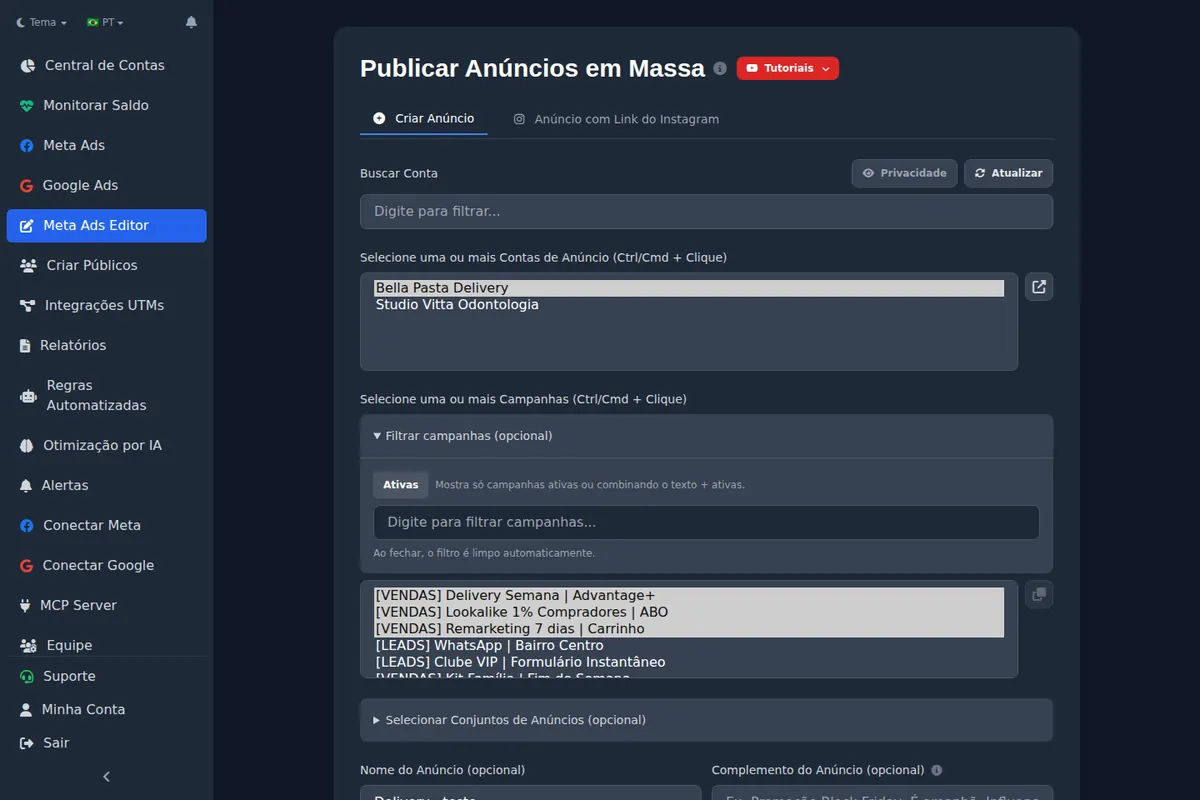
Ads Editor's bulk publishing turns each creative into its own ad, with the copy set once for the batch. It is the route to take when you want the per-variation read that the flexible format hides. You can also attach specific media for Stories and Reels to the same ad. Ads Editor does not build flexible format ads: those are created in Ads Manager.
Warns before trying to swap media
Swapping the media of an existing ad works when the ad has one image or one video. In a flexible or dynamic ad, Meta picks the media, and the screen says so up front instead of failing halfway. For where testing and the flexible format fit into a scaling plan, see how to scale Meta Ads.
Frequently asked questions
What is the flexible ad format on Meta?
A format in which one ad receives several pieces of media and text, and Meta's delivery system picks the combination to show each person.
Why do some tools show a flexible ad with no copy?
Because a flexible ad keeps its copy as lists of options, not in the single text slot a regular ad uses. A tool that only reads the regular slot finds it empty.
Is the flexible format good for creative testing?
Not really: results come from the whole ad and the breakdown by image or video does not work with it. For tests, publish each variation as its own ad in ABO.
Does Ads Editor create flexible format ads?
No. It inherits copy from flexible ads and publishes variations in bulk as separate ads; the flexible ad itself is created in Ads Manager.
Glossary
- Flexible ad format
- A Meta format that groups several images, videos and text options in one ad and lets delivery choose.
- Dynamic creative
- A Meta option that combines media, headlines and copy from a set of assets, one ad per ad set.
- Advantage+ creative
- Automatic enhancements Meta can apply to a creative when they are left on.
- Asset feed
- The part of a flexible or dynamic ad that holds the lists of texts and media Meta combines. Called asset_feed_spec in Meta's developer documentation.
References
- Flexible ad format (Meta for Developers). Supports: The format groups images, videos and text in one ad and delivery selects the format; only the Sales and App promotion objectives support it; each group needs at least 1 image or video, no more than 5 texts per text type, and call to action buttons of the same type.
- Asset feed spec (Meta for Developers). Supports: The asset feed delivers different combinations of an ad's creative to different people, with lists of primary texts, headlines, descriptions, images and videos.
- Dynamic creative (Meta for Developers). Supports: Dynamic creative is switched on at the ad set and allows only one ad per ad set.
- Ad creative reference (Meta for Developers). Supports: A regular creative is built as an unpublished Page post with its link, photo or video; a separate setting controls which creative enhancements are enabled.
- Flexible Ad Format: Why I Use It and How You Can Too (Jon Loomer). Supports: Meta's breakdown by image or video does not work with Flexible Ad Format, and the format is not meant for split testing.
- A Guide to Flexible Ad Format (Jon Loomer). Supports: Flexible Ad Format lets you submit up to 10 images or videos for a single ad, or more with groups, and is available for the App Promotion and Sales objectives.
The claim supported by each source is shown above.
About the author
Matheus Mello, founder of Ads Editor and owner of YEP Agência. Runs client ad accounts at YEP Agência and built Ads Editor so his own agency could stop publishing ads one at a time. Usage numbers quoted on the blog come from the product activity log. Instagram: @theusm