Hook rate and hold rate: catch creative fatigue early
By Matheus Mello, founder of Ads Editor and owner of YEP Agência · Published · Updated · 7 min read
Hook rate tells you whether the first seconds of a video stop the scroll, and hold rate tells you whether the video delivers once it has someone's attention. Read together, and read as a trend, they warn you about creative fatigue before CTR and CPA start to slide.
Quick answer
Hook rate is the share of impressions that turned into a 3-second video view; it measures the opening. Hold rate is the share of those viewers who reached 15 seconds; it measures whether the video delivers. In Ads Editor's alert thresholds, a 30% hook and a 40% hold are good. The real signal is the drop versus last week.
Summary
- Hook rate = 3-second video views / impressions. Hold rate = 15-second views / 3-second views.
- Our alert thresholds: hook rate 30%+ is good, under 20% is critical; hold rate 40%+ is good, under 25% is critical.
- A hook rate falling versus last week while CTR holds is an early warning. In our accounts it tends to show up 5 to 7 days ahead, though that is not guaranteed.
- If hook drops, you need a new opening; if hold drops, a new body or a clearer offer; if both drop, a new concept.
- Refresh cadence depends on business type: 12 days for digital products, up to 28 for services.
In this article · 8 sections
How do you calculate hook rate and hold rate?
| Metric | Formula | What it measures |
|---|---|---|
| Hook rate | (3-second video views / impressions) × 100% | Whether the opening stops the scroll |
| Hold rate | (15-second video views / 3-second video views) × 100% | Whether the video holds attention after the opening |
| Save rate | (Saves / impressions) × 100% | Perceived value |
| Share rate | (Shares / impressions) × 100% | Earned reach |
Hold rate has more than one definition. A common one divides ThruPlays by 3-second views. The definition used in Ads Editor divides 15-second views by 3-second views. On videos shorter than 15 seconds, a ThruPlay can mean a completed view, so the two formulas give different numbers. Pick one and stick with it for every ad you compare.
Meta Ads Manager does not show either metric by default. You build them as custom metrics: open Columns, choose Customize columns and create a custom metric with the formula above, as Jon Loomer walks through in his custom metrics guide.
What is a good hook rate?
| Metric | Good | Watch | Critical or low |
|---|---|---|---|
| Hook rate | 30% or more | 20% to under 30% | Below 20% |
| Hold rate | 40% or more | 25% to under 40% | Below 25% |
| Save rate | Above 0.5% | 0.1% to 0.5% (normal) | Below 0.1% |
| Share rate | Above 0.3% | 0.05% to 0.3% (normal) | Below 0.05% |
These ranges are operational alerts, not industry averages. They come from YEP Agência's client work and the thresholds shared in a September 2026 training session for media buyers. Compare them with your own account history, audience and placements before you treat a number as good or bad.
Why watch the trend instead of the absolute number?
Because the absolute number depends on the niche. A creative with a 22% hook rate may be the strongest one in an account with a tough audience. What tells you a creative is wearing out is the change: a hook rate falling week over week while CTR is still steady is the moment to brief the replacement. In our accounts that signal tends to show up 5 to 7 days before CTR moves, but treat it as a working window, not a guaranteed lead time.
Hook dropped or hold dropped: which brief do you send?
| What dropped | Diagnosis | Brief for the editor |
|---|---|---|
| Hook | Opening problem: the audience has already seen that hook | New opening, same body |
| Hold | Payoff problem: the opening worked and the video did not deliver | Same hook, new body or a clearer offer |
| Both | The creative is spent | New concept |
Labeling every drop "the creative is tired" makes you throw away what still works. If only the hook fell, the body is still doing its job: keep it and shoot a new opening.
What frequency is too high?
There is no universal ideal frequency. In ecommerce with a broad audience, high frequency usually means the algorithm is hitting the same people over and over. A local business has a small, geo-fenced audience by definition; killing a pizzeria's ads at a frequency of 3 shuts them off before they have a chance to work.
| Business type | Frequency | Why |
|---|---|---|
| Local business | 6 to 8 is fine | Small audience, and recall matters |
| Digital products | 4 is already a warning sign | Niche audiences saturate in 7 to 14 days |
| Ecommerce | Above 5 signals decline | Broad audiences and retargeting renew the pool, but they wear out too |
| Lead generation | 4 is already a warning sign | Same logic as digital products, slightly broader audience |
| SaaS | 4 is already a warning sign | Behaves like digital products |
| Agencies and services | No fixed threshold | Long decision cycle: watch CTR and hook rate, not frequency |
How often should you refresh creatives?
| Business type | Refresh every | Why |
|---|---|---|
| Digital products | 12 days | Niche audiences saturate fast |
| Lead generation | 14 days | Same logic, broader audience |
| SaaS | 14 days | Behaves like digital products |
| Ecommerce | 18 days | Broad audiences and retargeting renew the pool |
| Agencies | 21 days | Longer decision cycle |
| Local business | 25 days | Small audience, but recall matters |
| Services | 28 days | Long decision cycle, the audience decides slowly |
Both tables came from running YEP Agência client accounts, not from a market study. Use them as the starting point for your production calendar and adjust per account. If hook rate falls before the date on the calendar, refresh earlier.
How do you turn this into a routine?
- Classify each account by business type.
- Build the creative calendar from the refresh table.
- Set alerts on each niche's frequency limit, not one limit for every account.
- Ship the new pack in bulk on the scheduled day with bulk upload.
Then test the replacements properly: the structure is in creative testing on Meta Ads, and what to do with winners is in how to scale Meta Ads.
Can you automate the creative fatigue alert?
In Ads Manager the ratios are there, but nothing warns you: you have to open the columns and compare weeks by hand, account by account. Ads Editor's creative fatigue alert, available on the Business plan, runs that check for you. Once a day it looks at the age of every active ad in accounts with a business type set, warns as an ad nears the refresh limit for its niche, and raises the severity when, on top of age, frequency passes 4 or CTR drops below 1.2%.
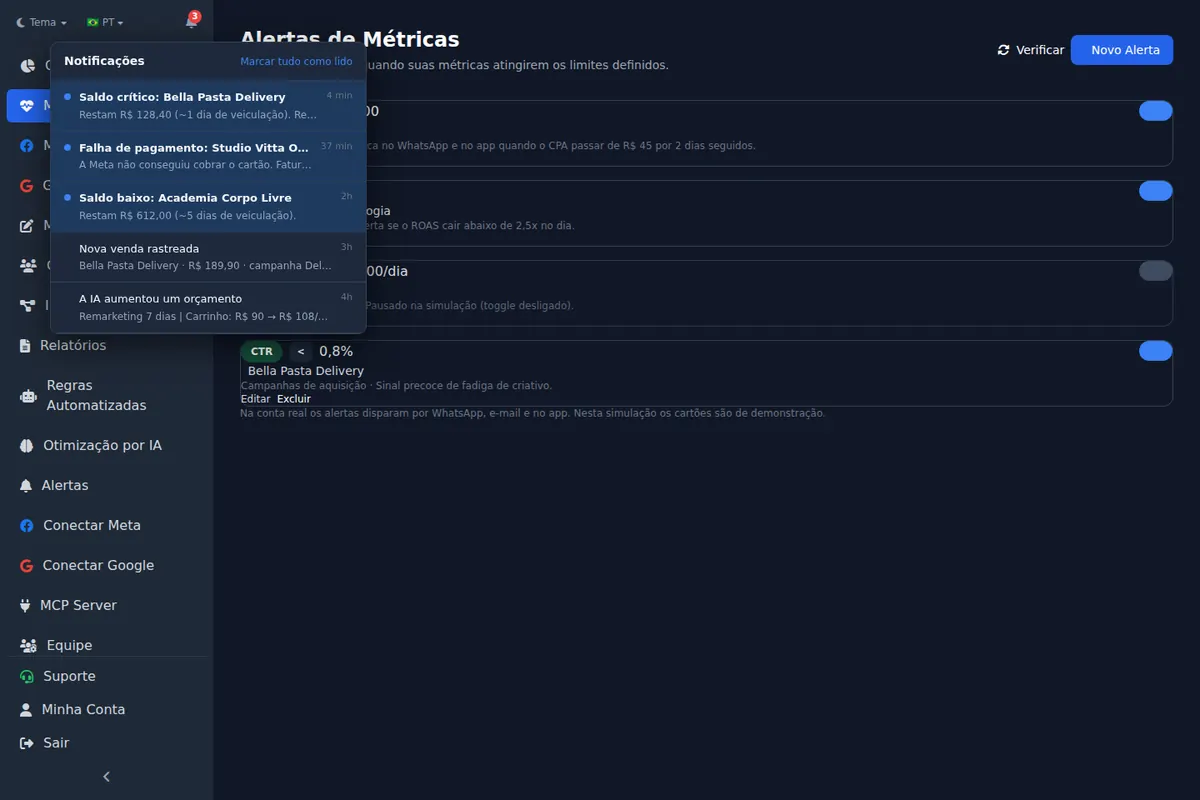
Review each alert in context before you replace anything: an old ad with a steady hook rate may still have room to run.
Frequently asked questions
What is hook rate?
The percentage of impressions that turned into a 3-second video view. It measures whether the opening makes people stop scrolling.
What is hold rate?
The share of 3-second viewers who kept watching. In the Ads Editor definition, 15-second views divided by 3-second views.
What is a good hook rate on Meta ads?
In the alert thresholds Ads Editor uses, 30% or more is good, 20% to under 30% needs attention and below 20% is critical. These are alert thresholds, not industry averages. Compare with your account's history.
Does hook rate apply to image ads?
No. Hook and hold are video metrics. For images, watch CTR, save rate and frequency.
How often should I refresh Facebook ad creatives?
As a starting point: 12 days for digital products, 14 for lead gen and SaaS, 18 for ecommerce, 21 for agencies, 25 for local businesses and 28 for services. Refresh earlier if hook rate starts to fall.
Glossary
- Hook rate
- 3-second video views divided by impressions.
- Hold rate
- 15-second video views divided by 3-second video views, in the Ads Editor definition.
- Creative fatigue
- The decline in a creative's performance as the same audience sees it over and over.
- Custom metric
- A formula column built in Ads Manager from existing metrics.
References
- A Guide to Custom Metrics in Meta Ads Manager (Jon Loomer). Supports: Custom metrics are created from Customize Columns in the Columns menu of Ads Manager, using a formula that combines existing metrics.
The claim supported by each source is shown above.
About the author
Matheus Mello, founder of Ads Editor and owner of YEP Agência. Runs client ad accounts at YEP Agência and built Ads Editor so his own agency could stop publishing ads one at a time. Usage numbers quoted on the blog come from the product activity log. Instagram: @theusm