Best ad management software for agencies with many clients (2026)
By Matheus Mello, founder of Ads Editor and owner of YEP Agência · Published · 6 min read
The best ad management software for agencies removes the work that multiplies with every new client: launching, copying campaigns, checking balances, reporting and splitting team access. This list compares 7 options on those five jobs, with the price each official page showed on November 25, 2026. Ads Editor is ours and opens the list, with the same limits section as the rest.
Connect my accountsQuick answer
For an agency running many Meta and Google client accounts, Ads Editor combines bulk launching, cross-account copies, balances, rules, client reports and per-account team access, priced per ad account. For reporting only, AgencyAnalytics. For deep Google Ads optimization, Optmyzr. For launching creative across 15 channels, AdManage. Compare on your full client count.
Summary
- Agencies lose time on work that repeats per client: launching, copying, balances, reports and team access.
- The billing model matters more than the entry price: per account, per ad spend, per client or per data source.
- Ads Editor covers Meta and Google across many accounts, priced per account: $79 for 40 accounts on Business.
- AgencyAnalytics charges $20 per client for reporting; Optmyzr and Birch price by ad spend; AdManage by ad account in pounds.
- Per-account permissions for each team member are the criterion most agencies forget to test.
In this article · 6 sections
What does an agency need from ad management software?
- Every client on one screen. Spend, results and balance for all accounts without opening them one by one.
- Bulk work across accounts. Launch the same creative pack into several clients and copy a winning campaign to another account.
- Team access per client. Each person sees only the accounts and pages you allow.
- Reports that don't need you. A link the client opens whenever they want, with your agency's branding.
- Pricing that doesn't explode with growth. Spend-based pricing grows with each client's budget; per-account pricing grows with the number of clients.
Which tools should you compare, and what do they cost?
| Tool | Focus | Channels | Priced by | Entry price |
|---|---|---|---|---|
| Ads Editor | Running Meta and Google across many accounts | Meta, Google | Ad accounts | $19/month (10 accounts) |
| Meta Ads Manager + Google manager account | Native, one account at a time | Meta, Google | Free | $0 |
| AgencyAnalytics | Client reporting | 90+ integrations | Client | $20 per client/month, billed yearly |
| Optmyzr | Google Ads audits and optimization | Google, Microsoft, Amazon, Meta, LinkedIn | Ad spend | $209/month billed yearly |
| AdManage | Bulk creative launching | 15 channels | Ad account | £199.99/month (1 account) |
| Birch | Automated rules | Meta, Google, Snapchat, TikTok | Ad spend | $49/month |
| Smartly | Creative and media for large brands | Meta, Google, TikTok, Amazon and more | Custom | Demo only |
What does each tool do well, and what doesn't it do?
1. Ads Editor
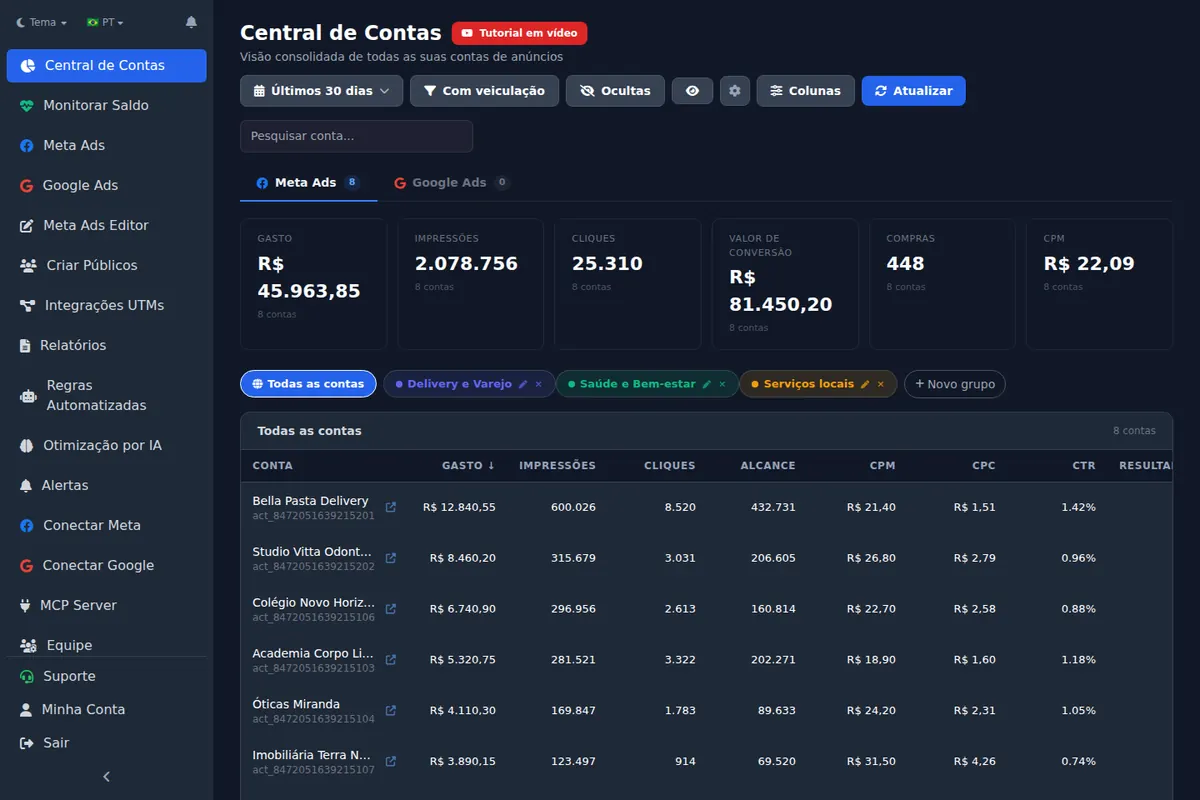
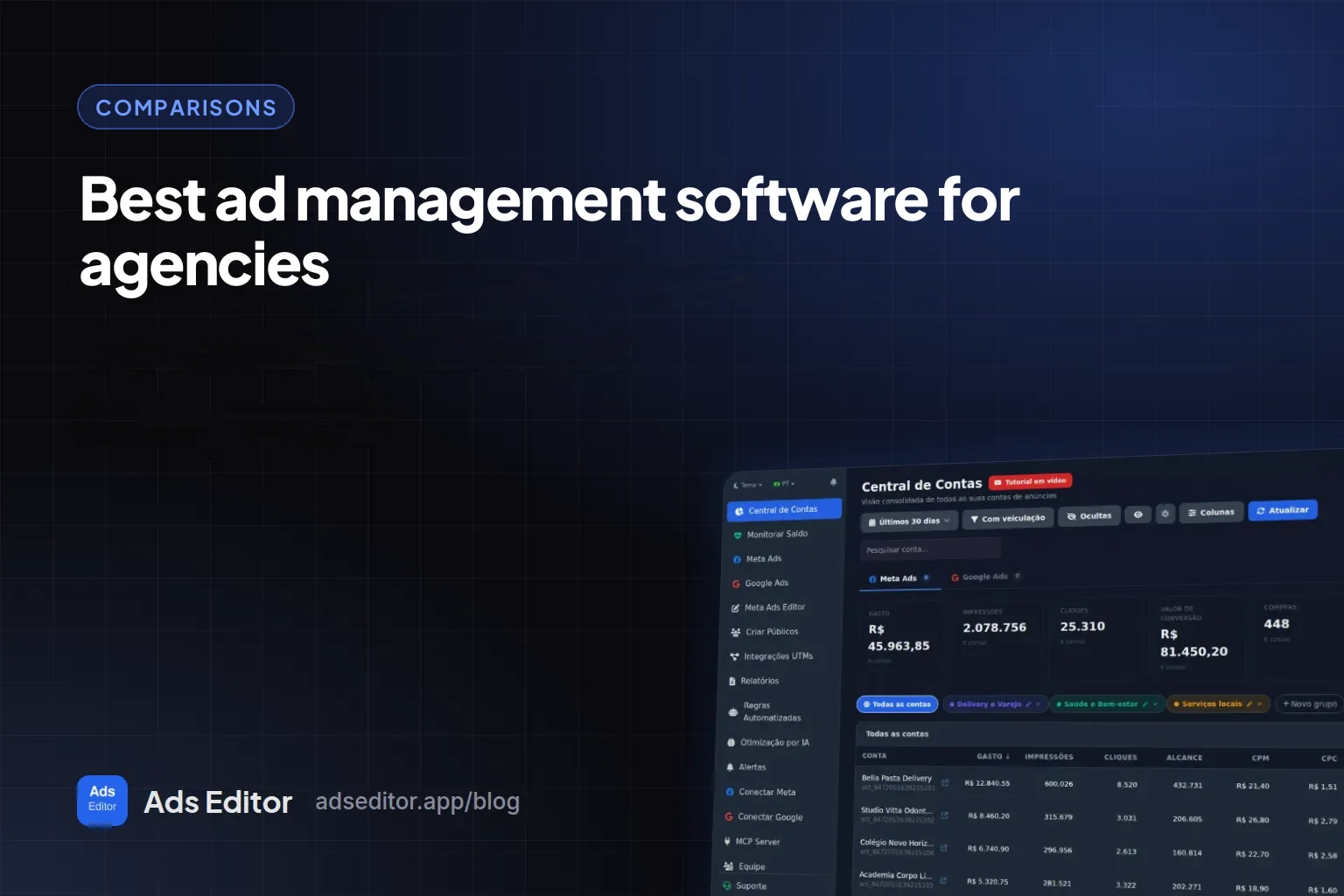
- Does well: an Account Hub with spend, results and balance for every client; bulk launching across campaigns and accounts; copying campaigns to another account while swapping Page, pixel and WhatsApp; bulk audiences; rules and AI Optimization within the weekly budget and caps you set; client reports as a password-protected link with your branding; sales by UTM from 33 platforms, including Shopify, ClickBank and Digistore24; team permissions per page and per ad account; an MCP with 350+ tools.
- Doesn't do: TikTok, LinkedIn, Pinterest or Snapchat; organic social reporting; post scheduling.
- Price: $19 (Starter, 10 accounts), $39 (Pro, 20), $79 (Business, 40), $139 (Scale, 70) and $179 (Enterprise, unlimited accounts) per month, billed in US dollars, 20% off yearly; 7-day free trial.
- Best for: agencies with a Meta and Google book that has outgrown 5 accounts. See how to give access to a Facebook ad account.
2. Meta Ads Manager and a Google Ads manager account
- Does well: everything inside each account at no cost; the manager account groups Google clients under one login.
- Doesn't do: Meta and Google side by side, cross-account launching and client-ready reports.
- Price: free.
- Best for: small agencies with few accounts per buyer.
3. AgencyAnalytics
- Does well: client reporting and dashboards with 90+ integrations, unlimited reports and a white-labeled client portal.
- Doesn't do: changing campaigns: it reports, it doesn't launch, pause or scale.
- Price: $20 per client per month billed yearly; 14-day free trial, no card; discounted pricing above 25 clients on request.
- Best for: agencies that sell multi-channel reporting.
4. Optmyzr
- Does well: audits, rules, bid and ad optimization for Google Ads at scale, plus Microsoft, Amazon, Meta and LinkedIn tools.
- Doesn't do: portfolio-level Meta and LinkedIn tools on Essentials, which stays single-account there.
- Price: Essentials at $299/month or $209/month billed yearly, up to 25 accounts, rising with ad spend; trial without a card.
- Best for: agencies with a large Google Ads book.
5. AdManage
- Does well: bulk launching across 15 channels, cloud, Dropbox and Frame.io imports, rules, an MCP and an API.
- Doesn't do: low-cost coverage for many accounts: each extra account on Essential costs £99.99/month.
- Price: Essential £199.99 (1 account), In-House £499.99 (5 accounts), Agency £999.99 (10 accounts) per month.
- Best for: creative teams launching high volume for few advertisers. See AdManage alternative.
6. Birch (formerly Revealbot)
- Does well: rules with nested conditions across many accounts on Meta, Google, Snapchat and TikTok.
- Doesn't do: flat pricing: cost follows combined ad spend.
- Price: Essential $49 and Pro $99/month up to $10K monthly spend; Enterprise on request.
- Best for: agencies built on rule automation. See Birch alternative.
7. Smartly
- Does well: AI creative production, cross-channel media buying and intelligence for large brands across Meta, Google, TikTok, Amazon, LinkedIn, Pinterest, Snapchat and more.
- Doesn't do: public pricing: the site leads to a demo.
- Price: custom.
- Best for: enterprise advertisers. See Smartly alternative.
Prices change
Values are what each official page showed on November 25, 2026. Check each pricing page before you buy.
What does each model cost for a 20-client agency?
- Ads Editor (per account): Pro, $39/month for 20 Meta and Google accounts.
- AgencyAnalytics (per client): $400/month billed yearly for 20 clients, reporting only.
- AdManage (per account): 20 accounts are above the Agency plan (10 accounts, £999.99); the page doesn't show the price beyond that.
- Birch and Optmyzr (per spend): the page calculates by the spend tier you pick.
What doesn't Ads Editor do for an agency?
- No TikTok, LinkedIn, Pinterest or Snapchat.
- No post scheduling or organic social reporting.
- No reports that pull CRM, Search Console or dozens of marketing sources.
- No offline editing like Google Ads Editor.
How do you choose during a one-week trial?
- List the tasks that repeat per client and how long each takes today.
- Test on 3 real clients, not a sandbox account.
- Invite a team member and check they only see what they should.
- Send a real report to a client and see if they open it unaided.
- Price it on your whole book of clients, not the entry plan.
Frequently asked questions
What is the best ad management software for agencies?
It depends on the book. For many Meta and Google accounts, Ads Editor, priced per account. For reporting only, AgencyAnalytics; for deep Google Ads work, Optmyzr.
Is per-account or per-spend pricing cheaper for an agency?
With many small clients, per-account pricing is usually cheaper. With a few low-spend clients, compare the spend tiers.
Can each team member see only some clients?
In Ads Editor, yes: the owner picks the pages and the ad accounts for each member.
Which tool sends branded client reports?
AgencyAnalytics has a white-labeled portal; Ads Editor saves your agency branding in report templates and shares reports as a link.
Glossary
- Per-account pricing
- A model where the tool's price depends on the number of connected ad accounts.
- Spend-based pricing
- A model where the price rises with the amount spent on ads in connected accounts.
- White label
- Delivering reports under the agency's brand instead of the tool's.
References
- Google Ads Help: about manager accounts. Supports: A manager account lets agencies and people who manage several Google Ads accounts access and manage them from one place.
- Ads Editor Help Center: add people to your team. Supports: The owner chooses which pages and which ad accounts each team member can access.
- Ads Editor Help Center: Account Hub. Supports: The Account Hub totals every account at the top and lists each ad account as a row.
The claim supported by each source is shown above.
About the author
Matheus Mello, founder of Ads Editor and owner of YEP Agência. Runs client ad accounts at YEP Agência and built Ads Editor so his own agency could stop publishing ads one at a time. Usage numbers quoted on the blog come from the product activity log. Instagram: @theusm