How to give access to Facebook ad accounts, per client
By Matheus Mello, founder of Ads Editor and owner of YEP Agência · Published · 4 min read
To give access to a Facebook ad account, there are two separate problems: how the client gives your agency access, and how you give each person on your team access to only the accounts they work on. Mixing them up is how an intern ends up able to edit every client's budget.
Quick answer
Giving your team access by ad account means each person signs in with their own login and sees only their accounts and screens, without anyone receiving a Facebook password. The client adds your agency as a partner in their Business Portfolio; inside your tools, you assign accounts per person, require two-factor authentication and keep an action history.
Summary
- Client to agency: the client adds you as a partner in their Business Portfolio and shares Page, Instagram, pixel, audiences and ad account.
- Agency to team: each person gets a personal login limited to specific ad accounts and screens.
- Permissions only count if the server enforces them, not just the interface.
- Two-factor authentication, session revocation on password change and an action log close the loop.
How should a client give an agency access to their ad account?
Through partner access, not by adding you as a person. Jon Loomer's recommendation matches what we practice: the agency and the client each keep their own Business Portfolio (formerly Business Manager), the client adds the agency as a partner, and then shares the assets you need: Facebook Page, Instagram account, WhatsApp and commerce accounts, datasets including the pixel, custom conversions, custom audiences and the ad account. Being added as an admin person on a business you consult for exposes you, the client and your other clients to problems you do not control.
How do you limit each team member to their own accounts?
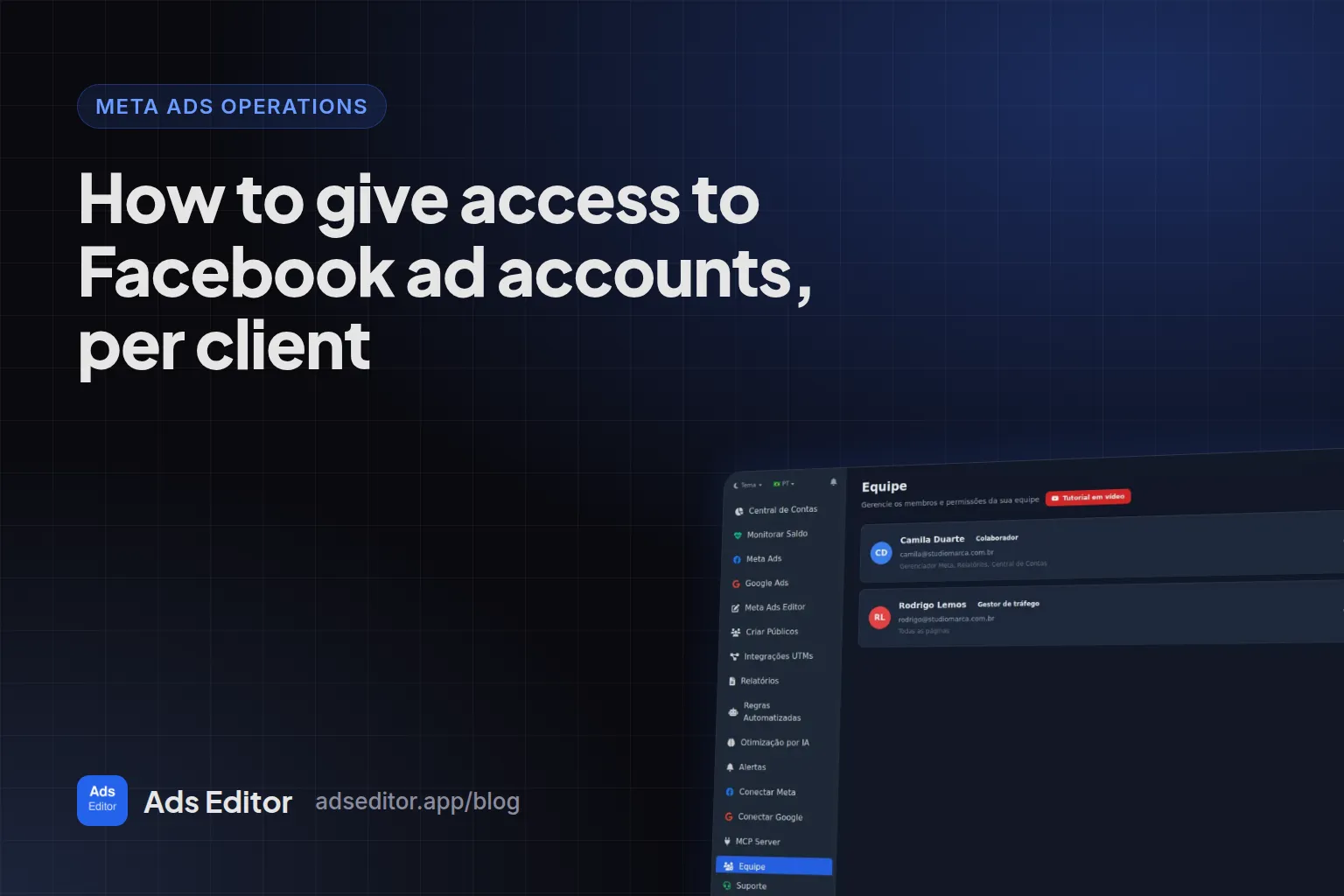
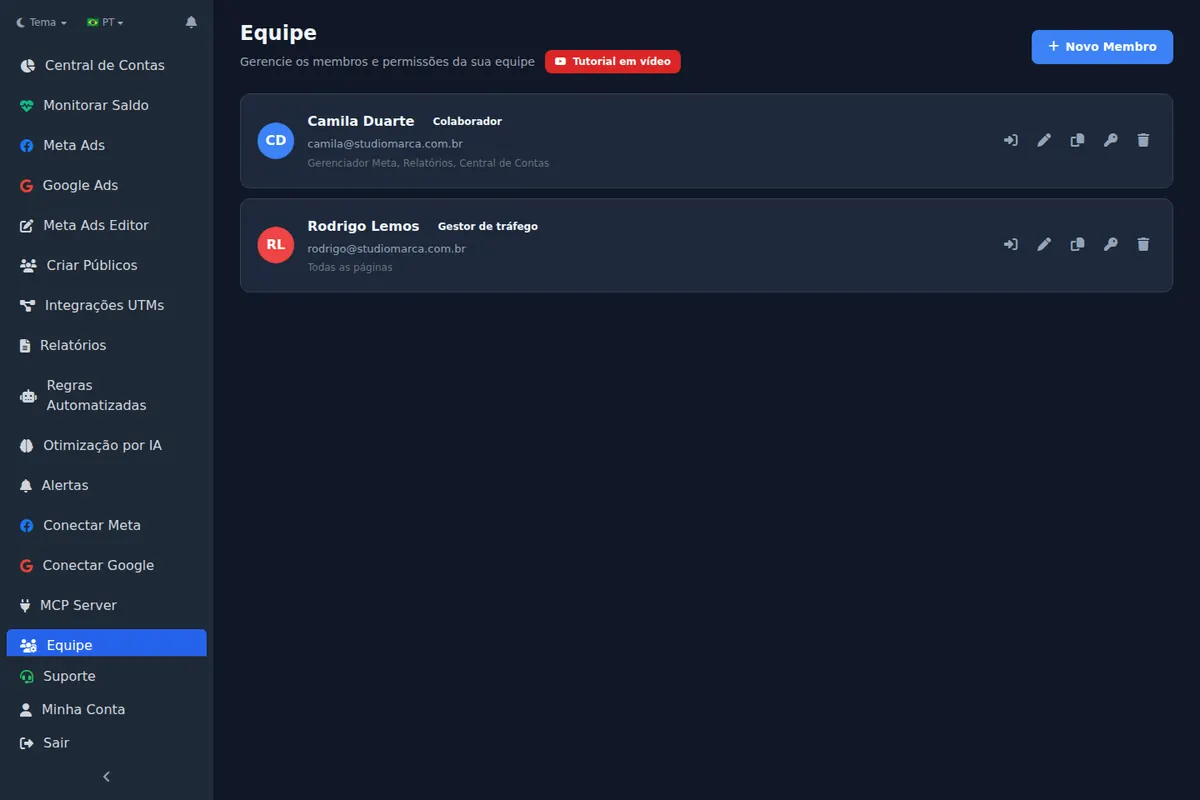
Once the agency has access, the next question is internal: who on your team touches which client. In Ads Editor, the owner connects Meta and Google once. Each member gets their own access, with name, email and role (admin or collaborator), and works through the owner's connection without ever seeing the token. What each member can reach is set on three axes.
| Axis | What you define |
|---|---|
| Screens | Which parts of the platform the member opens: manager, bulk publishing, audiences, reports, rules and others |
| Meta accounts | Which Meta ad accounts they can see and edit |
| Google accounts | Which Google Ads accounts they can see and edit |
Is the permission only on the screen?
No, and that is the line between real permissions and decorative ones. In Ads Editor the check happens on the server: if a member tries to act on an account outside their list, through any route, the action is denied and logged. Leaving the account list empty means access to every account, which is useful for a partner and risky for an intern.
How do you protect access with 2FA and an action log?
- Two-factor authentication with an authenticator app, plus backup codes.
- Changing the password signs out every other open session.
- The team history shows who uploaded each creative and who changed what.
How many members fit depends on the plan: 1 on Starter, 3 on Pro, 5 on Business and unlimited on Scale.
What about AI assistants with access to the accounts?
The same rule applies to an AI assistant connected by MCP: it should reach only the accounts its user can reach, with every action logged. How that works with Claude and ChatGPT is in Meta Ads MCP for Claude and ChatGPT. For the whole operation around permissions, read how to manage multiple Facebook ad accounts.
Frequently asked questions
Do I need to add every employee to the client's Business Portfolio?
Not in Ads Editor. The member works through the owner's connection, limited to the accounts you release, without access to the Business Portfolio itself.
Can I see what each team member did?
Yes. The team history records who performed each action, including who uploaded each creative.
Does a team member see the Facebook access token?
No. The token stays encrypted on the server and never reaches the browser.
Should a client add me as a person or as a partner?
As a partner. Each business keeps its own portfolio and shares specific assets, which limits exposure on both sides.
Glossary
- Business Portfolio
- Meta's current name for Business Manager, where a business owns and shares Pages, pixels and ad accounts.
- Partner access
- Sharing assets from one Business Portfolio with another business, instead of adding individuals.
- Two-factor authentication
- A second login step, usually a code from an authenticator app.
References
- Have Advertising Clients Add You as a Partner (Jon Loomer). Supports: Agency and client should each have their own Business Portfolio; the client adds the agency as a partner and shares Page, Instagram, WhatsApp, datasets, custom conversions, audiences and ad account; consultants should not be added as people or admins.
Links opened and checked when the article was last updated.
About the author
Matheus Mello, founder of Ads Editor and owner of YEP Agência. Runs client ad accounts at YEP Agência and built Ads Editor so his own agency could stop publishing ads one at a time. Usage numbers quoted on the blog come from the product activity log. Instagram: @theusm