JVZoo vs WarriorPlus: which launch platform fits paid traffic?
By Matheus Mello, founder of Ads Editor and owner of YEP Agência · Published · 4 min read
JVZoo vs WarriorPlus is mostly a question about launches: both marketplaces are built around product launches in the make money online, software and marketing niches, where vendors recruit affiliates with JV pages and contests. For a media buyer the questions are different: can paid traffic convert on these funnels, and can you tell which ad made the sale.
Connect my sales platformQuick answer
JVZoo and WarriorPlus are launch marketplaces for digital products, strongest in marketing and software niches, where affiliates often get paid instantly. JVZoo charges 5% per sale unless the vendor is on its $87 monthly Pro Plan. Neither has a native Ads Editor integration, so track sales with UTMs on a bridge page and the platform's own reports.
Summary
- Both platforms revolve around launches promoted by email lists and JV partners.
- JVZoo: 5% fee per sale, or a flat $87 per month per account on the Pro Plan, which removes affiliates from enrolled products.
- WarriorPlus does not publish its fees on a page we could read; check the vendor dashboard.
- Paid traffic works better on evergreen offers with a converting funnel than on a 5-day launch.
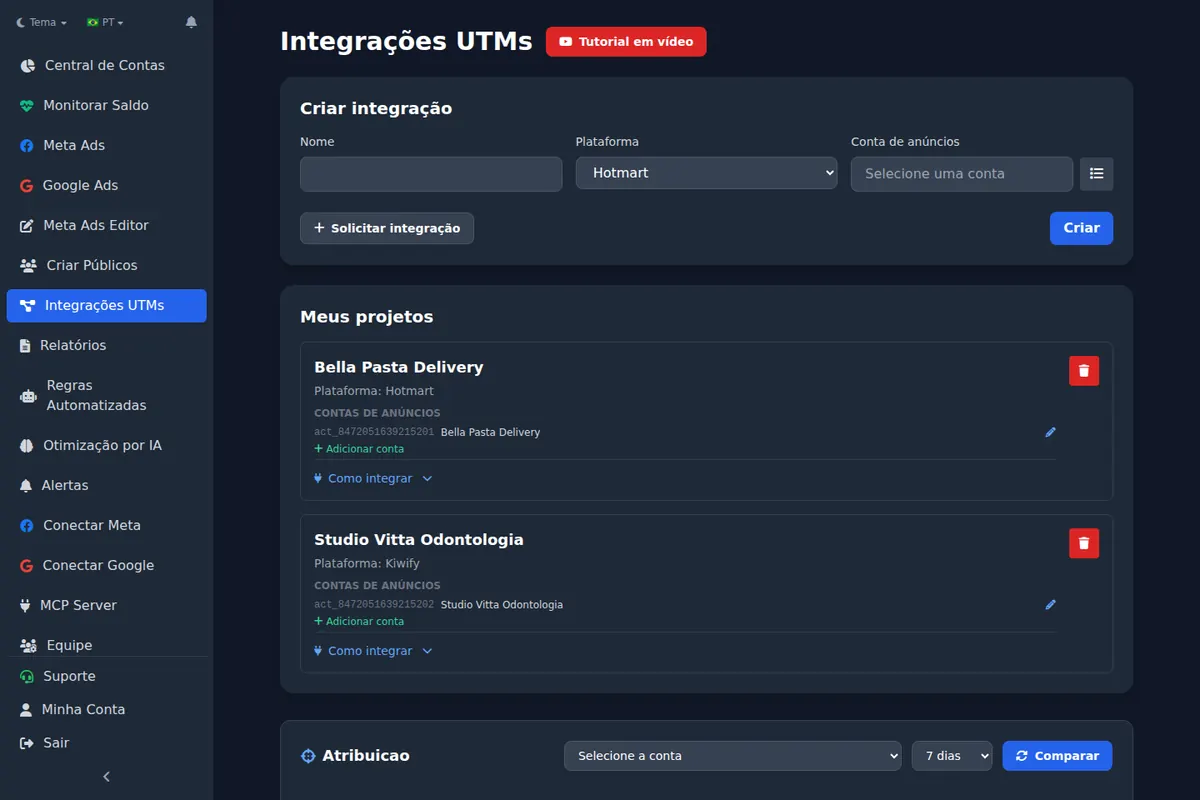
- Ads Editor has no native JVZoo or WarriorPlus integration today; you can request one in UTM Integrations.
In this article · 5 sections
What do JVZoo and WarriorPlus sell?
Both list digital products with low front-end prices and upsell funnels: software, templates, AI tools, courses on affiliate marketing and traffic. Vendors announce launches on JV pages, recruit affiliates with prizes and rely heavily on email traffic. That shapes what works with ads: a launch lasts days, which leaves little time to exit the learning phase, while an evergreen offer with a proven funnel can be scaled for months.
How do the fees compare?
| JVZoo | WarriorPlus | |
|---|---|---|
| Platform fee | 5% per sale | Not published on a page we could open on 11/21/2026 |
| Flat plan | Pro Plan: $87 per month per account, unlimited eligible products | No equivalent found |
| Catch | Enrolling a product in the Pro Plan clears its affiliate relationships and stops existing affiliate links | Check the current rate in the vendor dashboard |
For affiliates the platform fee comes out of the vendor's side; what you see is the commission. The Pro Plan detail matters if you promote a vendor's product: once the vendor enrolls it, your links stop working.
Can you run Facebook ads to JVZoo or WarriorPlus offers?
- Check the vendor's traffic rules. Many launch vendors restrict paid traffic or brand bidding.
- Use a bridge page. You need your own page to install the pixel, collect leads and pass tracking to the affiliate link.
- Prefer evergreen offers. A launch that ends on Friday does not give Meta's delivery enough conversions to stabilize.
- Sell the product, not an income promise. Copy about what the tool does is easier to substantiate than a promised daily income, and easier to get through ad review.
How do you track JVZoo and WarriorPlus sales by ad?
Ads Editor does not integrate with JVZoo or WarriorPlus today, so sales will not arrive by webhook into the UTM columns. What still works:
- Put Meta's dynamic UTMs on every ad. You can apply the template to many campaigns at once with Ads Editor's bulk edit of URL parameters.
- On the bridge page, pass the ad ID into the affiliate link's tracking field and read it in the platform's sales report.
- Match sales to spend per ad in a spreadsheet or tracker, and compare with what Meta reports (see why Meta Ads sales don't match your platform).
If you sell enough on one of them to justify it, use Can't find your platform? Request an integration in Ads Editor's UTM Integrations: requests are how new platforms enter the list.
Where else do affiliates who buy traffic go?
For supplements and broad info products, ClickBank, Digistore24, BuyGoods and MaxWeb all report sales by postback, and Ads Editor receives all four natively. Start with what is ClickBank or the full comparison of affiliate networks.
Frequently asked questions
Is JVZoo or WarriorPlus better for beginners?
For email-based launch promotion both work; for paid traffic, the offer's funnel and the vendor's traffic rules matter more than the platform.
What does JVZoo charge?
5% per sale, or a flat $87 per month per account on the Pro Plan, according to JVZoo's Pro Plan terms on 11/21/2026.
Does Ads Editor integrate with JVZoo or WarriorPlus?
Not today. You can still apply UTMs in bulk and compare spend, and request the integration in UTM Integrations.
Glossary
- JV page
- The page a vendor publishes for affiliates (joint venture partners) with launch dates, commissions and swipes.
- Evergreen offer
- A product sold continuously with a stable funnel, as opposed to a time-limited launch.
- Bridge page
- A page between the ad and the offer, owned by the affiliate, where pixel and tracking run.
References
- JVZoo Help: Pro Plan terms. Supports: JVZoo charges 5% per sale outside the Pro Plan; Pro Plan is $87 per month per account; enrolling clears affiliate relationships.
The claim supported by each source is shown above.
About the author
Matheus Mello, founder of Ads Editor and owner of YEP Agência. Runs client ad accounts at YEP Agência and built Ads Editor so his own agency could stop publishing ads one at a time. Usage numbers quoted on the blog come from the product activity log. Instagram: @theusm