Facebook custom audiences in bulk: build dozens at once
By Matheus Mello, founder of Ads Editor and owner of YEP Agência · Published · 4 min read
Facebook custom audiences are combinations of three choices (source, event and retention window), and that is exactly why building them one by one never scales. Four events times four windows is already 16 audiences for a single source, multiplied by every client account.
Quick answer
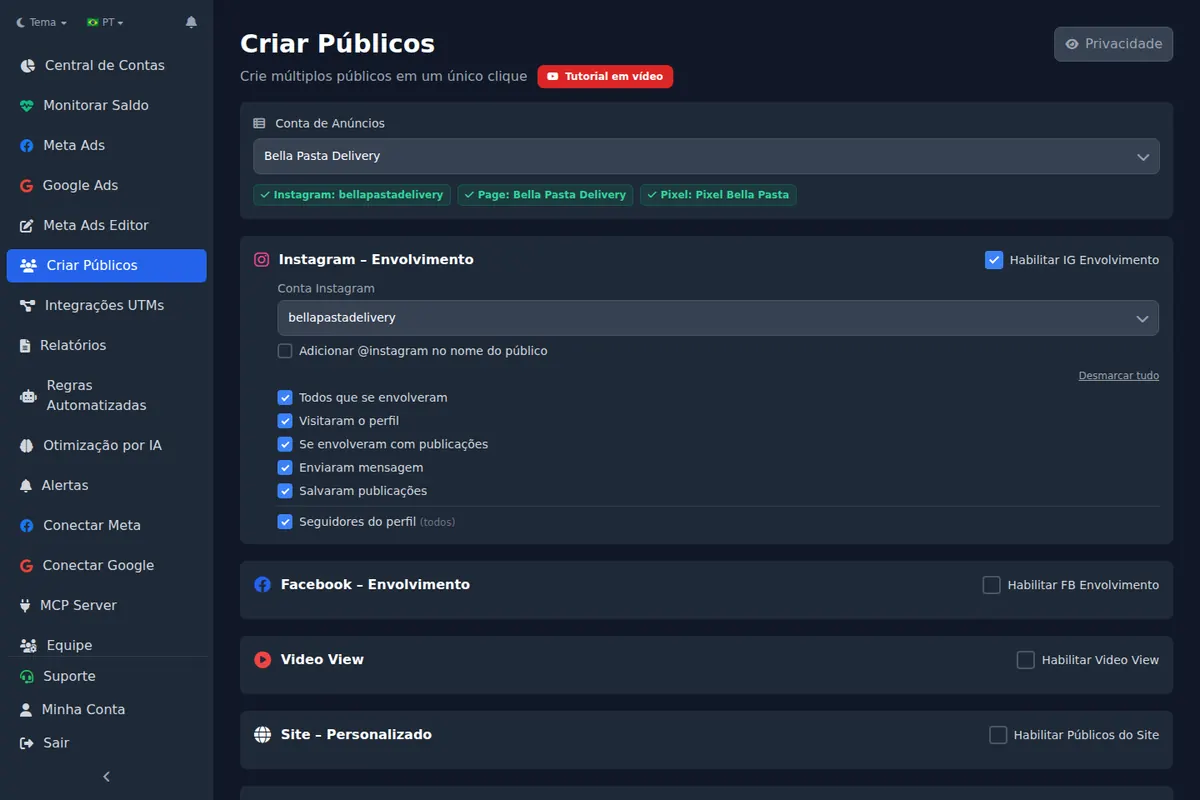
Creating Facebook custom audiences in bulk means generating, in one action, every combination of source, event and retention window an account uses: Instagram, Page, video, website and lookalikes. With a client prefix and consistent names, the same standard works for every new account, and cross-account copies find the audiences automatically. Start from a fixed list of sources and windows.
Summary
- An engagement audience is source plus event plus retention window; the combinations explode quickly.
- Bulk creation covers Instagram, Facebook Page, video views, website pixel and lookalikes.
- A fixed standard per new account, with a client prefix, makes audiences predictable and reusable.
- In 90 days, 7,199 audiences were created in 166 bulk runs in Ads Editor; the median run built 25.
- More audiences is not a reason to split budget: small ad sets never exit learning.
Why doesn't building audiences one at a time scale?
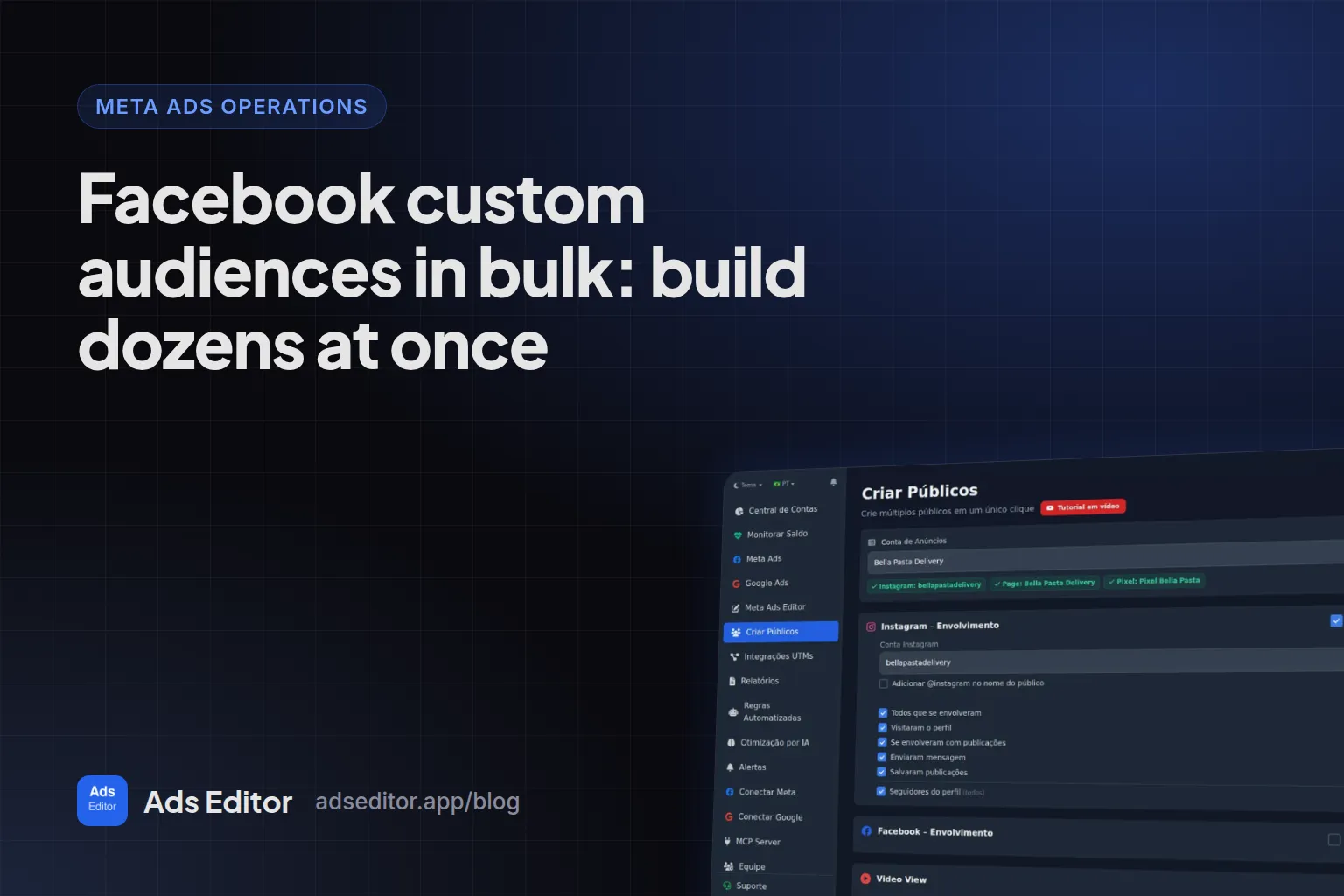
An engagement audience is the combination of three choices: the source (Instagram, Page, video, website), the event (engaged with any post, visited the profile, saved a post, sent a message, watched 75%) and the retention window (30, 90, 180, 365 days). With four events and four windows you already have 16 audiences for one source. Multiply that by client accounts and the audience tab becomes an afternoon.
Which sources can you use in bulk creation?
| Source | Events available |
|---|---|
| Instagram (engagement) | Everyone who engaged, visited the profile, engaged with a post or ad, sent a message, saved a post or ad, profile followers |
| Facebook Page | People who like or follow the Page, visited the Page, engaged with the Page |
| Video views | Watched 3 seconds, 10 seconds, 25%, 50% or 75% of the selected videos |
| Website (pixel) | All visitors, top 5%, 10% and 25% by time spent, pixel events |
| Lookalike | Built from the source audiences, with country and percentage |
What audience standard should every new account get?
- Define a fixed list of sources and windows that every new account receives. Example: Instagram engagement at 30, 90 and 365 days; video 75% at 30 and 180 days; website visitors at 30 and 180 days.
- Use a name prefix per client and turn on the option that adds the Instagram handle to the name.
- Create everything in one action when you connect the account.
- Generate lookalikes from the larger source audiences.
- Repeat the same standard across accounts. With identical names, a cross-account campaign copy finds the audiences on its own.
Measured: 166 bulk runs between June 25 and September 23, 2026
7,199 audiences created by 29 Ads Editor user accounts. The median run generated 25 audiences, 10% of runs generated 105 or more and the largest generated 373.
That shape (a burst of audiences at once) is what setting up a new account looks like. Since launch in November 2025, the product counter shows 15,130 audiences created.
When does creating audiences in bulk get in the way?
Bulk audiences are not a reason to segment everything. In accounts with low conversion volume, splitting budget across many ad sets with small audiences keeps each ad set from collecting the roughly 50 weekly optimization events it needs to exit learning. The budget math is in Facebook ads learning phase budget.
With broad and Advantage+ audiences doing most of the prospecting today, custom audiences earn their keep as exclusions, retargeting pools and lookalike seeds, not as dozens of separate ad sets.
How do you clean up old audiences?
The same screen lists every audience in the account and lets you select and delete many at once. Clean up before you standardize: an account with three generations of naming conventions is where copies fail to match audiences.
For the bigger picture, see how to manage multiple Facebook ad accounts.
Frequently asked questions
What is the longest retention window for an engagement audience?
In Ads Editor, the windows offered go up to 730 days depending on the source. Long windows are for broad retargeting; short ones for warm prospects.
Is a 75% video view audience better than a 3 second one?
It is more qualified and smaller. The 3 second audience reaches more people and suits warm-up; the 75% audience suits a direct offer.
Can I delete audiences in bulk too?
Yes. The screen lists the account's audiences and lets you select and delete several at once.
Why do audience names matter?
Audiences belong to one ad account. When you copy a campaign to another account, matching audiences by an identical name is what lets the copy swap IDs automatically.
Glossary
- Custom audience
- A Meta audience built from your own sources, such as website visitors, video viewers or Instagram engagers.
- Retention window
- How many days back an audience looks for the event, such as 30 or 365 days.
- Lookalike audience
- An audience Meta builds to resemble a source audience, set by country and percentage.
- Engagement audience
- A custom audience of people who interacted with your Page, Instagram account, videos or ads.
About the author
Matheus Mello, founder of Ads Editor and owner of YEP Agência. Runs client ad accounts at YEP Agência and built Ads Editor so his own agency could stop publishing ads one at a time. Usage numbers quoted on the blog come from the product activity log. Instagram: @theusm