1-1-1 structure in Meta Ads: one campaign per ad
By Matheus Mello, founder of Ads Editor and owner of YEP Agência · Published · 5 min read
A 1-1-1 campaign structure puts each creative in its own campaign, with one ad set and one ad. In Meta Ads Editor that happens in one upload, starting from a campaign you already checked.
Quick answer
A 1-1-1 campaign structure gives each creative its own campaign, with one ad set and one ad. In Meta Ads Editor, check one campaign and one ad set, choose 2 to 10 files, and pick One campaign per ad (1-1-1). The first file stays in the campaign you checked. The others are born as paused copies, without the old ads.
Summary
- One campaign per ad (1-1-1) creates one campaign, one ad set and one ad for each creative, in the same upload.
- The 1st file goes into the campaign and ad set you checked. Ads that ad set already had stay there.
- The other campaigns are born paused, with only that ad set and without the old ads. The cap is 10 per upload.
- If the checked campaign is active and the ad is born active, only the 1st can deliver. The copies stay paused.
- One ad per ad set (1-N-1) does not create a campaign. It only splits files across ad sets that already exist.
In this article · 5 sections

What the 1-1-1 structure is
1-1-1 means one campaign, one ad set and one ad. Each creative stays separate: the audience, the budget and the result of that file do not mix with the others in the same ad set.
In Meta Ads Editor, the option is called One campaign per ad (1-1-1) and sits under How should ads be distributed?. It shows when there is more than one file (or more than one link). With a single file the option hides, because there is nothing to copy.
How to upload it in Meta Ads Editor
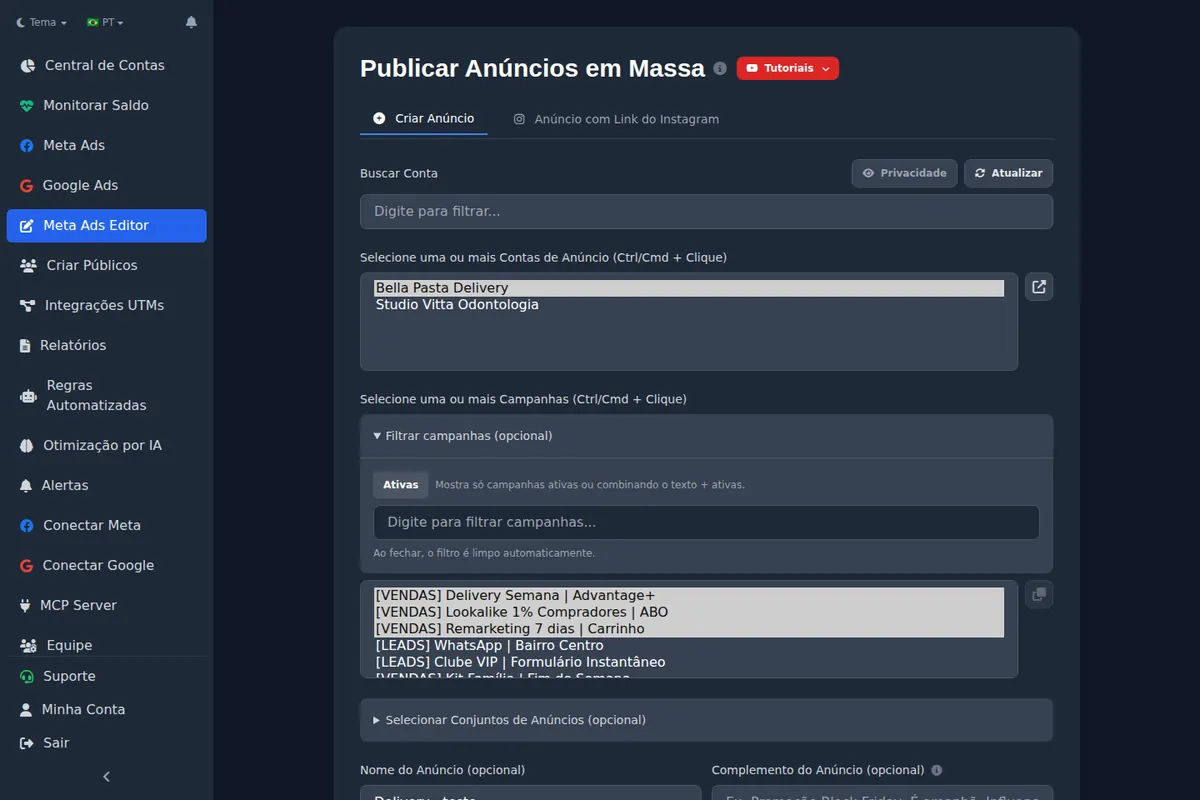
- Check one campaign and one ad set under Select Ad Sets. That ad set is the model for audience, budget and placement.
- Pick 2 to 10 files, in the order the campaigns should receive them. The 1st stays in the campaign you checked.
- Under How should ads be distributed?, choose One campaign per ad (1-1-1). The summary counts the batch, for example 4 ads and 4 campaigns.
- Check the Ad Status toggle and click Create Ads.
The 1st creative is not a new campaign
It goes into the ad set you checked, next to the ads that ad set already had. The other campaigns are born paused, with a copy of that ad set and without the old ads. If the checked campaign is active and the ad is born active, only the 1st can deliver. Pause the checked campaign before the upload when all the creatives need to start together.
What this option does not do
- One ad per ad set (1-N-1) does not create a campaign. It puts the 1st file in the 1st checked ad set, the 2nd in the 2nd, and the number of files must match the number of ad sets. The bulk upload path still covers that case.
- A carousel or placement media is a single ad. The 1-1-1 structure does not use those formats.
- The cap is 10 campaigns per upload. Above that, split the batch in two.
- Duplicating with the template that keeps one ad set and an ad that already existed is a different function. Here the copies are born without the old ads, and the new creative is added afterwards.
1-1-1 on a catalog ad
On the Catalog Ad tab the same option appears. Without new media, How many campaigns (from 1 to 10) sets the batch. With A new set for each media file, the number of files is the number of campaigns. The catalog steps themselves are in catalog ads.
The product and the product set are created before Meta accepts the ad. If Meta rejects the ad, they can stay in the catalog. The editor does not delete that leftover: delete the product in Commerce Manager.
On the Ad from Instagram Link tab, each link becomes a campaign the same way: the 1st in the campaign you checked and the following ones in paused copies.
Through Copilot and MCP
There is no distribution value called one campaign per ad. The path is the same as the screen, in two steps: copy the checked campaign without the old ads, once for each extra file (up to 9, 10 in total), then upload one file into each ad set, in order. The 1st file goes into the original ad set. The copy is born paused and has no ad to inherit the Page from, so the Page has to go in the upload.
The click path, with the names on the screen, is in the Help Center: One campaign per ad (1-1-1).
Frequently asked questions
Does the first creative also become a new campaign?
No. The 1st file goes into the campaign and ad set you checked, and the ads that ad set already had stay there. Only the following files are born in new campaigns.
Are the 1-1-1 copies born active?
No. The copied campaigns are born paused, even if Ad Status is active. That toggle applies to the ads. If the campaign you checked is already active and the ad is born active, only the 1st can deliver.
Can I build a 1-1-1 structure for a catalog?
Yes, on the Catalog Ad tab. Without a new file, use How many campaigns (1 to 10). With A new set for each media file, each file becomes a campaign. If Meta rejects the ad, delete the leftover product in Commerce Manager.
Does one ad per ad set create the 1-1-1 campaigns?
No. One ad per ad set (1-N-1) splits the files across ad sets you already checked and does not create a campaign. For one campaign per creative, use One campaign per ad (1-1-1).
Glossary
- 1-1-1 structure
- One campaign, one ad set and one ad for each creative.
- 1-N-1
- One ad per ad set that already exists. It does not create a campaign.
- Checked campaign
- The campaign you selected in the editor. It receives the 1st creative and is the model for the copies.
References
- Help Center: One campaign per ad (1-1-1). Supports: The 1st creative goes into the campaign you checked, the copies are born paused and without the old ads, and the upload cap is 10.
The claim supported by each source is shown above.
About the author
Matheus Mello, founder of Ads Editor and owner of YEP Agência. Runs client ad accounts at YEP Agência and built Ads Editor so his own agency could stop publishing ads one at a time. Usage numbers quoted on the blog come from the product activity log. Instagram: @theusm