Grok Meta Ads MCP: how to connect and what to ask
By Matheus Mello, founder of Ads Editor and owner of YEP Agência · Published · 4 min read
Grok works with a Meta Ads MCP the same way Claude and ChatGPT do: you add the Ads Editor server as a custom connector, authorize with your login and then ask, in plain language, for what you would otherwise do in Ads Manager or Google Ads.
Connect my AIQuick answer
To connect a Meta Ads MCP to Grok, open Settings and Connect Apps on grok.com, click Add a custom connector, name it ads-editor, paste `https://mcp.adseditor.app/mcp`, leave Headers blank, click Add MCP and authorize with your Ads Editor login. No token is needed.
Summary
- On grok.com, Ads Editor goes under Connect Apps as a custom connector, authorized with OAuth.
- On Grok Business or Enterprise accounts, an admin has to allow the connector first.
- The same server covers Meta Ads and Google Ads, with more than 350 tools.
- Ads Editor's safeguards apply in any assistant: copies start paused and a budget far above the current one is only applied after you confirm.
In this article · 4 sections
How do you connect a Meta Ads MCP to Grok?
- On grok.com, open Settings and then Connect Apps (or go to
grok.com/?_s=connectors). - Scroll to the end of the list and click Add a custom connector.
- In Name, enter ads-editor. In Server URL, paste
https://mcp.adseditor.app/mcp. Leave Headers blank and click Add MCP. - When Grok opens the authorization, sign in to Ads Editor and click Authorize.
- Ask for the list of your Meta and Google ad accounts. If it comes back, you are connected.
Before you start
On Grok Business or Enterprise accounts, an admin has to allow the connector first. On Ads Editor, the MCP comes with the Pro plan (US$ 39 per month) and up and is included in the 7-day free trial, with up to 300 calls a day. Screenshots of each step in the help center: everything you can do with MCP.
What should you ask Grok once it is connected?
It is the same server Claude and ChatGPT use, so the tools are the same. Start with the ones that write to the account and save hours:
| Request | What happens |
|---|---|
| Copy the Black Friday campaign from the Store A account to Store B, swapping Page and pixel, paused. | Reads account B's assets and creates a paused copy |
| Make a copy of website campaign X with a WhatsApp messages objective. | Validates the objective combination with Meta and creates it paused |
| Create an ad from this Instagram reel [link] in the Lookalike 1% ad set. | Creates the ad from the post, inheriting the ad set's UTMs |
| Create 30 and 90 day Facebook and Instagram engagement audiences in every account for client Y. | Creates the audiences in bulk, account by account |
| Keep the Leads campaign's ad sets on Instagram feed and stories only. | Changes placements after your confirmation, without touching the audience |
| Add free, course and job as negatives on every Google campaign in account X. | Saves the negatives to the campaigns |
More ideas in top 10 Meta Ads MCP use cases and Meta Ads MCP prompts.
Do the safeguards apply in Grok too?
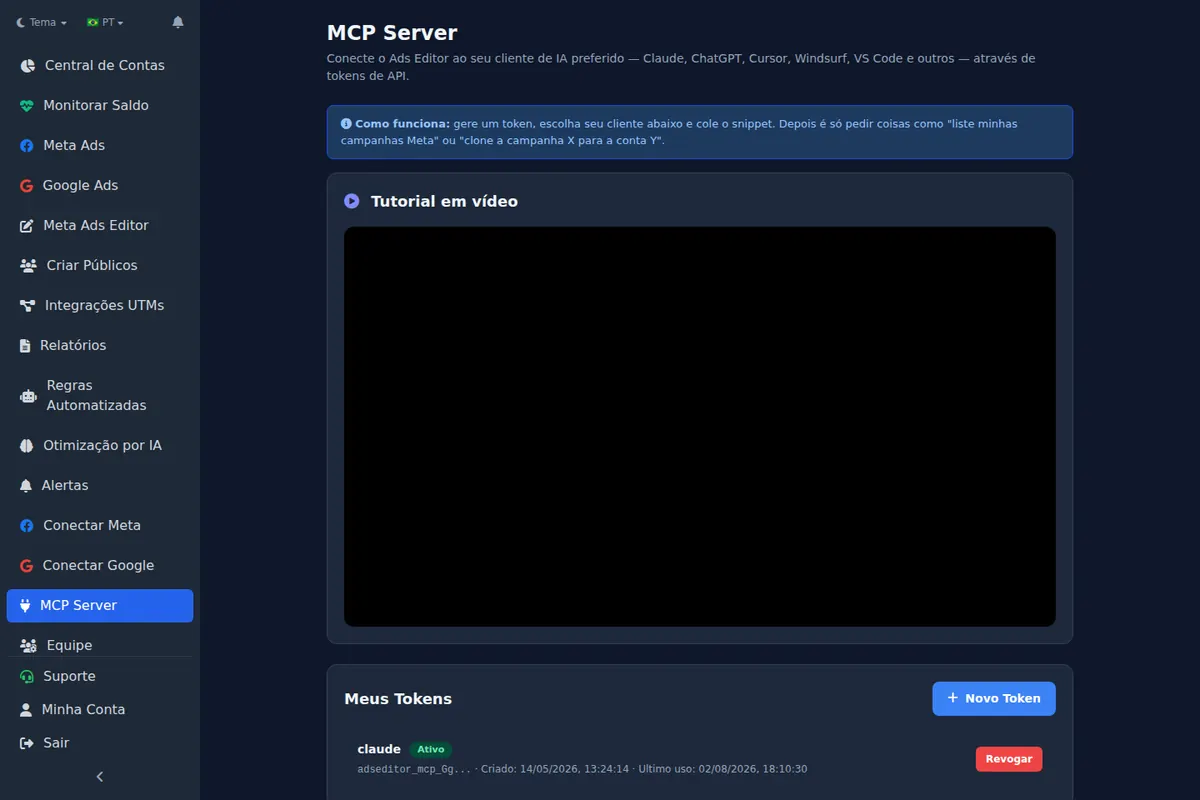
Yes, because they live on the Ads Editor server, not in the assistant. Campaigns, ad sets and copies start paused. Changing placements, turning on Advantage+ audience and switching between CBO and ABO ask for confirmation. A daily budget more than six times the current one, and above 1,000 in the account currency, needs an extra confirmation: the server returns a code tied to the operation, and the assistant resends it only after you confirm. Everything is logged under Recent activity on the MCP Server screen.
Grok, ChatGPT or Claude: which one?
For the Ads Editor MCP, it does not matter: the tools and safeguards are the same. Pick the assistant you already use. The differences are in the setup: ChatGPT needs a paid plan and lives under Plugins (setup); Claude has ready-made requests under the + button and a terminal version that uploads files from your computer (setup). The Gemini web app does not connect to MCP servers.
Overview, with the comparison against Meta's official MCP: Meta Ads MCP guide.
Frequently asked questions
Does Grok connect to Meta Ads?
Yes, through an MCP server. The Ads Editor one goes under Connect Apps as a custom connector and covers Meta Ads and Google Ads.
Do I need a token to connect Grok?
No. Leave Headers blank and authorize with your Ads Editor login when Grok opens the authorization.
Why can't I find the connector option in my Grok account?
On Business or Enterprise accounts, an admin has to allow the connector first. Talk to whoever manages the account.
Glossary
- Custom connector
- A third-party MCP server you add to Grok by pasting its URL under Connect Apps.
- MCP
- Model Context Protocol, an open standard that connects AI assistants to external systems.
References
- Model Context Protocol: introduction. Supports: MCP is an open standard for connecting AI applications to external systems.
The claim supported by each source is shown above.
About the author
Matheus Mello, founder of Ads Editor and owner of YEP Agência. Runs client ad accounts at YEP Agência and built Ads Editor so his own agency could stop publishing ads one at a time. Usage numbers quoted on the blog come from the product activity log. Instagram: @theusm