Facebook ads frequency cap: target vs cap frequency control in reach campaigns
By Matheus Mello, founder of Ads Editor and owner of YEP Agência · Published · 7 min read
A frequency cap in Facebook ads is the ad set setting that limits how many times each person can see your ads within a number of days. It only exists in ad sets optimized for Reach or ThruPlay, and it comes in two modes that Meta treats very differently: Cap and Target.
Quick answer
A Facebook ads frequency cap sets how many times one person sees your ads in a period, from 1 to 90 times every 1 to 90 days, and only exists with Reach or ThruPlay optimization. Use Cap for a ceiling that works with daily budgets and CBO; use Target for an average, which needs a lifetime ad set budget.
Summary
- Frequency control lives on the ad set and only accepts Reach or ThruPlay optimization; sales campaigns do not have it.
- Both numbers run from 1 to 90: times, and every how many days. The event counted is the impression.
- Cap is a ceiling: it works with daily or lifetime budgets, at ad set or campaign level (CBO).
- Target is an average: it needs a lifetime ad set budget, no bid cap, and a 7 to 90 day schedule.
- The cap applies per ad set. Two ad sets with the same audience add up.
What is frequency control, and when does it appear?
Frequency is the average number of times each person saw your ads. In most campaigns Meta decides it. Frequency control is the exception: an ad set field where you tell Meta how many impressions per person you accept within a number of days.
What Meta's ad set API reference says, checked October 17, 2026:
- The field can only be written on ad sets whose performance goal is Reach (REACH) or ThruPlay (THRUPLAY).
- The number of times runs from 1 to 90, and so does the interval in days.
- The event counted is the impression: "5 times every 7 days" means up to five impressions per person every seven days.
- There are two types: Cap (CAP) and Target (TARGET).
Without the field, Meta picks the frequency on its own. Sales, lead and message campaigns have no frequency control: there, frequency is managed through audiences, exclusions and creative rotation.
What is the difference between Cap and Target frequency?
Cap is a ceiling: at most N impressions per person every D days. Target is an average: Meta aims for people to see the ad about N times in the interval, and some will see it more. The difference that bites at launch is which budgets and bids each one accepts.
| Cap | Target | |
|---|---|---|
| What it sets | The maximum impressions per person | The average impressions per person |
| Daily budget | Yes | No: needs a lifetime budget |
| Campaign budget (CBO) | Yes | No: needs an ad set budget |
| Bid or cost cap | Yes | No: highest volume only |
| Ad set duration | Any | 7 to 90 days, with an end date |
| Use it for | Avoiding saturation in a small audience, always-on campaigns | Awareness flights with an end date |
Illustrative scenario
A school wants to remind parents about enrollment for 30 days, on a $40 daily budget, with at most 5 impressions per person per week. Target will not work because the budget is daily. A Cap of 5 times every 7 days does, and Ads Editor sums the choice up as "At most, we aim to stay under 5 impressions every 7 days."
How do you set a frequency cap in Meta Ads Manager?
- Create the campaign with the Awareness objective, or use ThruPlay in a video campaign.
- On the ad set, choose the reach performance goal (or ThruPlay).
- Open Frequency control and choose Target or Cap.
- Enter the times and the interval in days. With Target, check that the budget is lifetime, lives on the ad set, and the ad set ends within 7 to 90 days.
- Publish and watch the ad set's frequency column for the first few days.
How do you set it in Ads Editor?
Since October 15, 2026, Ads Editor's Meta Create campaign wizard has the same control as Ads Manager, on the ad sets step.
- In Meta Ads, click Create campaign and choose Reach or ThruPlay optimization.
- On the ad sets step, open Frequency control and pick Target (the average number of times) or Cap (the maximum number of times).
- Fill in the times and the days, 1 to 90 in both fields. The screen sums the choice up in one sentence so you can check it before publishing.
- If Meta would reject the combination, Ads Editor warns you before sending and says what to change, for example: "target frequency requires a lifetime ad set budget, not daily. For a daily budget, choose Cap."
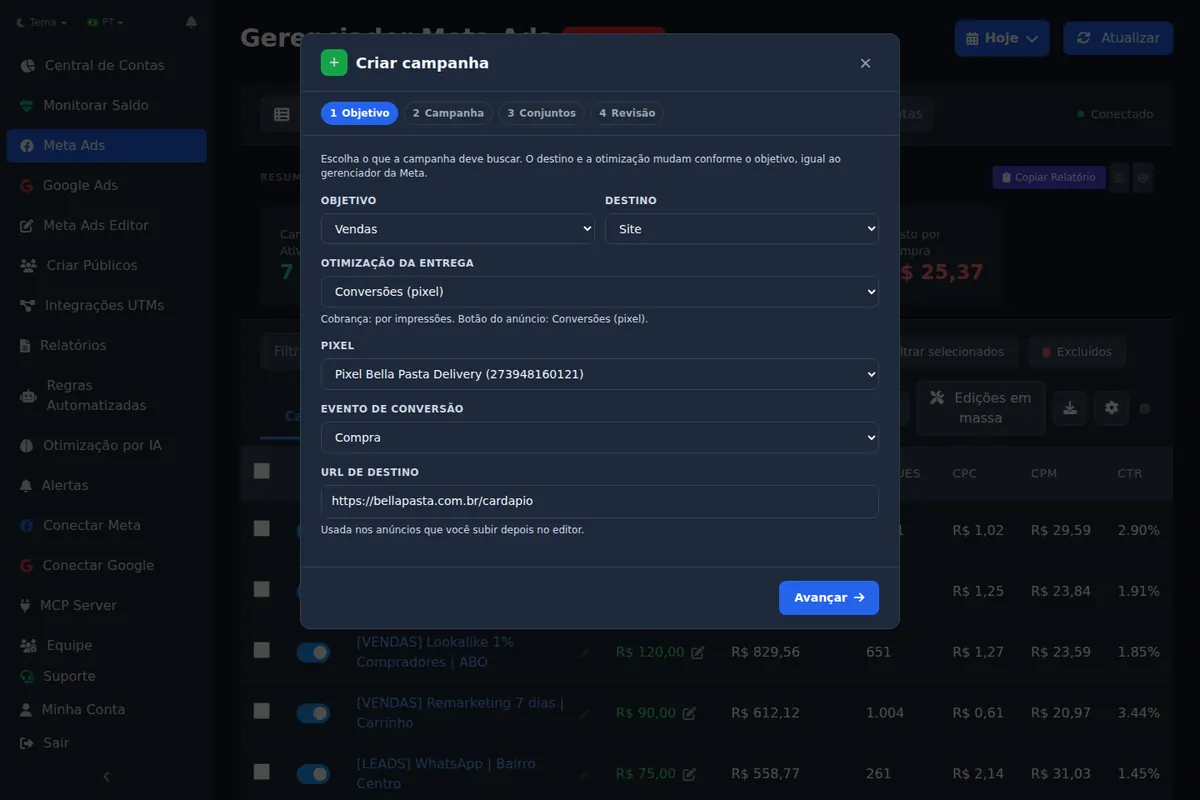
The pre-flight warning is the time saver: Meta rejects Target with CBO, with a daily budget, with a bid cap or with a duration outside 7 to 90 days, and the rejection only shows up at publish time. To track frequency afterwards, the Ads Editor MCP reads the frequency metric for each ad set and ad from a chat.
What frequency should a reach campaign use?
There is no number that fits everyone, and be wary of anyone who gives you one. The right frequency depends on audience size, how long the campaign runs and how many creatives it has. The honest way to decide is to start from the goal:
| Situation | Mode | How to think about the number |
|---|---|---|
| Always-on local brand awareness | Cap | A low weekly ceiling, so a naturally small audience does not get tired |
| Event or enrollment with a date | Target | An average that guarantees a few exposures before the date, with a lifetime budget |
| Video to warm up a retargeting audience | Cap | A daily ceiling, because the audience is small and saturates fast |
After a few days, read frequency together with CTR and cost per result. If CTR drops while frequency climbs, the audience is tired of the creative. How long creatives last in practice is in Facebook ads creative testing.
Why did frequency go above the cap I set?
- The cap is per ad set. Two ad sets, or two campaigns, with the same audience add impressions for the same person. Exclude one audience from the other or merge the ad sets.
- Target is an average. With Target, some people see more than the number you picked; if you need a ceiling, use Cap.
- The report uses a different window. The frequency column is the average for the report's date range, not for the cap interval. A cap of 2 times every 7 days can show up as frequency 6 on a 30-day report.
Can you cap frequency in a sales campaign?
Not with the field: the API only accepts frequency control with Reach or ThruPlay. In sales, lead or message campaigns, frequency is controlled from the outside: bigger audiences, excluding past buyers, fewer ad sets competing for the same people, and fresh creative before fatigue sets in. Where the budget should live is covered in CBO vs ABO.
Frequently asked questions
What is the difference between cap and target frequency in Facebook ads?
Cap is the maximum impressions per person in the interval and works with daily budgets and CBO. Target is the average, and it needs a lifetime ad set budget, no bid cap, and a 7 to 90 day schedule.
Can I set a frequency cap on a conversion campaign?
Not with the field. Meta only accepts frequency control on ad sets optimized for Reach or ThruPlay; in conversion campaigns, manage frequency through audiences, exclusions and creative.
What is the maximum frequency cap?
Both numbers run from 1 to 90: 1 to 90 impressions, every 1 to 90 days, according to Meta's API reference.
Why can't I use target frequency with CBO?
Target needs a lifetime budget on the ad set itself. With a campaign budget, or with a daily budget, use Cap.
Does the frequency cap apply to the whole campaign?
No. It is set on the ad set and applies to that ad set. Ad sets reaching the same audience add up.
Glossary
- Frequency
- The average number of times each person saw your ads in the report's date range.
- Frequency cap
- A ceiling on impressions per person within a number of days.
- Target frequency
- The average impressions per person Meta aims for within the interval.
- ThruPlay
- Video optimization that aims for plays to completion, or of at least 15 seconds.
References
- Ad Set reference, Meta Marketing API (checked October 17, 2026). Supports: frequency_control_specs can only be written on ad sets whose performance goal is REACH or THRUPLAY; interval_days and max_frequency run from 1 to 90; the event is IMPRESSIONS; the types are CAP and TARGET.
The claim supported by each source is shown above.
About the author
Matheus Mello, founder of Ads Editor and owner of YEP Agência. Runs client ad accounts at YEP Agência and built Ads Editor so his own agency could stop publishing ads one at a time. Usage numbers quoted on the blog come from the product activity log. Instagram: @theusm