Best Google Ads MCP servers in 2026: 8 options compared
By Matheus Mello, founder of Ads Editor and owner of YEP Agência · Published · 6 min read
The best Google Ads MCP server is the one that matches who will use it. There is an official Google server, a community one and several commercial ones, and they differ in three things: what they can write, who has to set them up and what they cost.
Connect my AIQuick answer
The best Google Ads MCP server depends on who uses it. For buyers who want to create, edit and copy campaigns between accounts without a Google Cloud project, Ads Editor, which covers Meta too. For developers, Google's official server or Composio. To approve every write in chat, Ryze AI. For read-only analysis, Kondado.
Summary
- Google's official MCP server is open source and self-hosted: it reads through GAQL and writes only assets, videos and labels, with two-step confirmation.
- The most cited community server (cohnen/mcp-google-ads) lists 5 tools, all queries, and needs a developer token.
- Write campaigns, ad groups and budgets: Ads Editor, Composio, Ryze AI (with approval for each write) and AdManage (once read and write is enabled).
- Ads Editor, Pipeboard, AdManage and Ryze AI put Google and Meta on one server.
- Every competitor fact was checked on the official page on November 20, 2026; anything not stated is marked as such.
In this article · 4 sections
Which criteria did we use?
- Writes or only reads: creates campaigns, changes budgets and keywords, or only queries.
- Who sets it up: a hosted server where you paste a URL, or a server you run, with a Google Cloud project and a developer token.
- Platforms: Google only, or Google and Meta together.
- AI clients, sign-in and price, as stated by the vendor.
Disclosure
We are Ads Editor, one of the options compared. Facts about the others come from their official pages, checked on November 20, 2026 and listed in the references. Where a page says nothing, the table says "not stated", not "does not do it".
Google Ads MCP comparison table
| MCP | Writes to the account? | Who sets it up | Platforms | Published price |
|---|---|---|---|---|
| Google official (google-ads-mcp) | Reads through GAQL; writes assets, videos and labels, with two-step confirmation | You run it (Python or container), with a Google Cloud project | Google Ads only | Open source |
| Community (cohnen/mcp-google-ads) | 5 tools, all queries | You run it (Python), with a developer token and OAuth or a service account | Google Ads only | Open source (MIT) |
| Ads Editor | Yes: creates paused campaigns, copies to another account, edits PMax, adds negatives, creates experiments | Hosted: paste the URL and authorize with OAuth | Google and Meta | Pro plan, US$ 39/month; 7-day trial |
| Composio | Yes: 78 tools, including mutating campaigns, ad groups, ads and budgets | Hosted, with managed OAuth | Separate Google and Meta toolkits | Free up to 100,000 calls/month (20,000 through managed apps) |
| Ryze AI | Yes: 14 tools, 6 writes, each held for your approval | Hosted, Google sign-in with OAuth | Google, Meta and others | Included in plans; Paid Ads US$ 89/month |
| AdManage | Read only by default; Google launches after you enable read and write | Hosted, OAuth | Google, Meta, TikTok and others | Plans from £199.99/month |
| Pipeboard | Yes, with capabilities that vary by platform | Hosted, OAuth and scoped tokens | Google, Meta, TikTok and others | Limited free plan; US$ 29.90 to US$ 199/month |
| Kondado | No: read only | Hosted | Google among many connectors | 14-day trial; price not checked |
What each option does well
Google's official server
Maintained by Google as open source. It reads any API data through GAQL queries, describes available fields and lists the accounts you can access. In the version checked on November 20, 2026, it also writes a small set: creating assets, uploading videos (local runs only) and managing labels, always with one call that validates and a second that commits. You can disable writes and run it read only. Ideal for developers who want the official source; there is no Google-hosted version.
Community server
cohnen/mcp-google-ads lists five tools: accounts, campaign performance, ad performance and GAQL queries. All of them are queries. Setup needs Python, a Google Cloud project, OAuth or a service account and a developer token, which the page says usually takes 1 to 3 business days to be approved.
Ads Editor
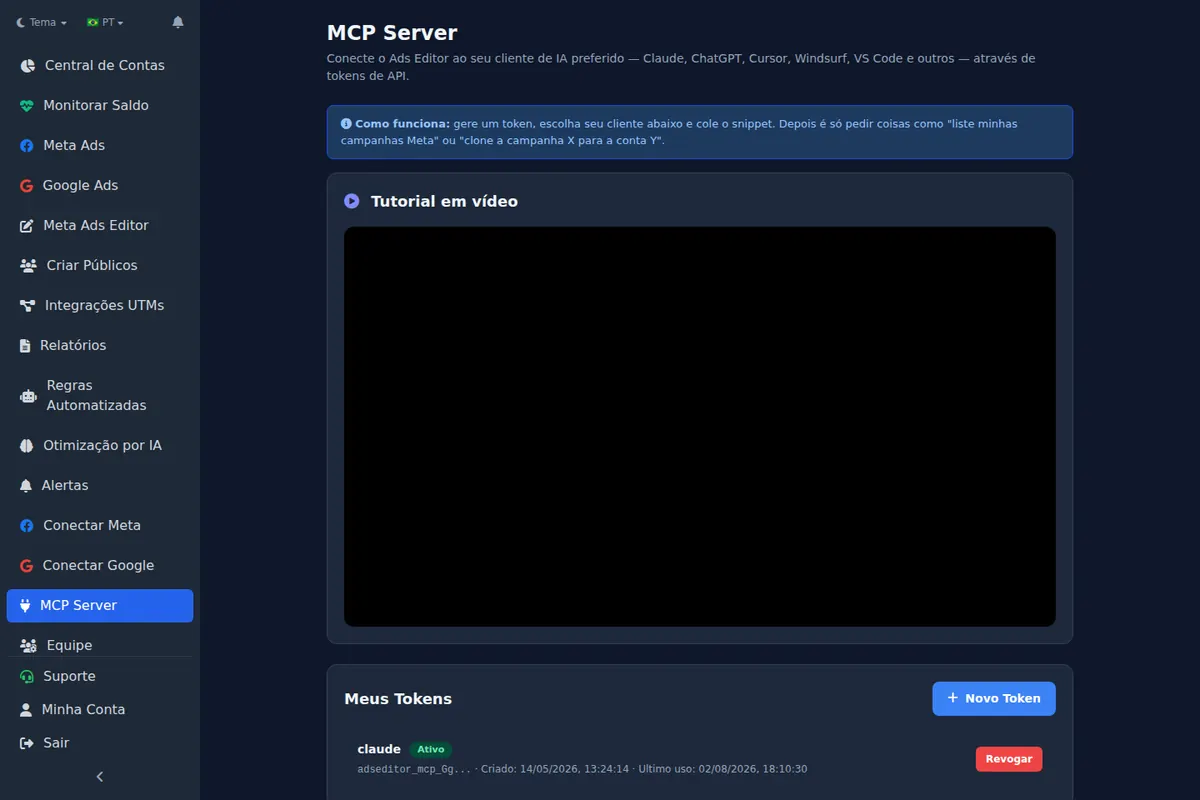
A hosted server with more than 350 tools for Google Ads and Meta Ads, with no developer token and no Google Cloud project: you connect your accounts in Ads Editor and authorize the assistant. In Google, it creates Search, Display, Demand Gen, Performance Max and Shopping campaigns (all paused), copies campaigns to another account, edits Performance Max asset groups, adds negatives, manages negative lists and creates audiences, conversions and A/B experiments. Full list in running Google Ads from ChatGPT and Claude.
Composio
A Google Ads toolkit with 78 tools, from GAQL queries and keyword ideas to campaign, ad group, ad and budget mutations and click conversion uploads. Composio manages the Google OAuth app. Built for people assembling their own agents and workflows.
Ryze AI
A connector for Claude, ChatGPT and Cursor with Google sign-in. In Google Ads, 14 tools: 8 read tools, including GAQL and Keyword Planner, and 6 writes, such as pausing campaigns and changing budgets. By default, every write is held until you confirm it in the chat.
AdManage, Pipeboard and Kondado
AdManage lists a launch_google_ads tool among 178, but new connections are read only until you enable read and write. Pipeboard covers Google alongside Meta, TikTok and others and says write capabilities vary by platform. Kondado is read only, on replicated data.
Verdict: which Google Ads MCP should you pick?
| If you... | Consider |
|---|---|
| Code and want to query data from the official source | Google's official server |
| Manage Google Ads for several clients, also run Meta and want to create and copy campaigns from chat | Ads Editor |
| Want to approve every write before it happens | Ryze AI |
| Are building your own agent with many integrations | Composio |
| Need many ad channels beyond Google and Meta | AdManage or Pipeboard |
| Want analysis only, with no risk of changes | Kondado |
For Meta Ads, the comparison is in best Meta Ads MCP servers; for both together, in best MCP for media buyers. Google Ads requests to copy: Meta Ads MCP prompts. Overview: Meta Ads MCP guide.
Frequently asked questions
Is there an official Google Ads MCP server?
Yes, open source. You run it yourself; it reads through GAQL and writes only assets, videos and labels, with two-step confirmation, according to the repository checked on November 20, 2026.
Which Google Ads MCP can create campaigns?
Among those compared, Ads Editor (campaigns always start paused) and Composio, which has tools to mutate campaigns, ad groups and budgets. Ryze AI writes with approval, such as pausing and changing budgets.
Do I need a developer token to use a Google Ads MCP?
For servers you run, such as the official and community ones, setup goes through Google Cloud and the Google Ads API. For hosted ones, such as Ads Editor and Ryze AI, you authorize with your login.
Glossary
- Developer token
- A key Google requires to access the Google Ads API directly.
- GAQL
- Google Ads Query Language, the query language of the Google Ads API.
- Hosted server
- An MCP server run by the vendor, where you only paste the URL and authorize.
References
- GitHub: googleads/google-ads-mcp (checked on November 20, 2026). Supports: Read tools (GAQL, metadata, accounts) and write tools (asset creation, video upload, labels) with two-step confirmation, a read-only option, local install or your own deployment with a Google Cloud project.
- GitHub: cohnen/mcp-google-ads (checked on November 20, 2026). Supports: Five query tools, Python install, OAuth or service account, developer token approval in 1 to 3 business days, MIT license.
- Composio Google Ads toolkit (checked on November 20, 2026). Supports: 78 tools, campaign, ad group, ad and budget mutations, managed OAuth and a free Hobby plan.
- Ryze AI MCP connector (checked on November 20, 2026). Supports: 14 Google Ads tools, 6 approval-gated writes, Claude, ChatGPT and Cursor, OAuth, Paid Ads at US$ 89/month.
- AdManage MCP (checked on November 20, 2026). Supports: 178 tools including launch_google_ads, read only by default, OAuth, plans from £199.99/month.
- Pipeboard pricing (checked on November 20, 2026). Supports: Plans from free to US$ 199/month, with ad account slots covering Meta, Google Ads, TikTok and LinkedIn.
- Kondado: AI with Google Ads (checked on November 20, 2026). Supports: Kondado MCP is strictly read only and analytical; 14-day trial.
The claim supported by each source is shown above.
About the author
Matheus Mello, founder of Ads Editor and owner of YEP Agência. Runs client ad accounts at YEP Agência and built Ads Editor so his own agency could stop publishing ads one at a time. Usage numbers quoted on the blog come from the product activity log. Instagram: @theusm